Comfort
Polish for heavy users: more peace with blocking, a message filter and a notification centre, several identities, server info, a fresh design for the wizard, settings, watch party and channel tree, audio per channel, a low-latency mode for making music, updates in the app and an optional relay for direct connections.
44 of 44 done
Everyday comfort 14
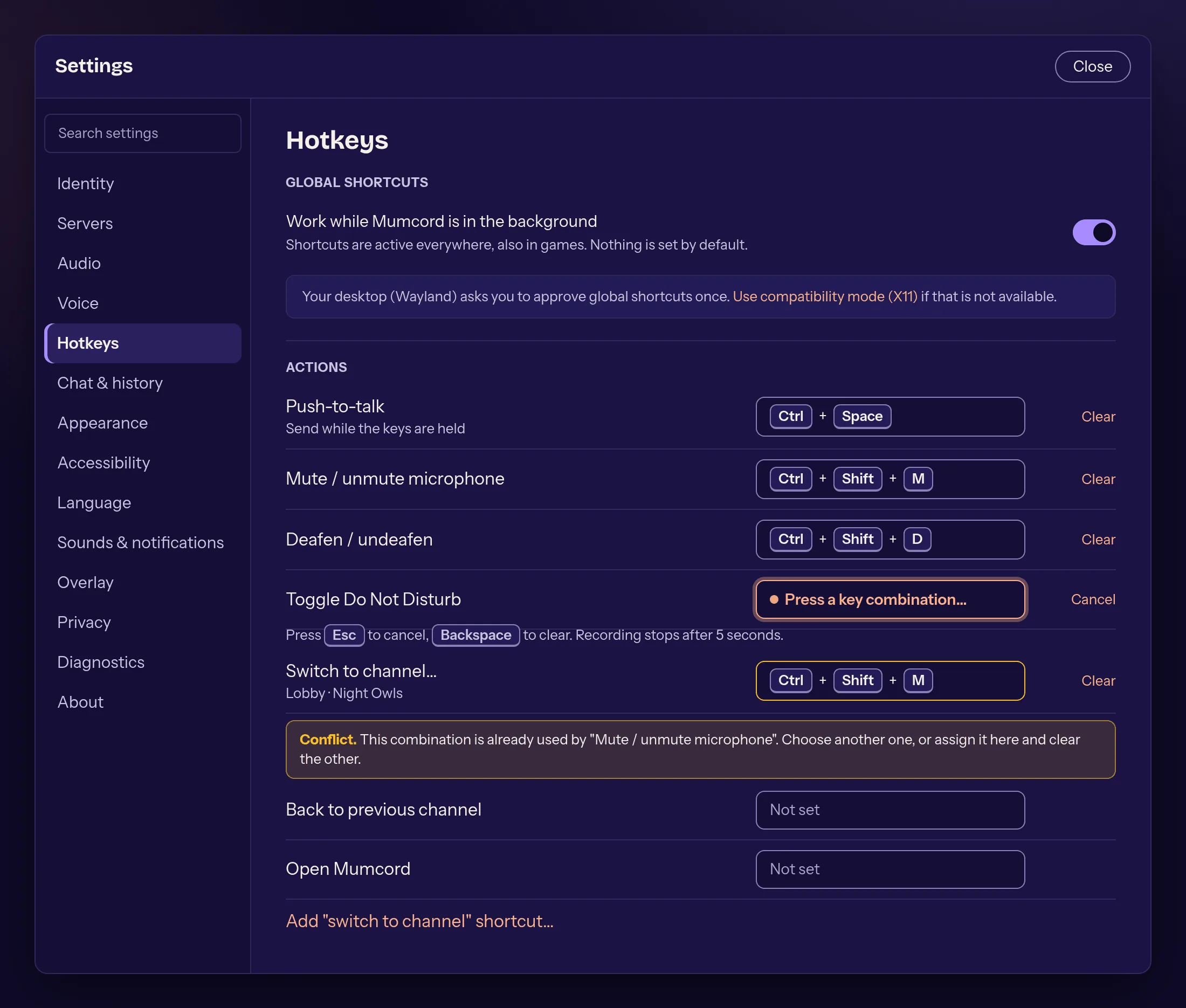
- done: Global shortcuts beyond push-to-talk
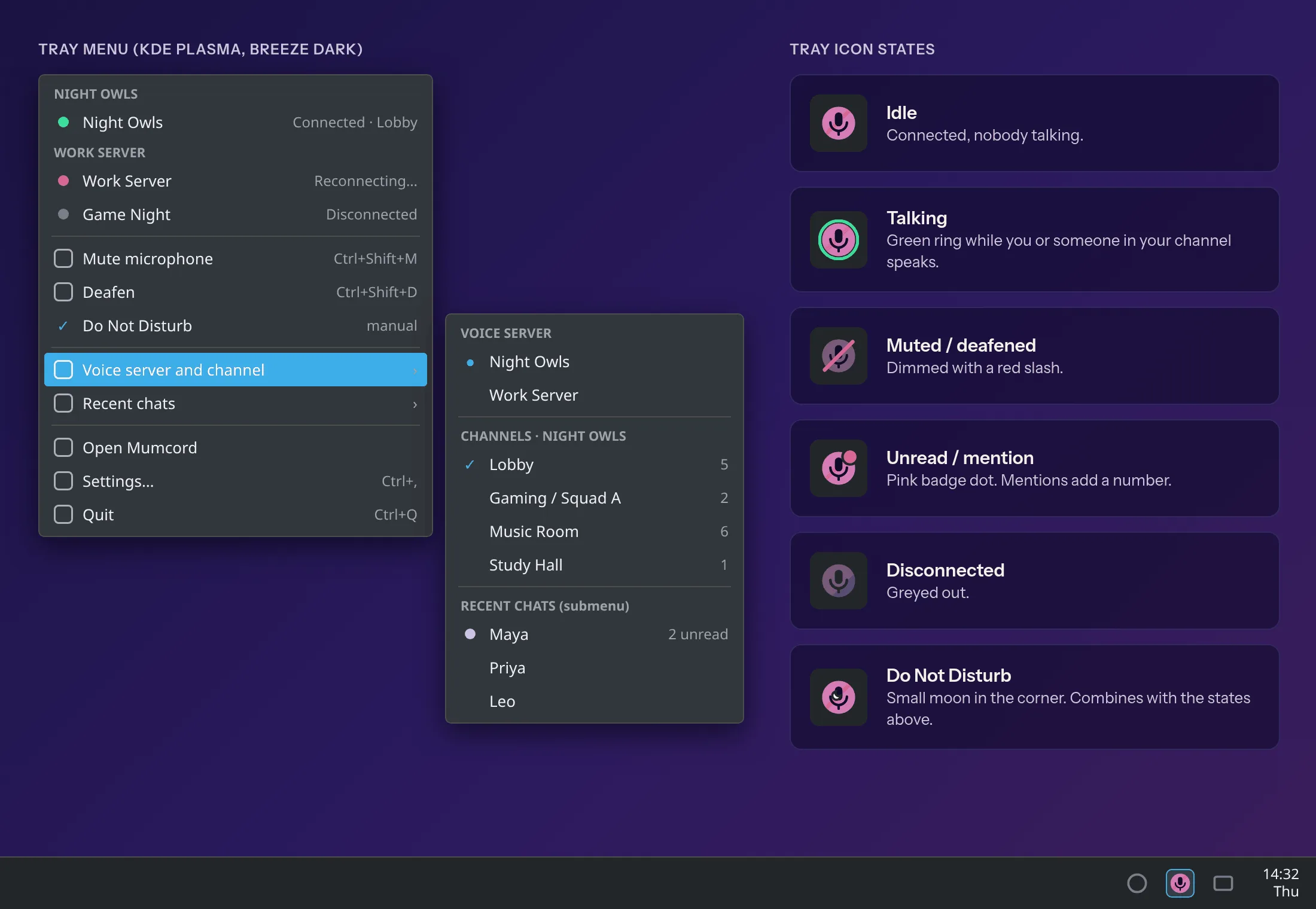
- done: Full tray menu
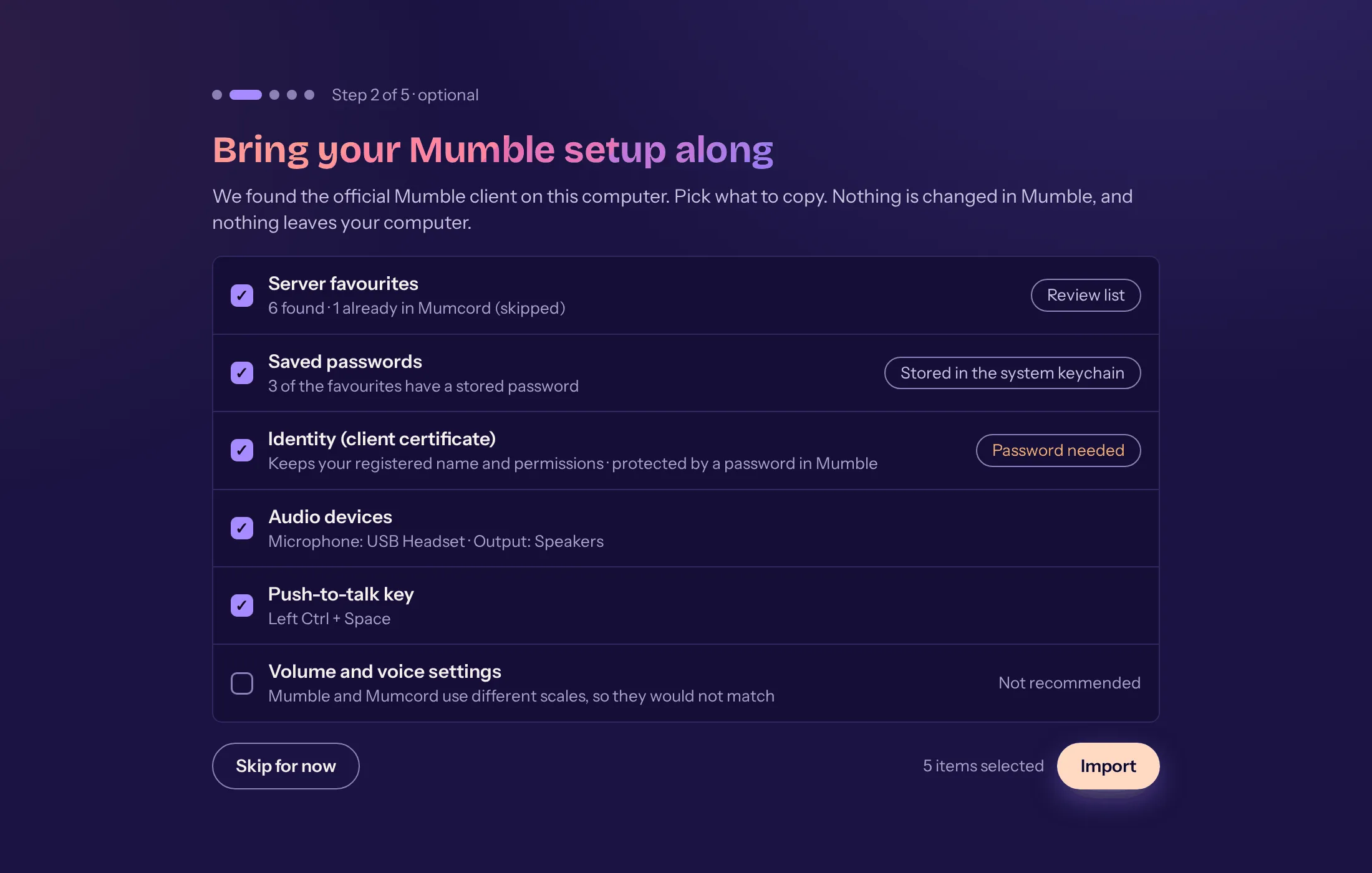
- done: Import settings from the official Mumble client
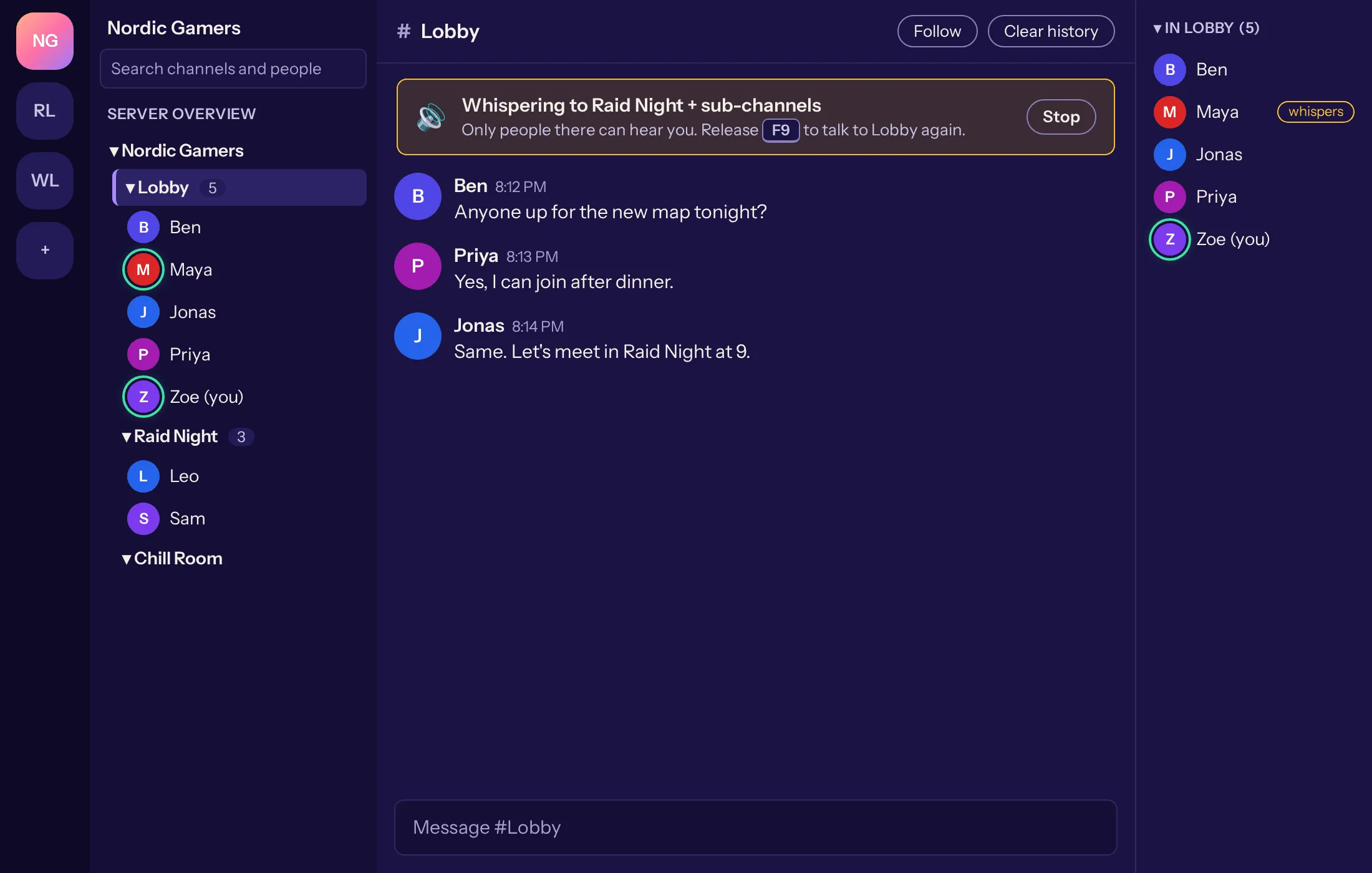
- done: Whisper and shout to other channels
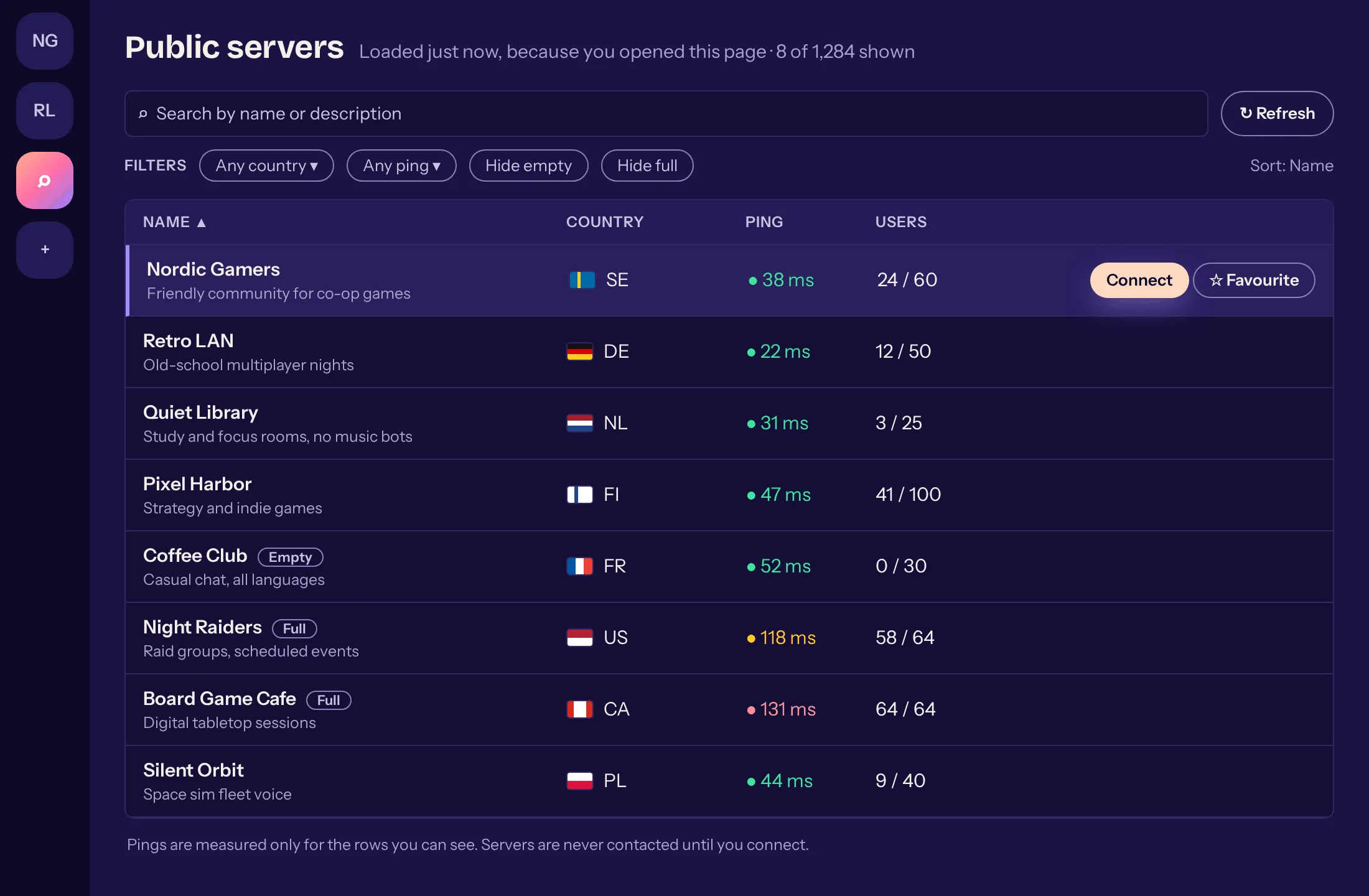
- done: Public server browser
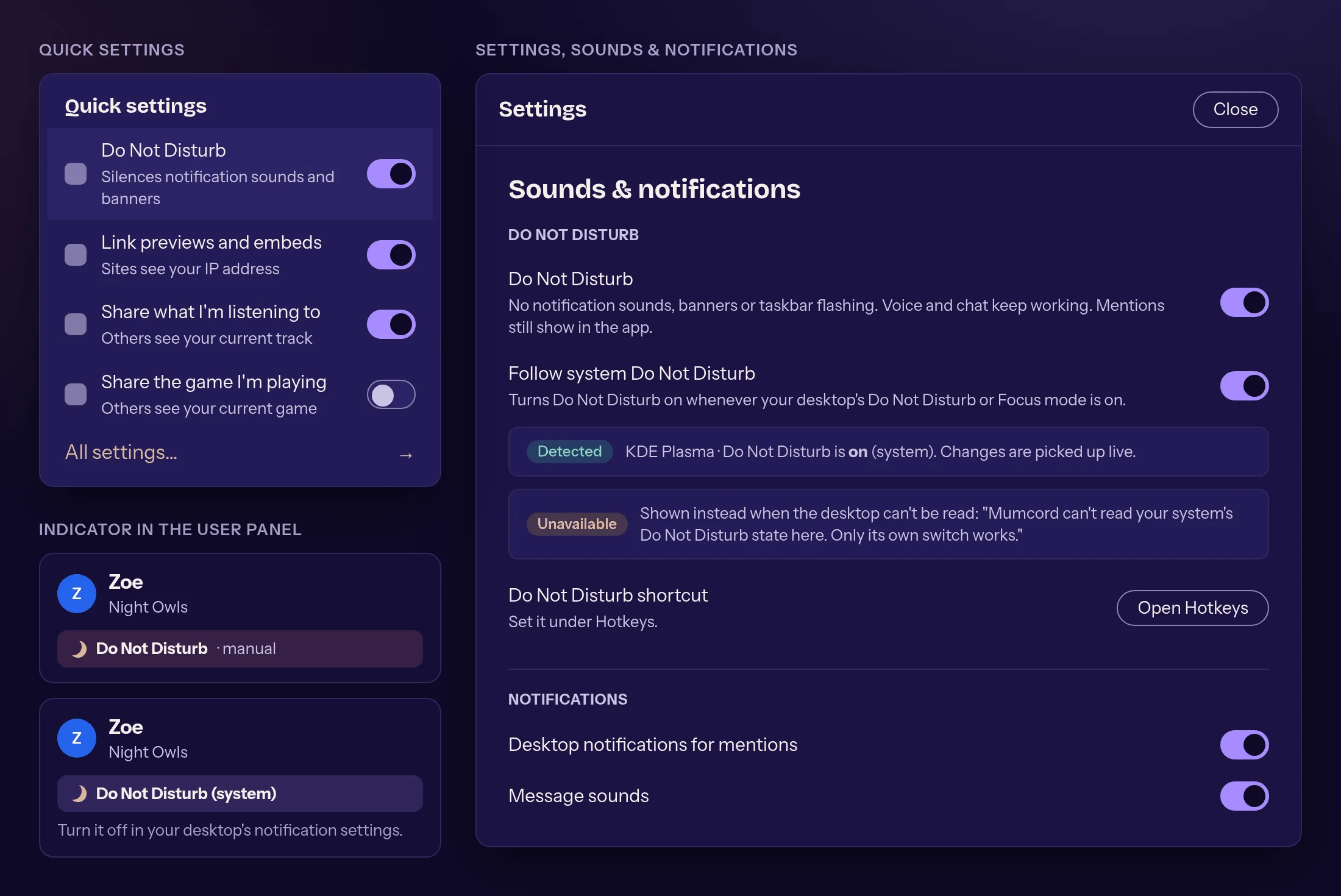
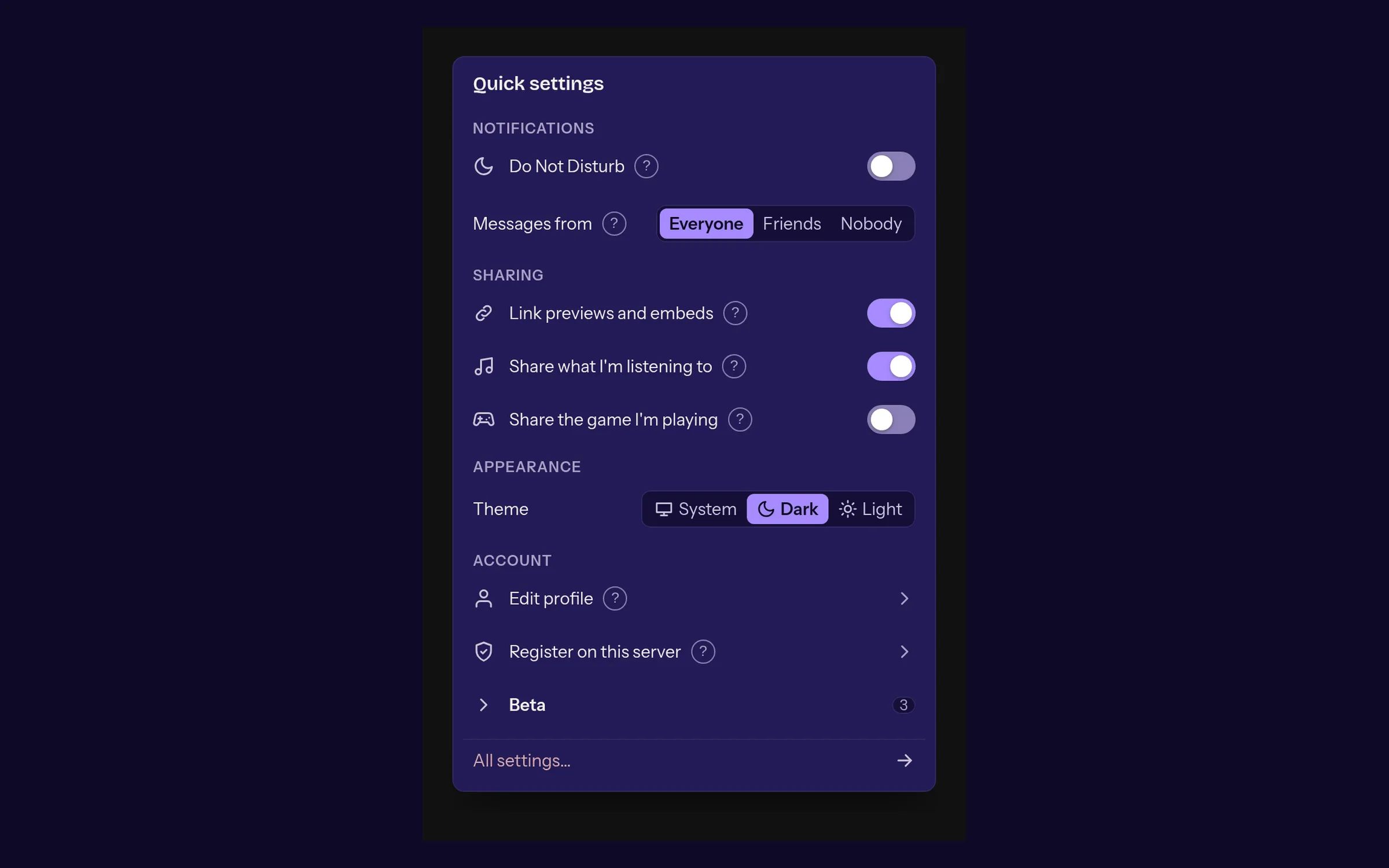
- done: Do Not Disturb: one switch silences notifications, sounds and pop-ups, and you still hear voices
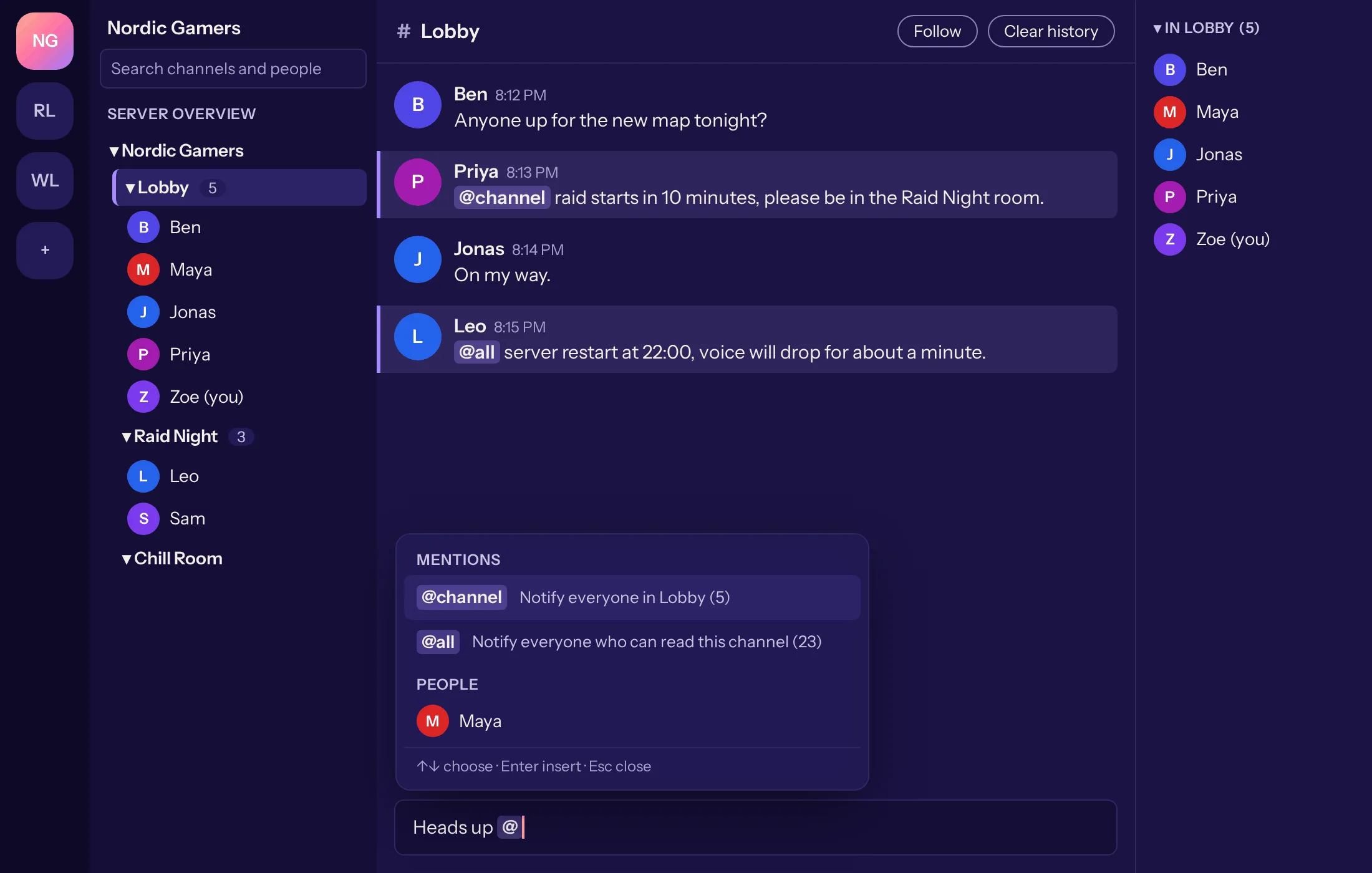
- done: @all and @channel to mention everyone on the server or in the channel
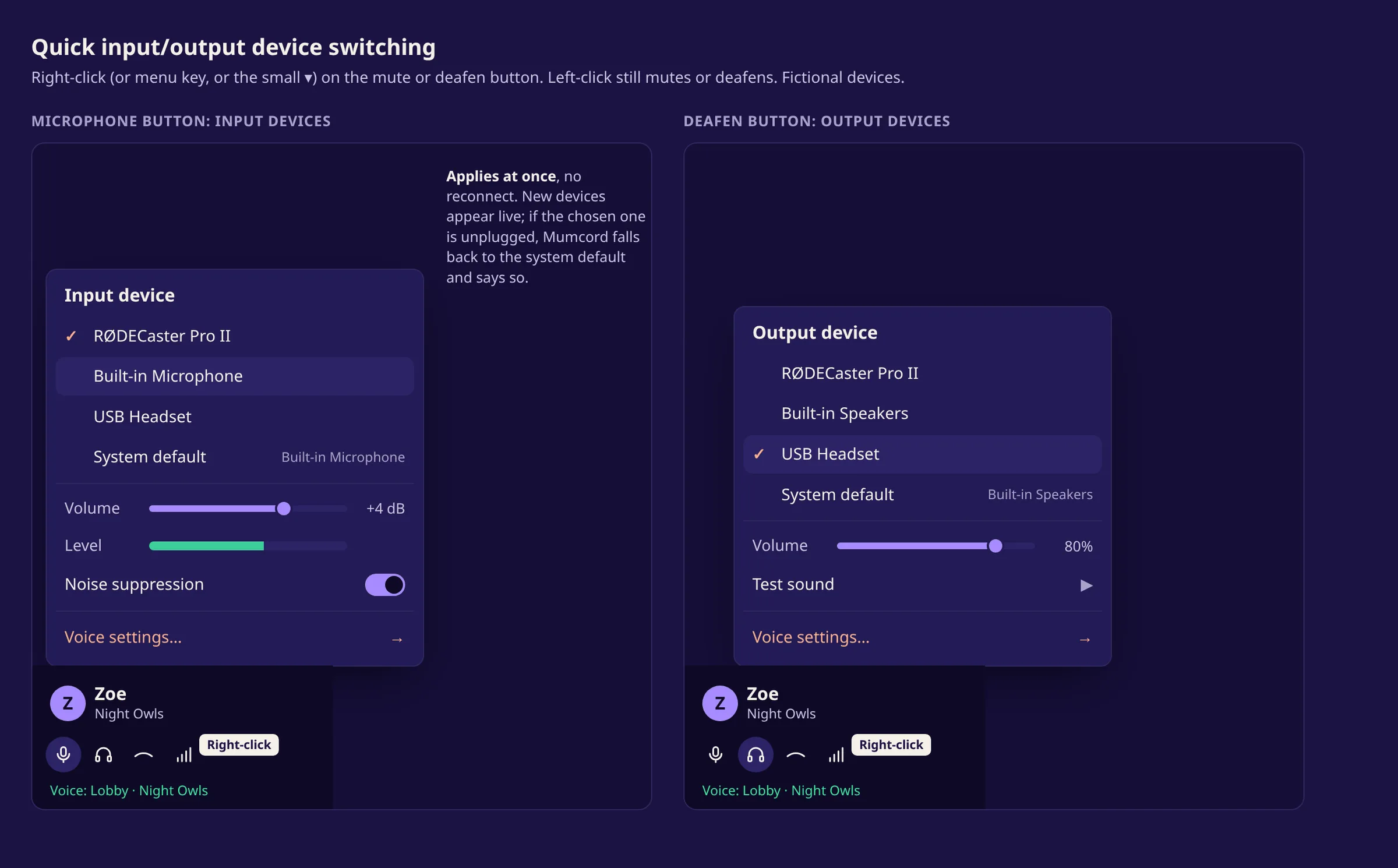
- done: Switch microphone and headphones with a right-click on mute and deafen, with volume and a level meter
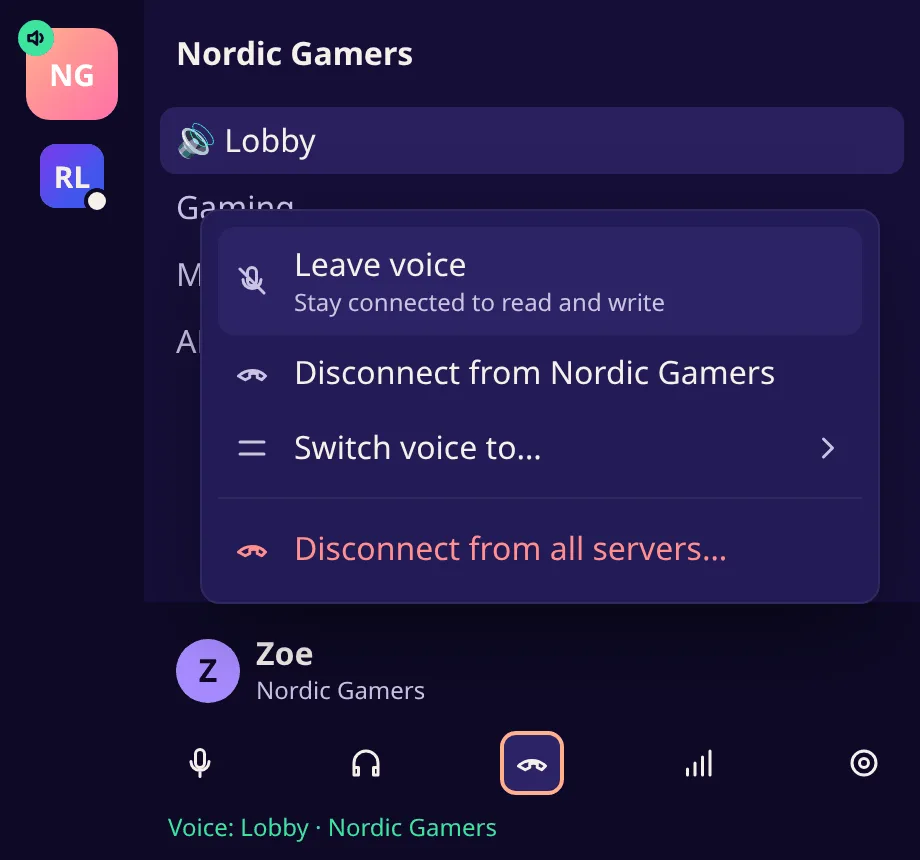
- done: Right-click hang up: leave voice and keep reading, disconnect one server or all of them
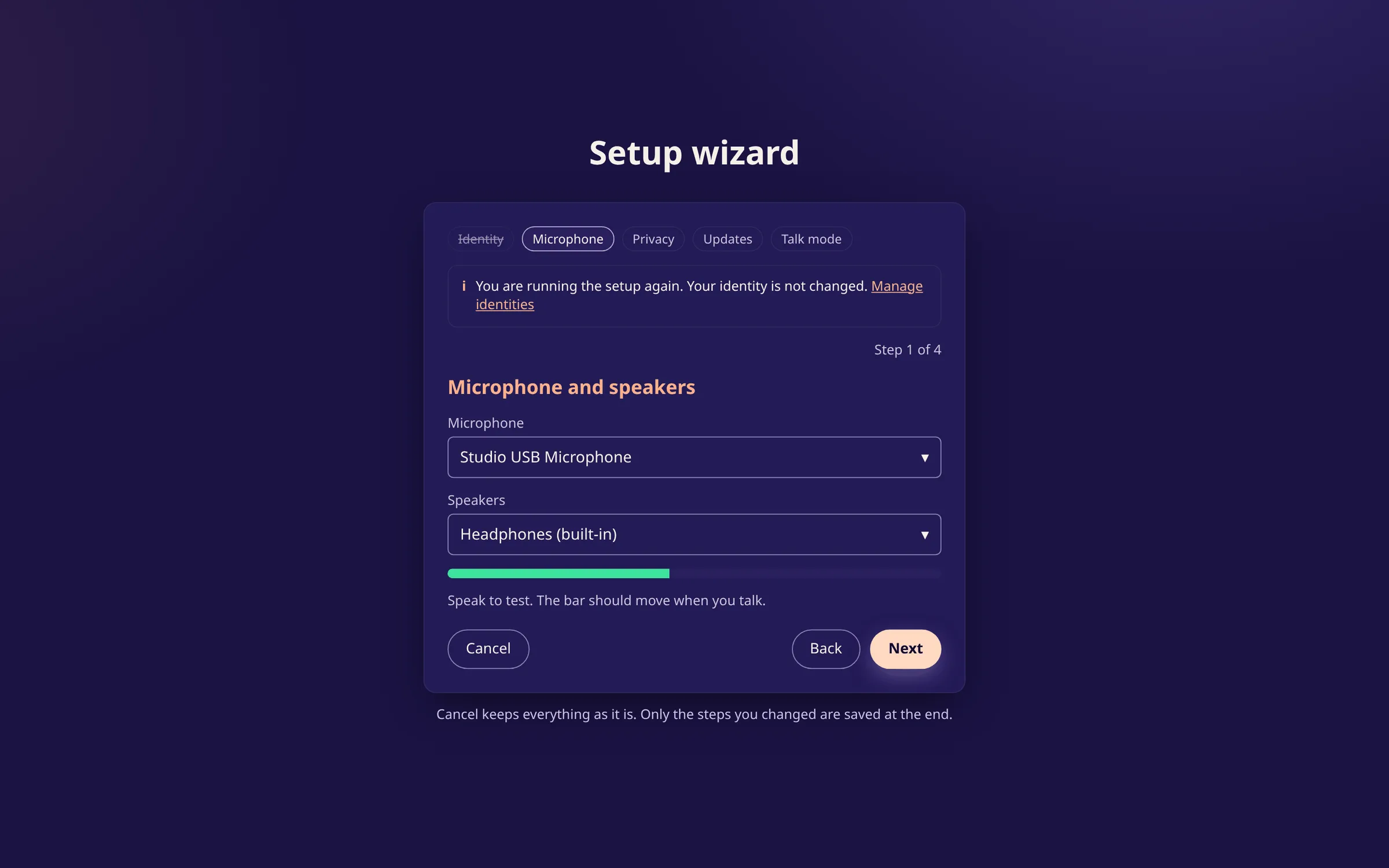
- done: Run the setup wizard again without touching your identity
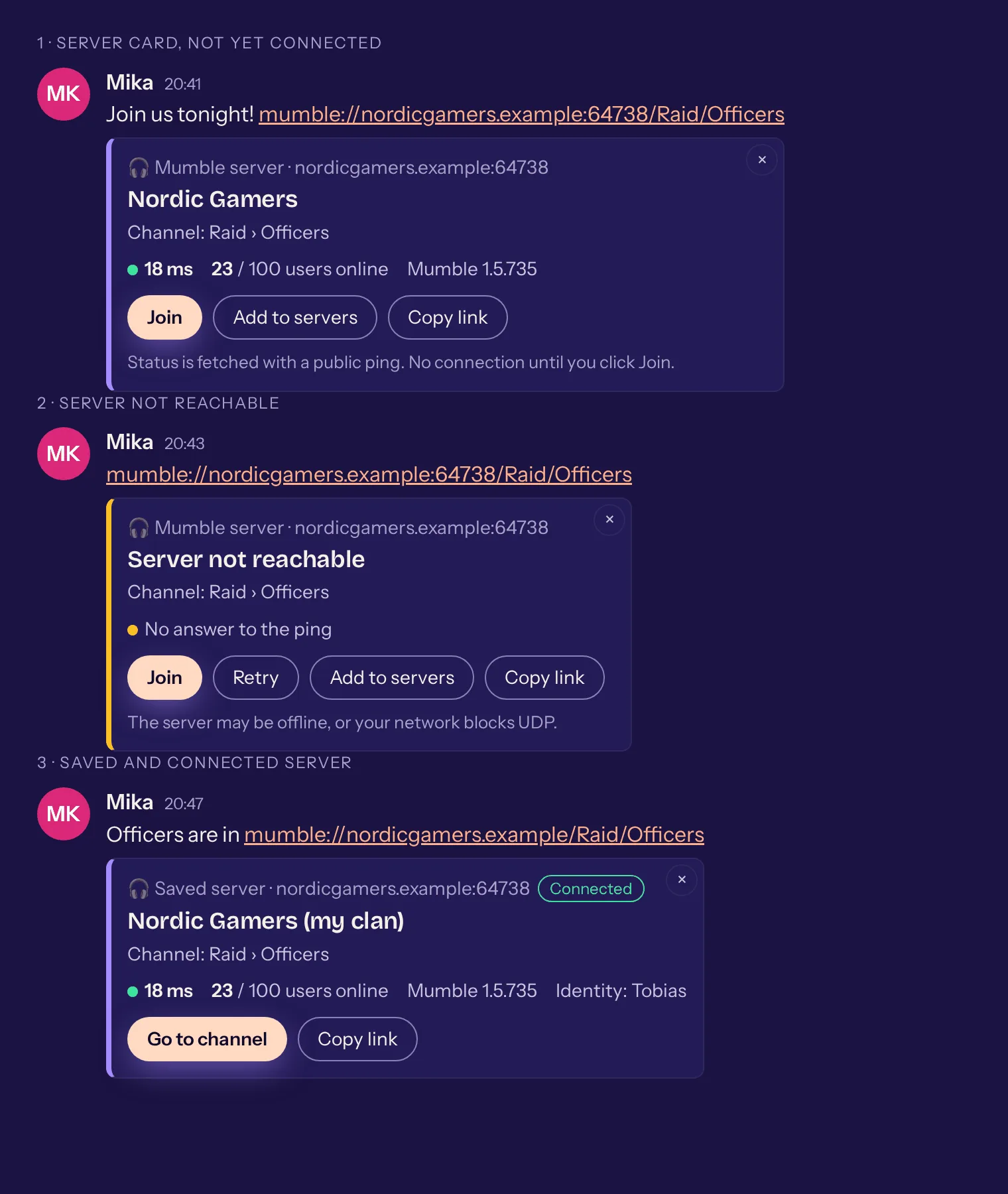
- done: mumble:// links in the chat show as a card for the server or channel, one click connects
- done: Sounds of their own when you are kicked or banned
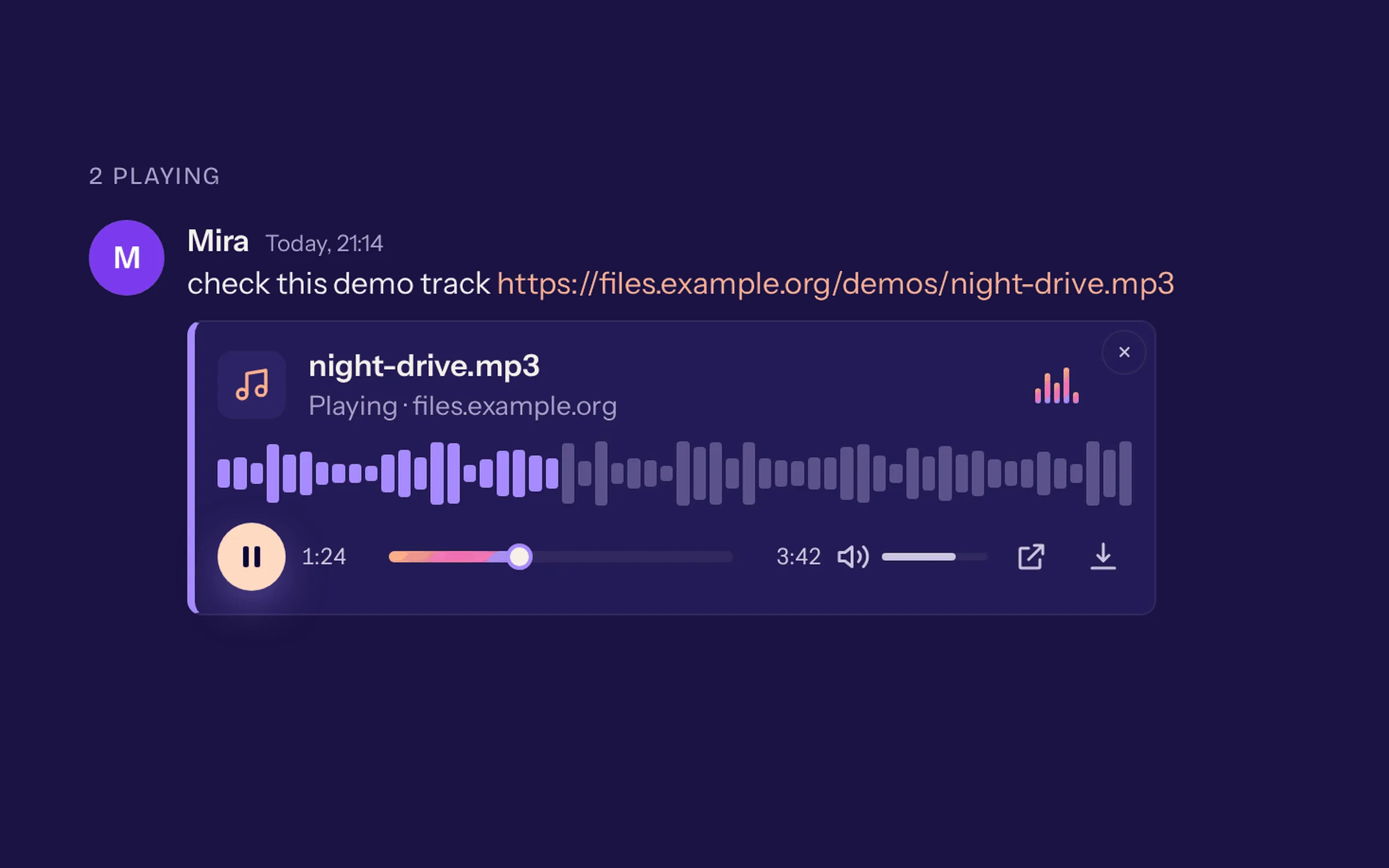
- done: Audio files in the chat with a player of their own: play, seek and set the volume right in the message
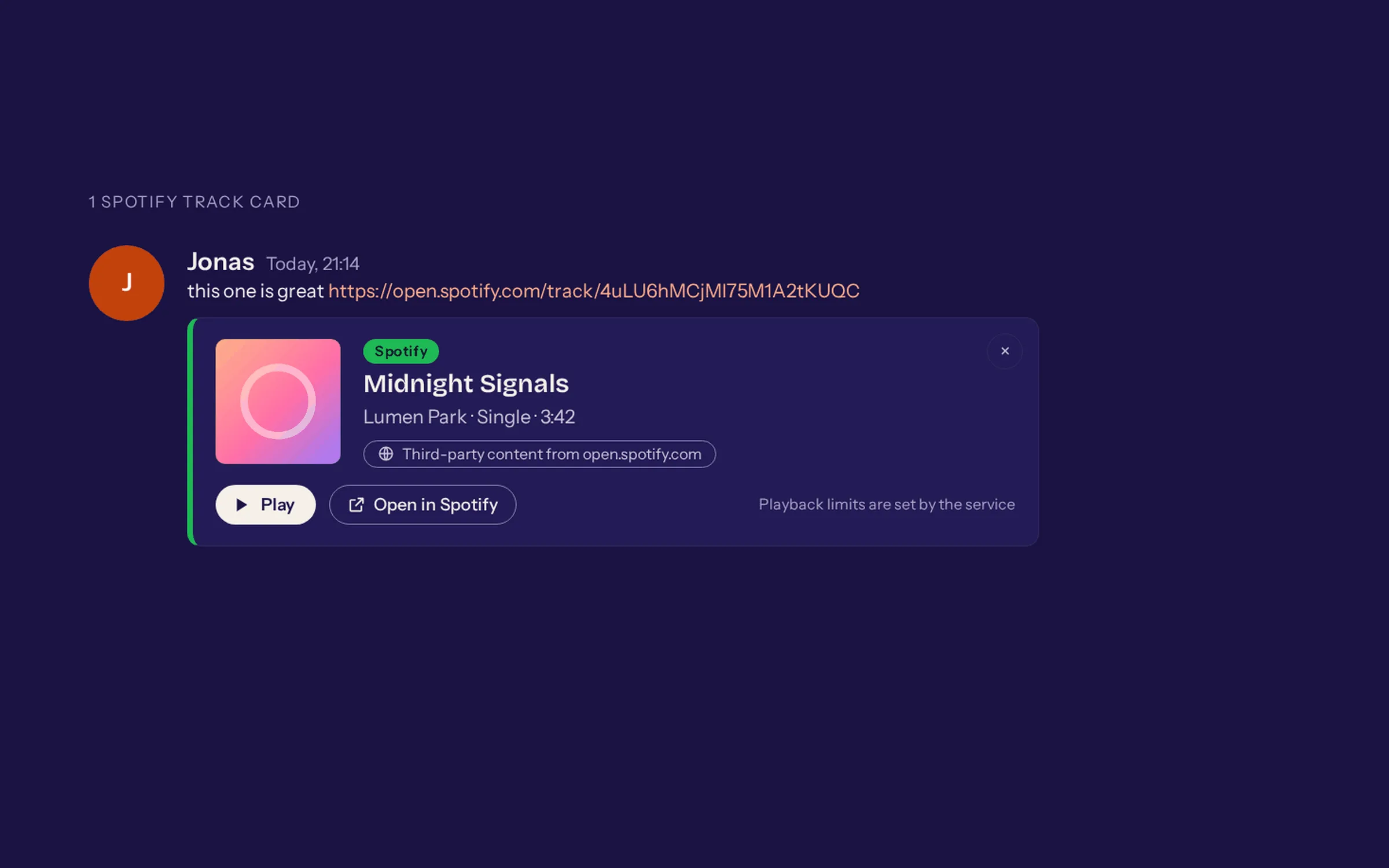
- done: Links to Spotify, Apple Music, Tidal and other music services become a music card that plays through the service's official player, only after a click
A fresh design 10
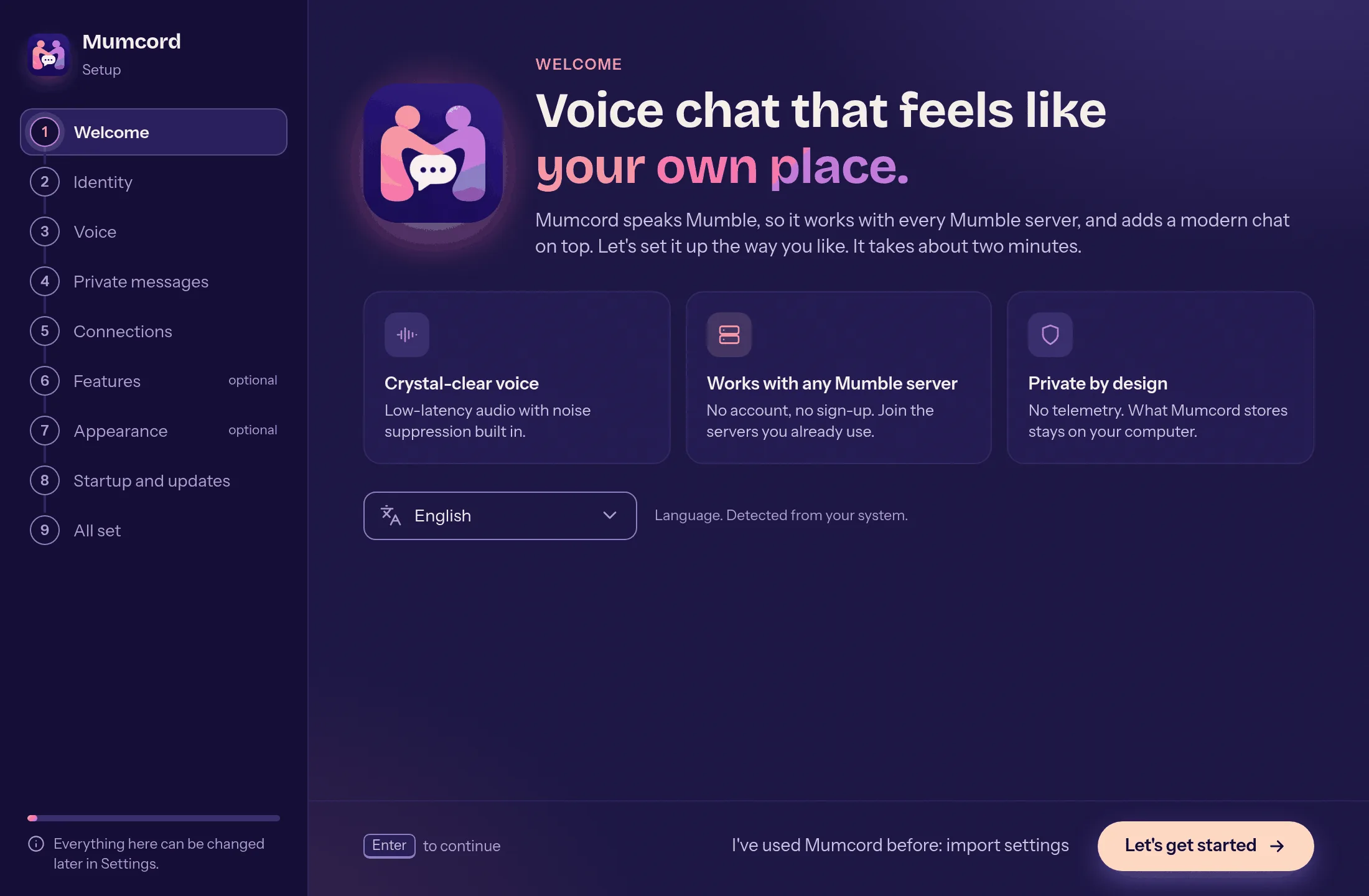
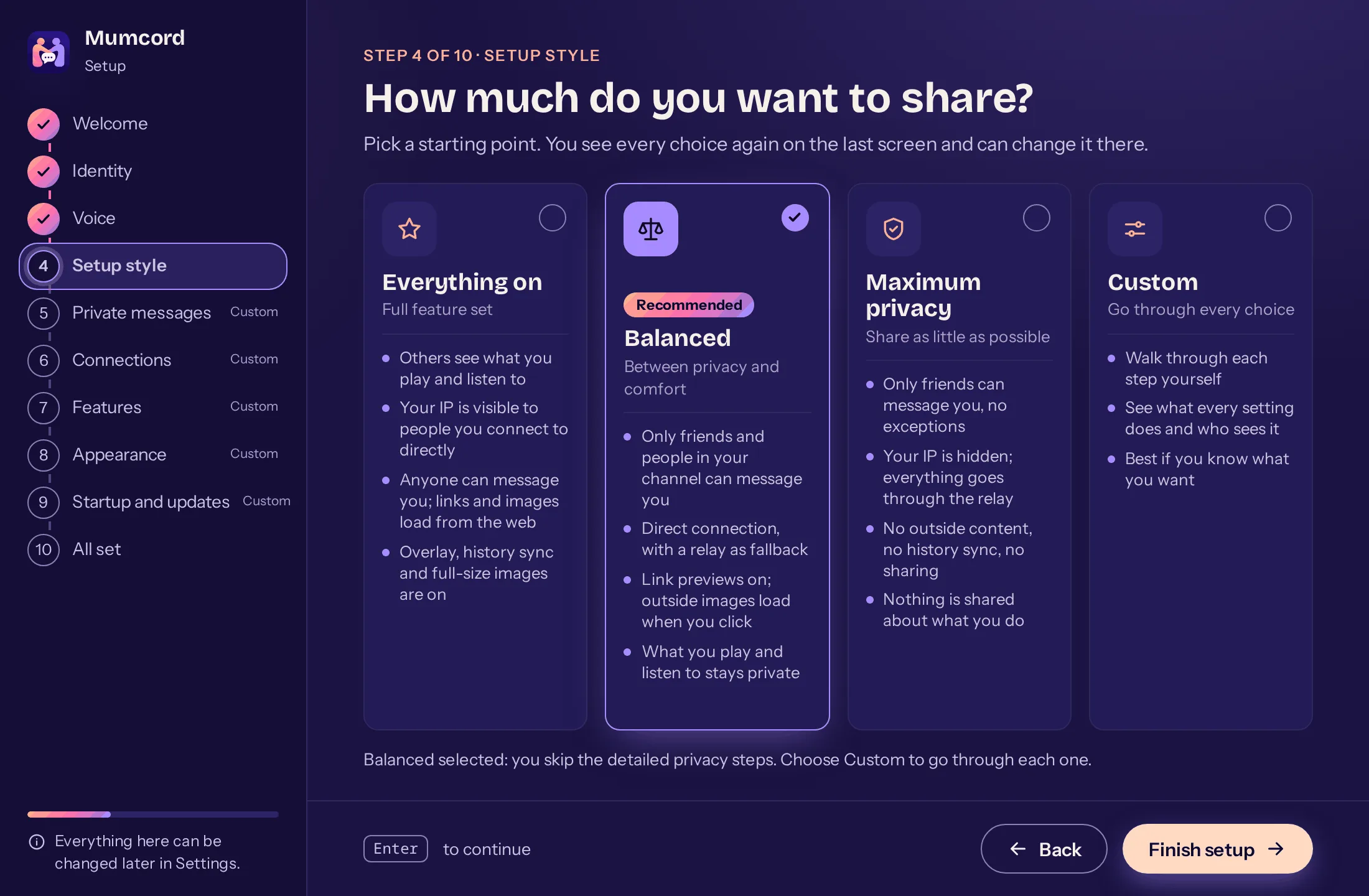
- done: A new setup wizard, calm and clear: presets from “Everything on” to “Maximum privacy”, done in about two minutes
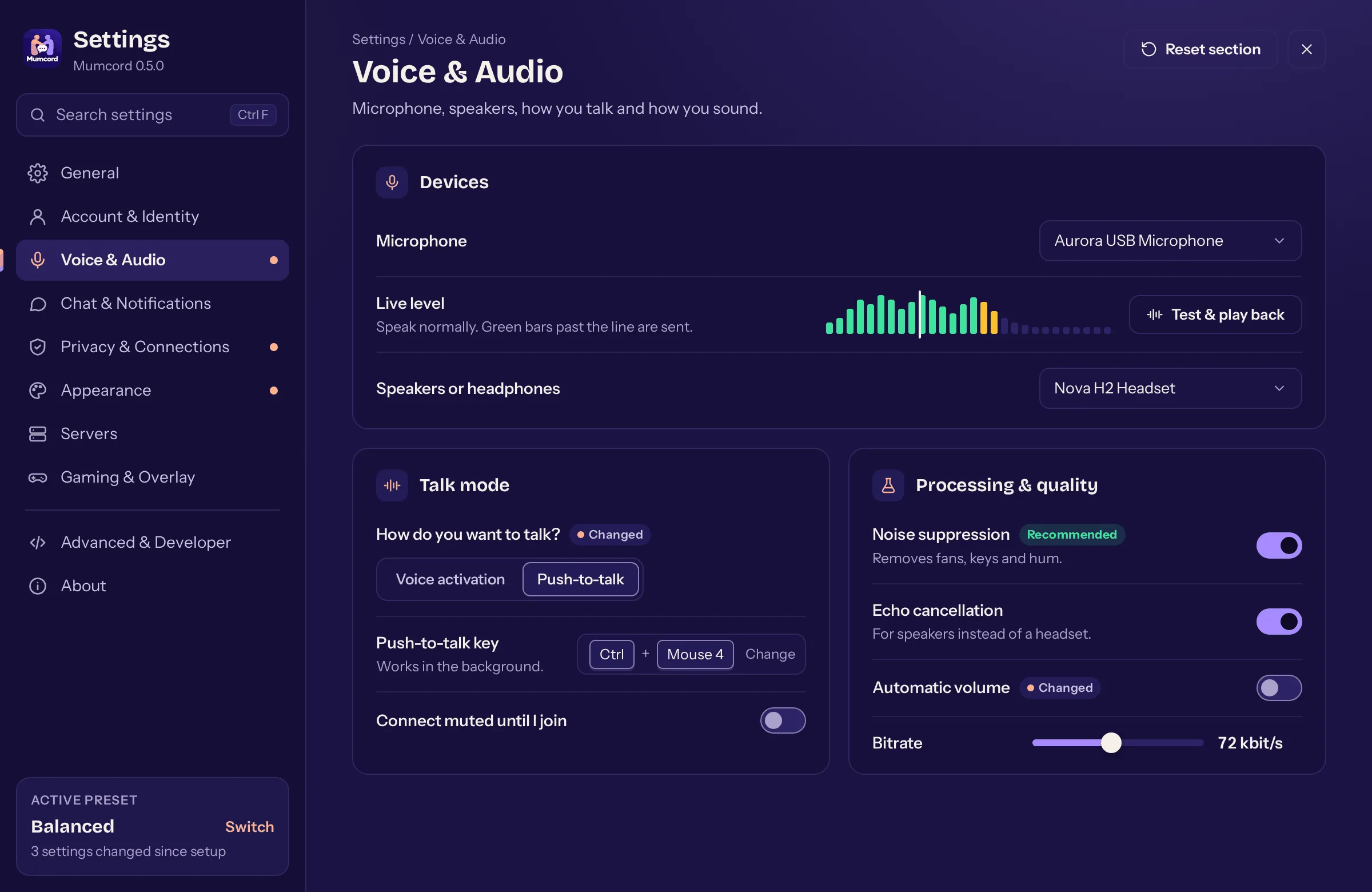
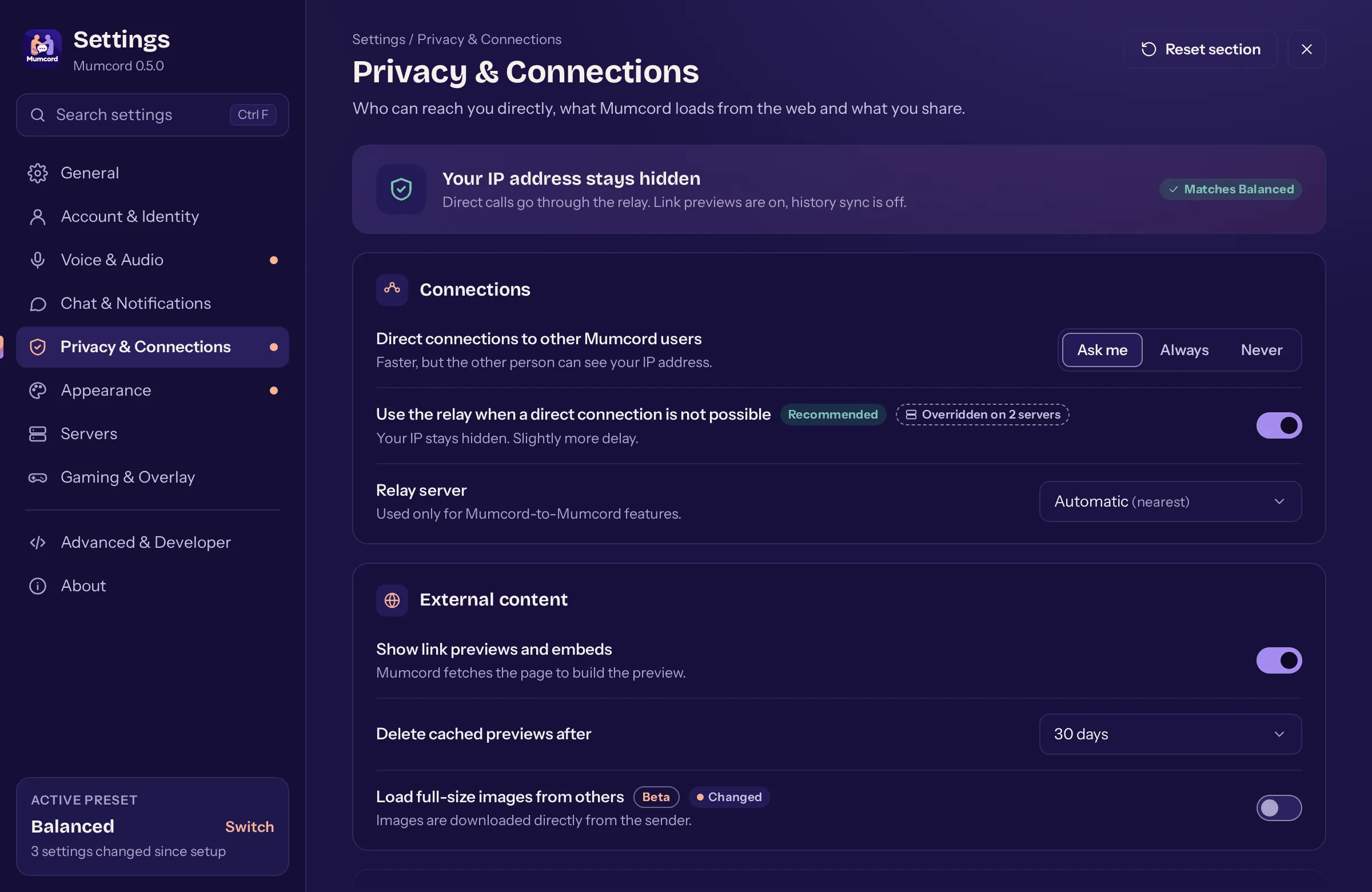
- done: Settings reorganised: fewer, clearer sections, consistent cards and a search that finds every setting
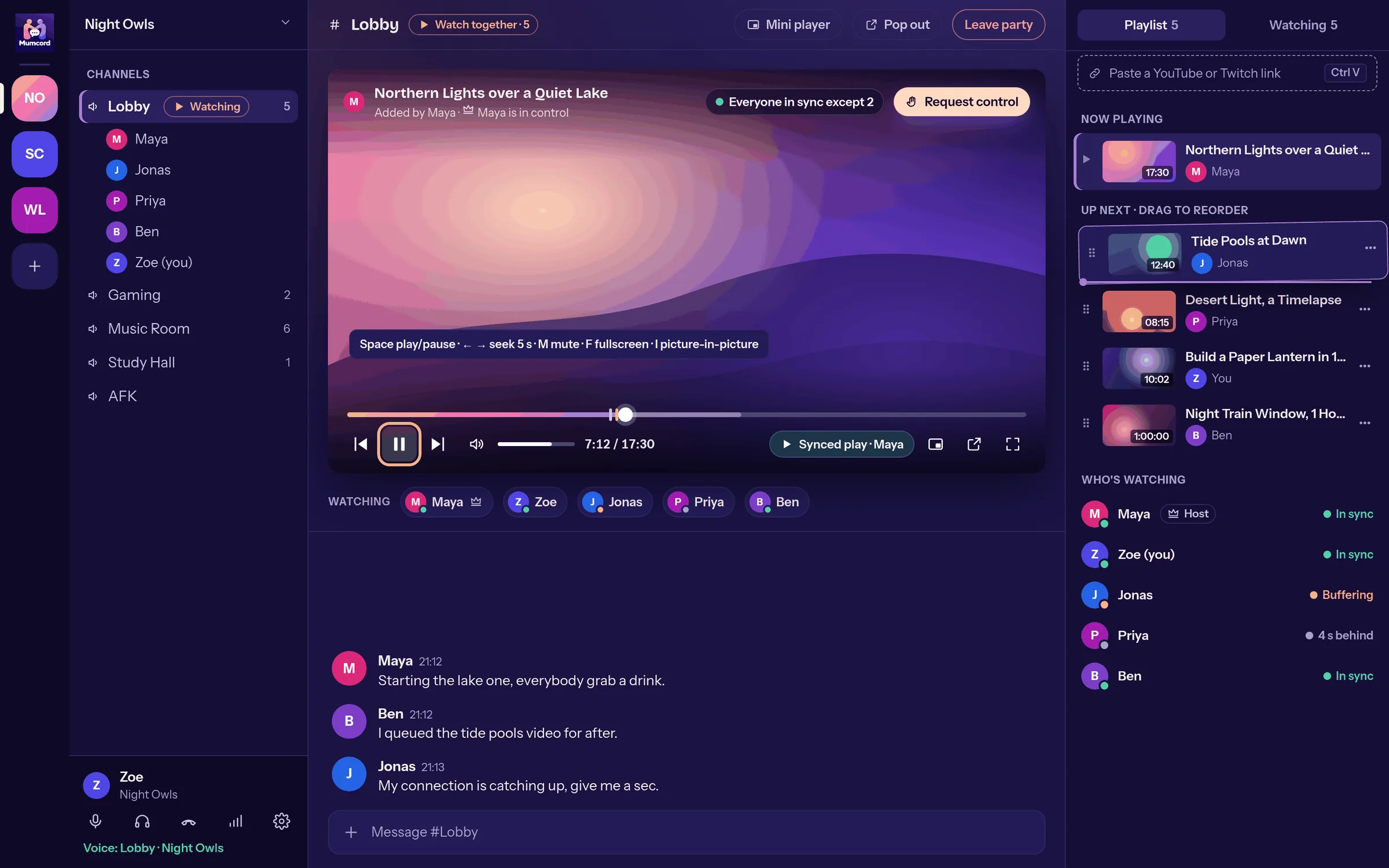
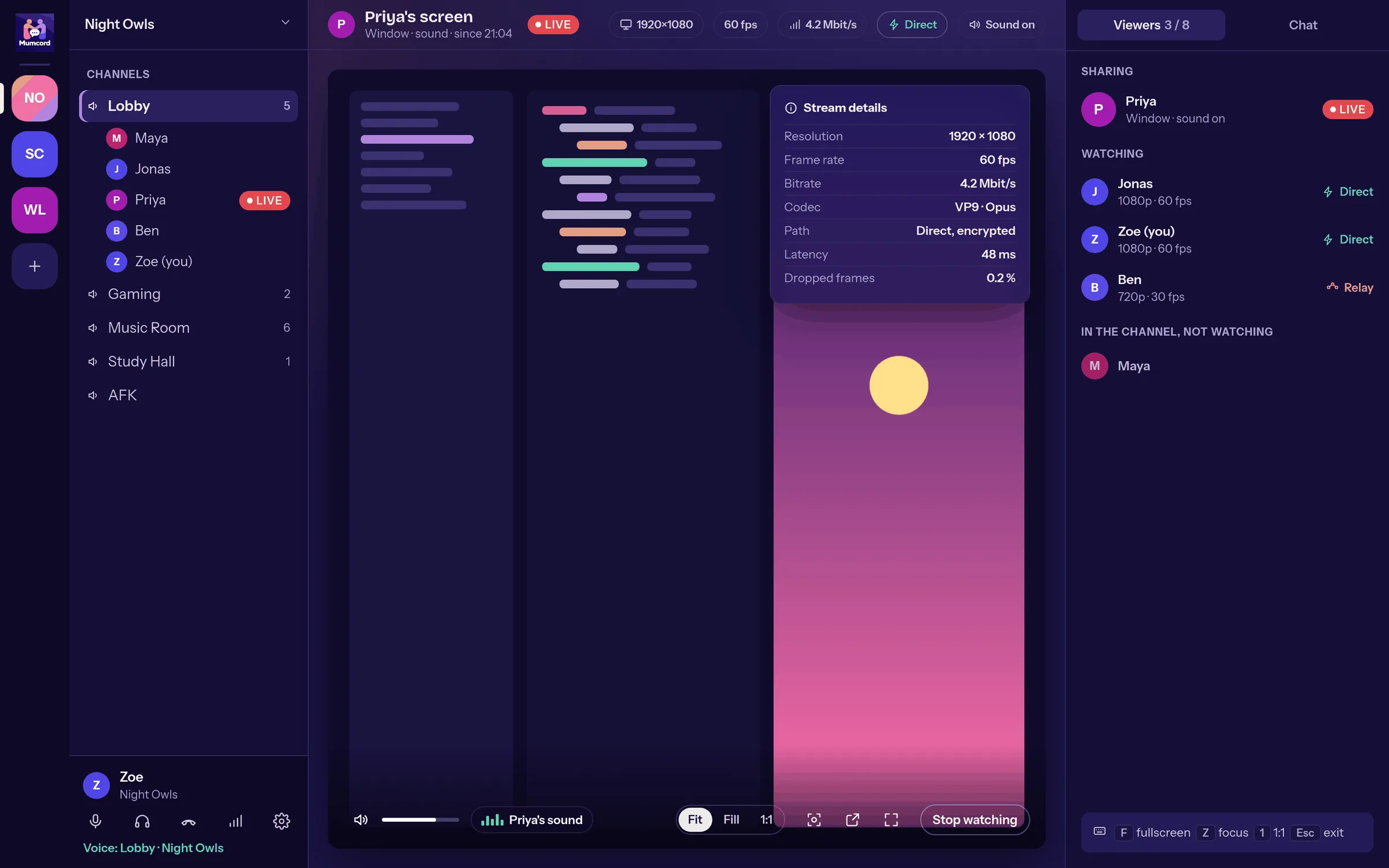
- done: Watch party and screen sharing get a cinema-like view of their own with a timeline, volume, playlist and who is watching
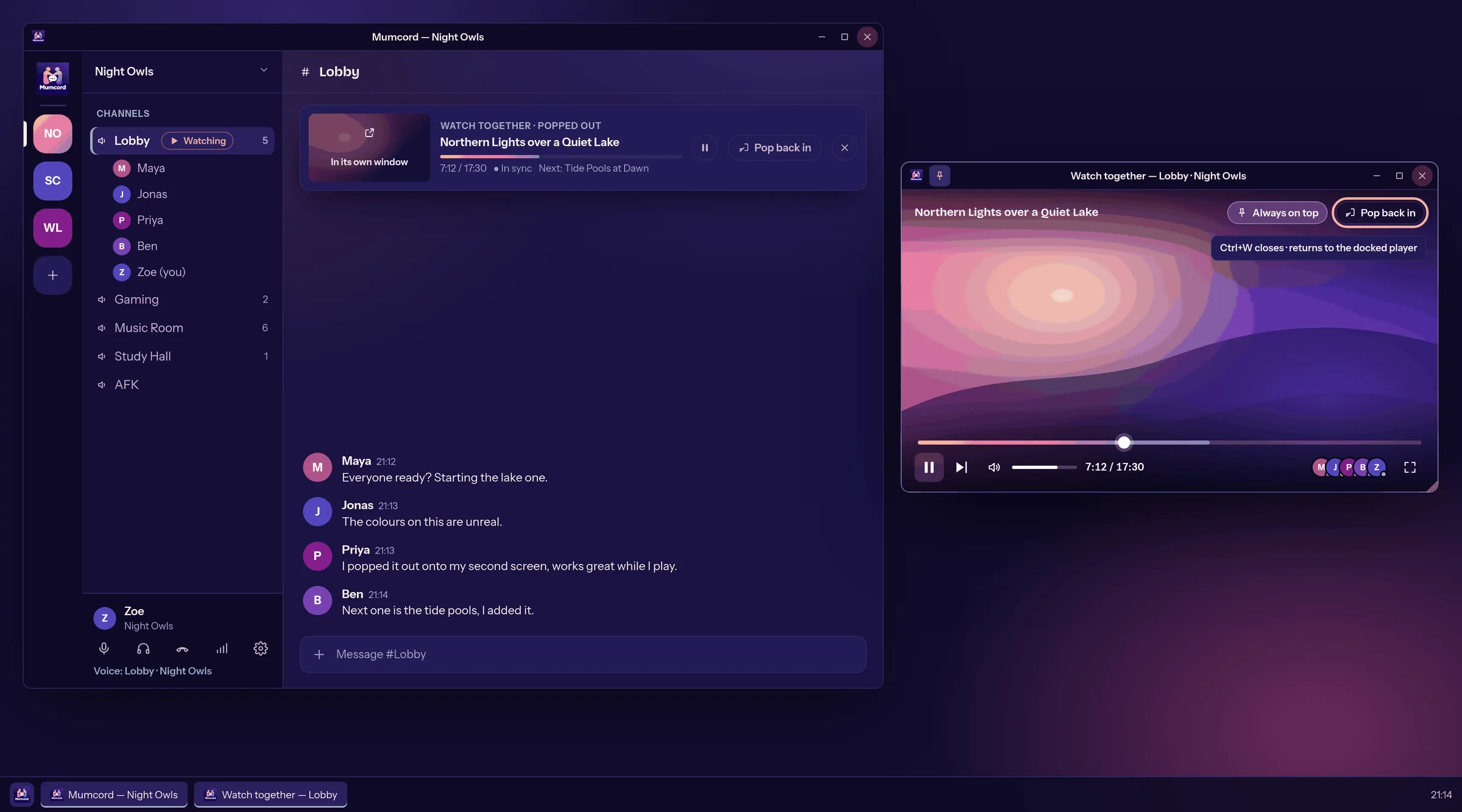
- done: Pop a video or a shared screen out into its own window, onto a second monitor or over a game, always on top if you like
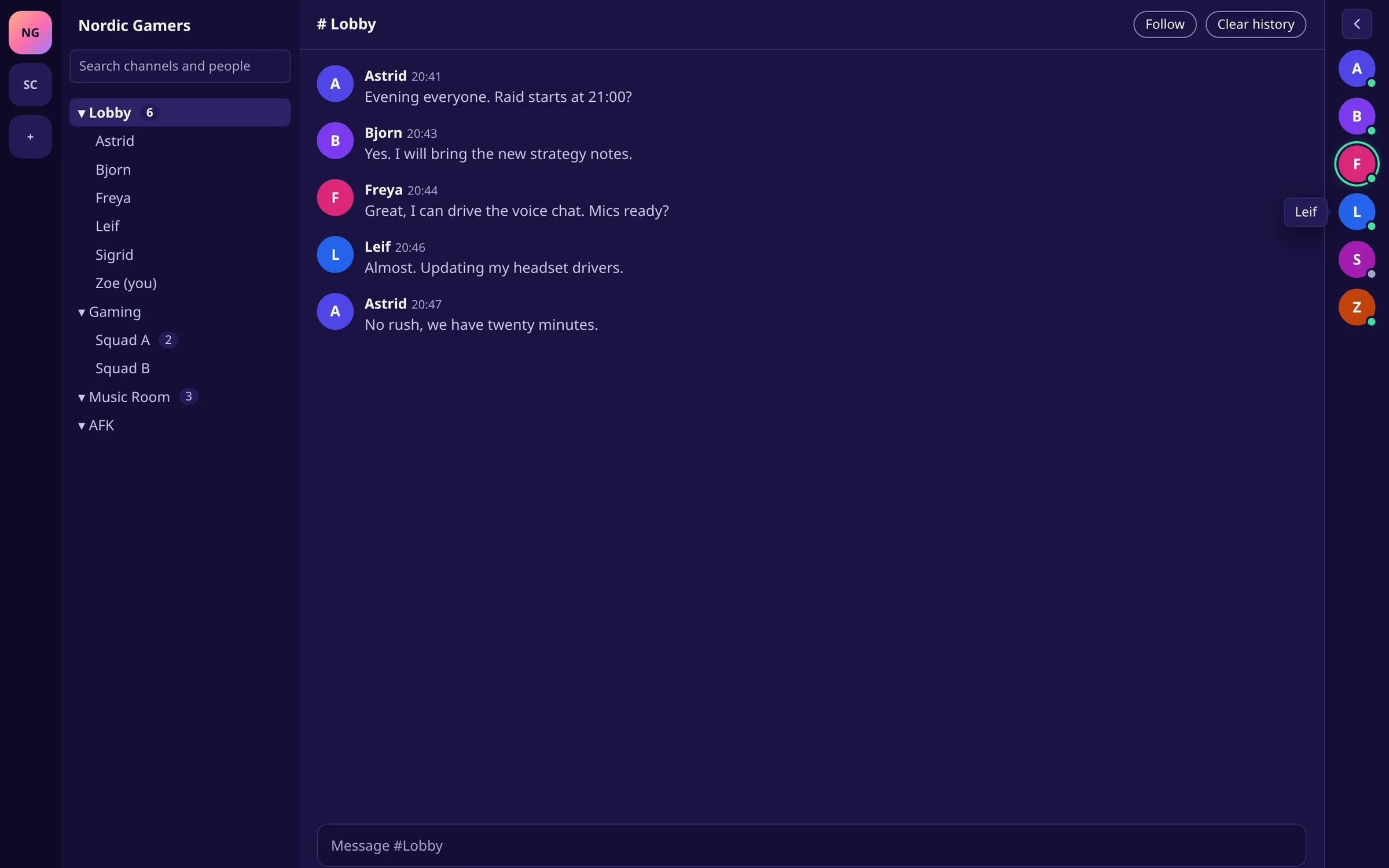
- done: Collapse the member column on the right, fully or to a slim rail of avatars, so the chat gets more room
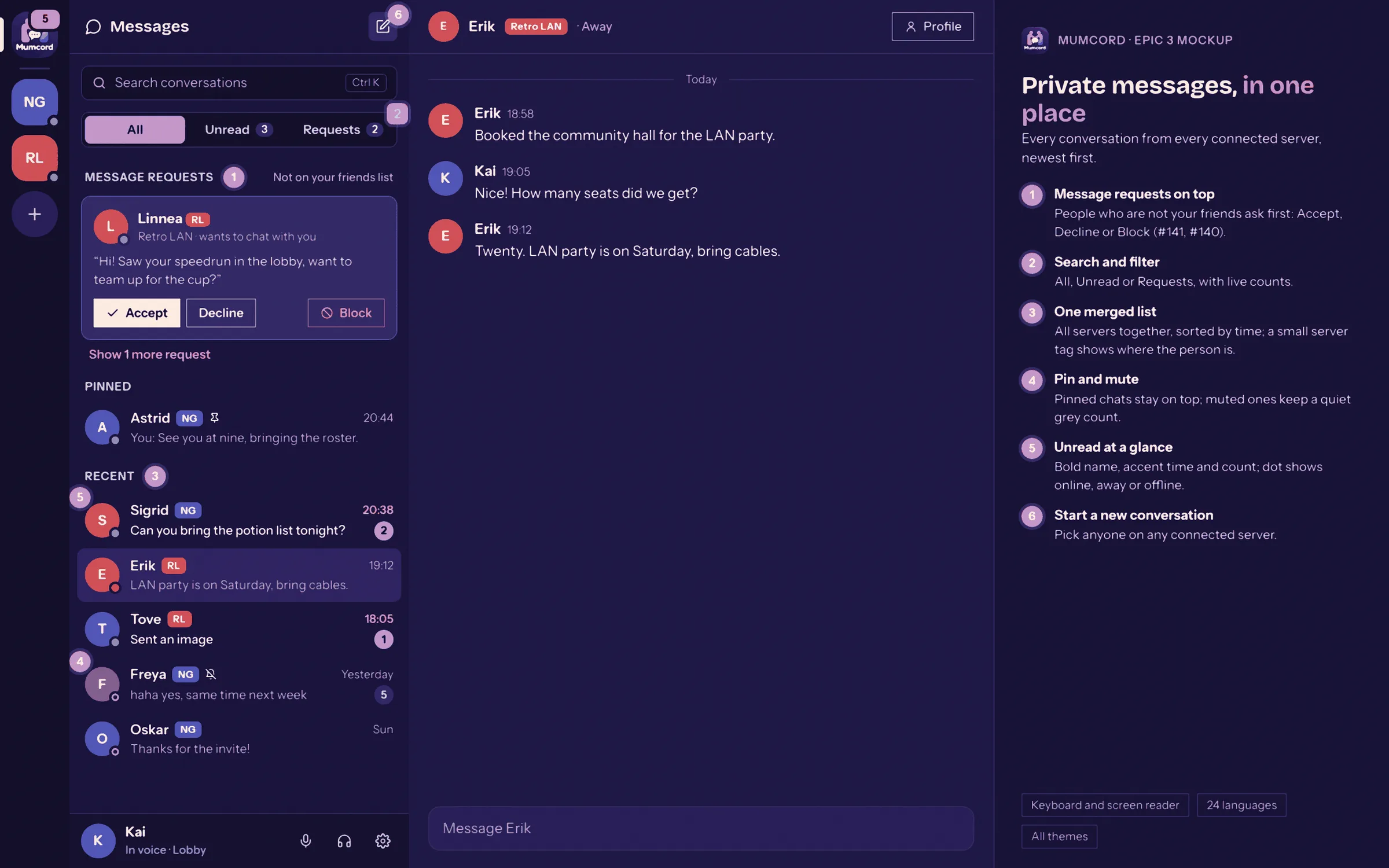
- done: The private messages overview redesigned
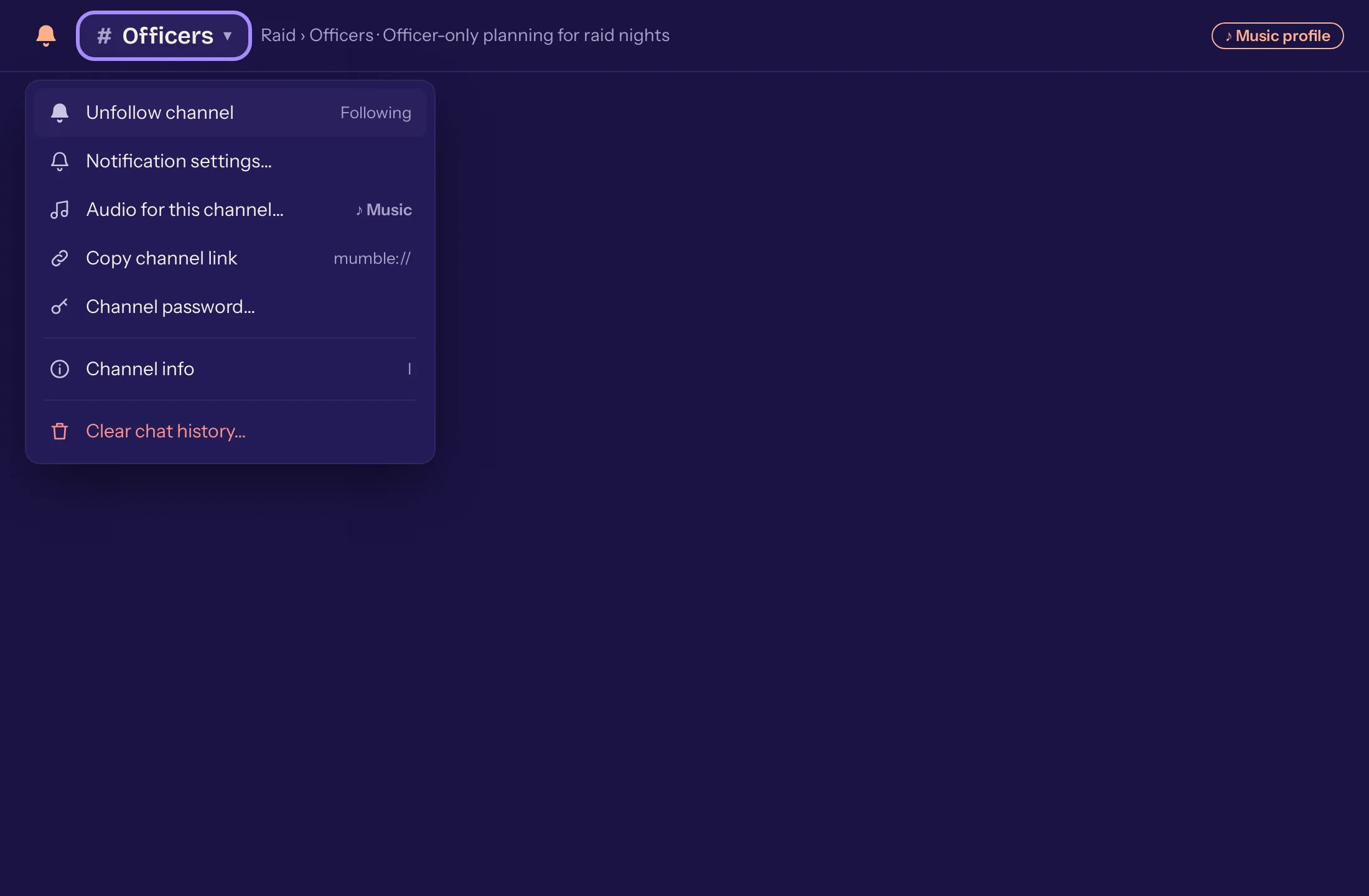
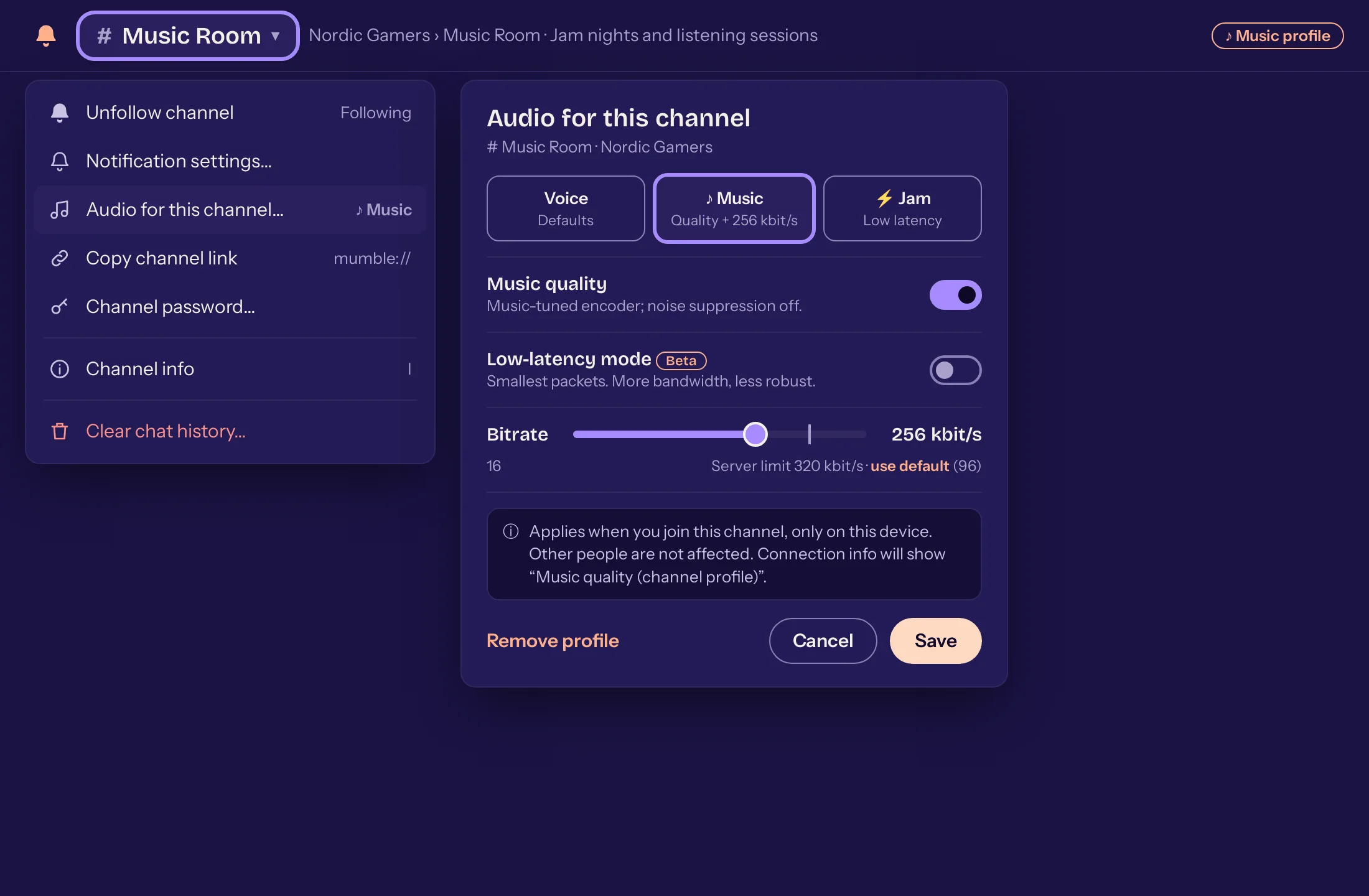
- done: A menu behind the channel name with every action and a channel info
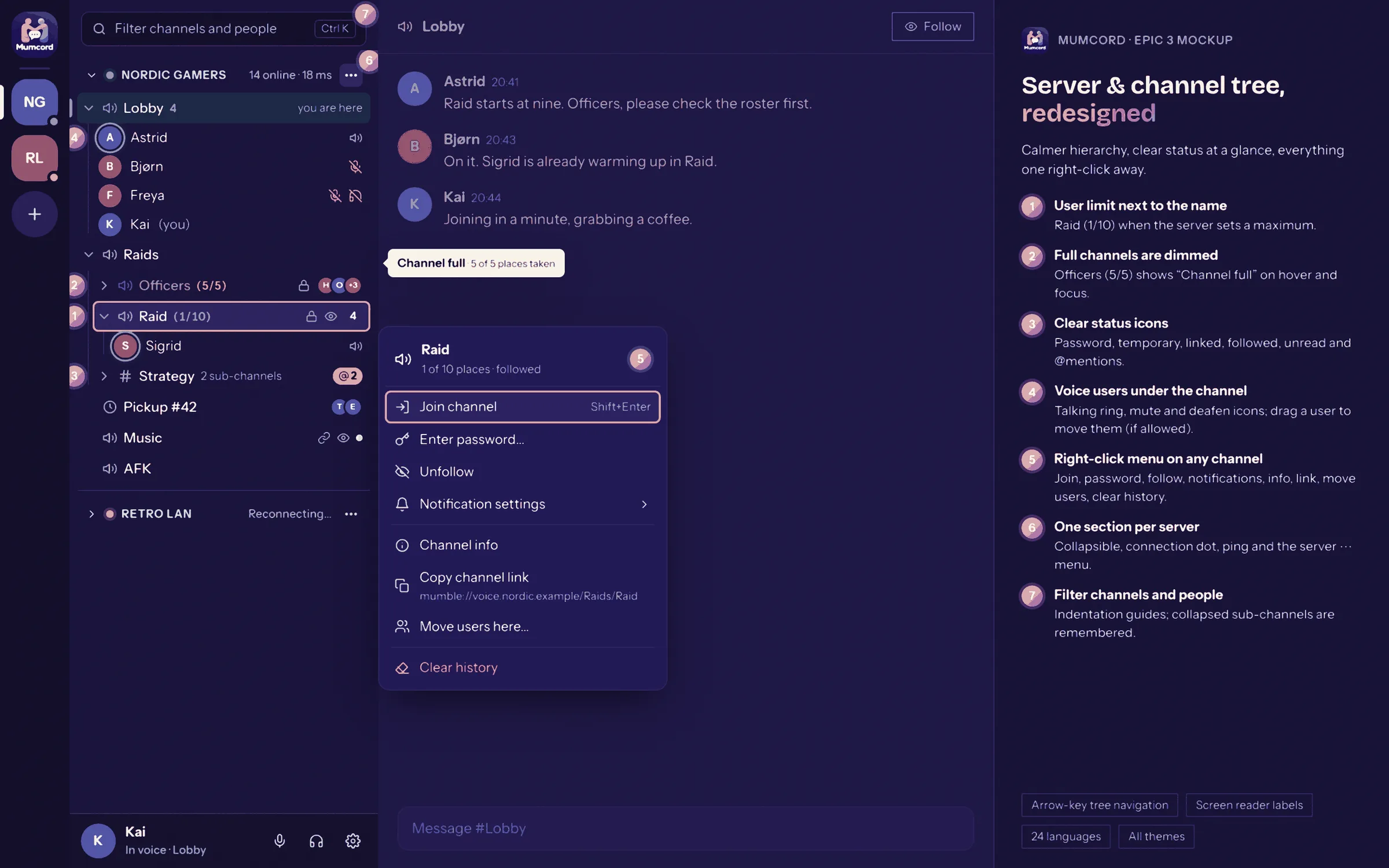
- done: The server and channel tree redesigned: a right-click menu on every channel, the user limit next to the name and clear status icons
- done: Quick settings overhauled
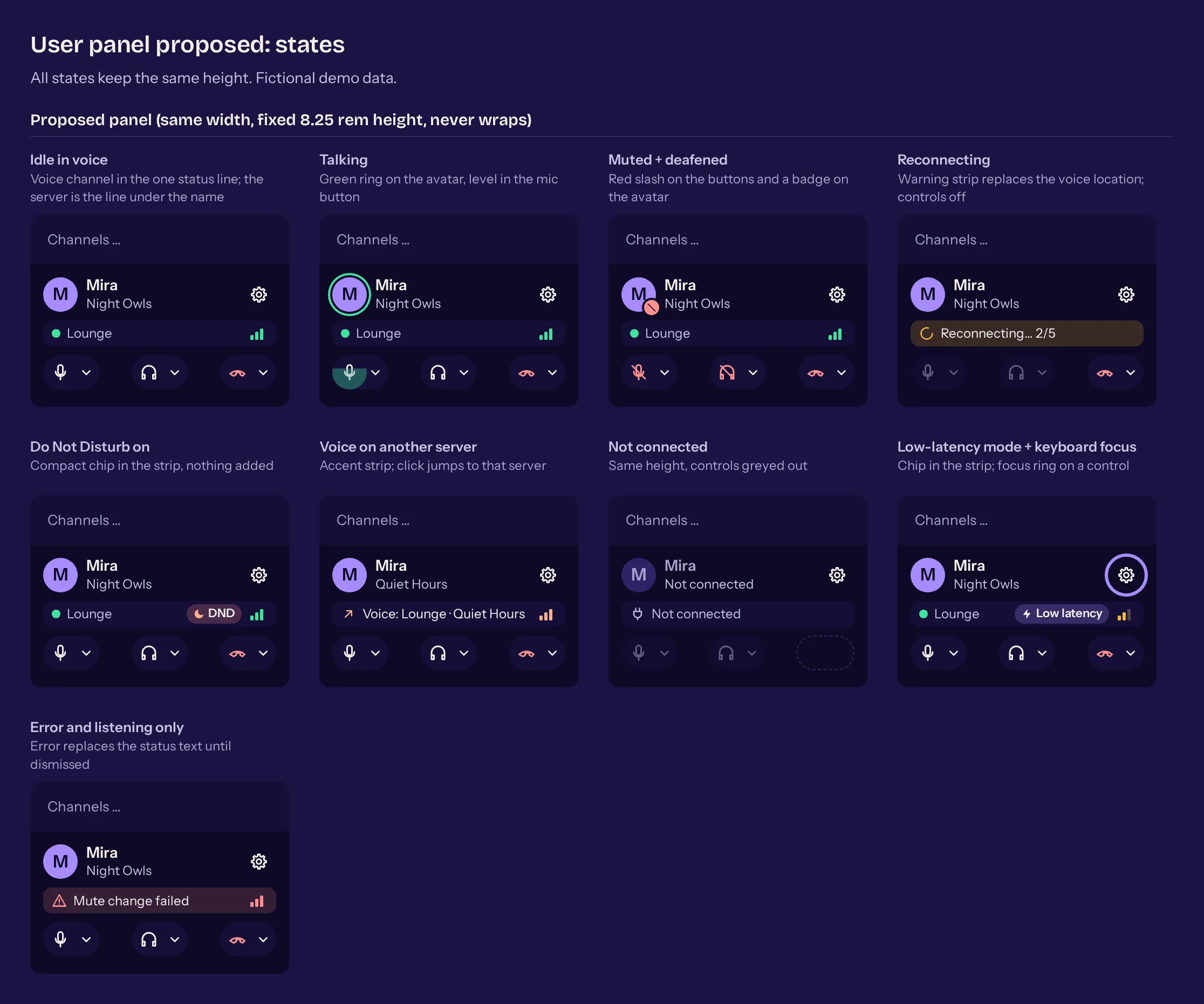
- done: The user panel at the bottom left redesigned
Peace and privacy 5
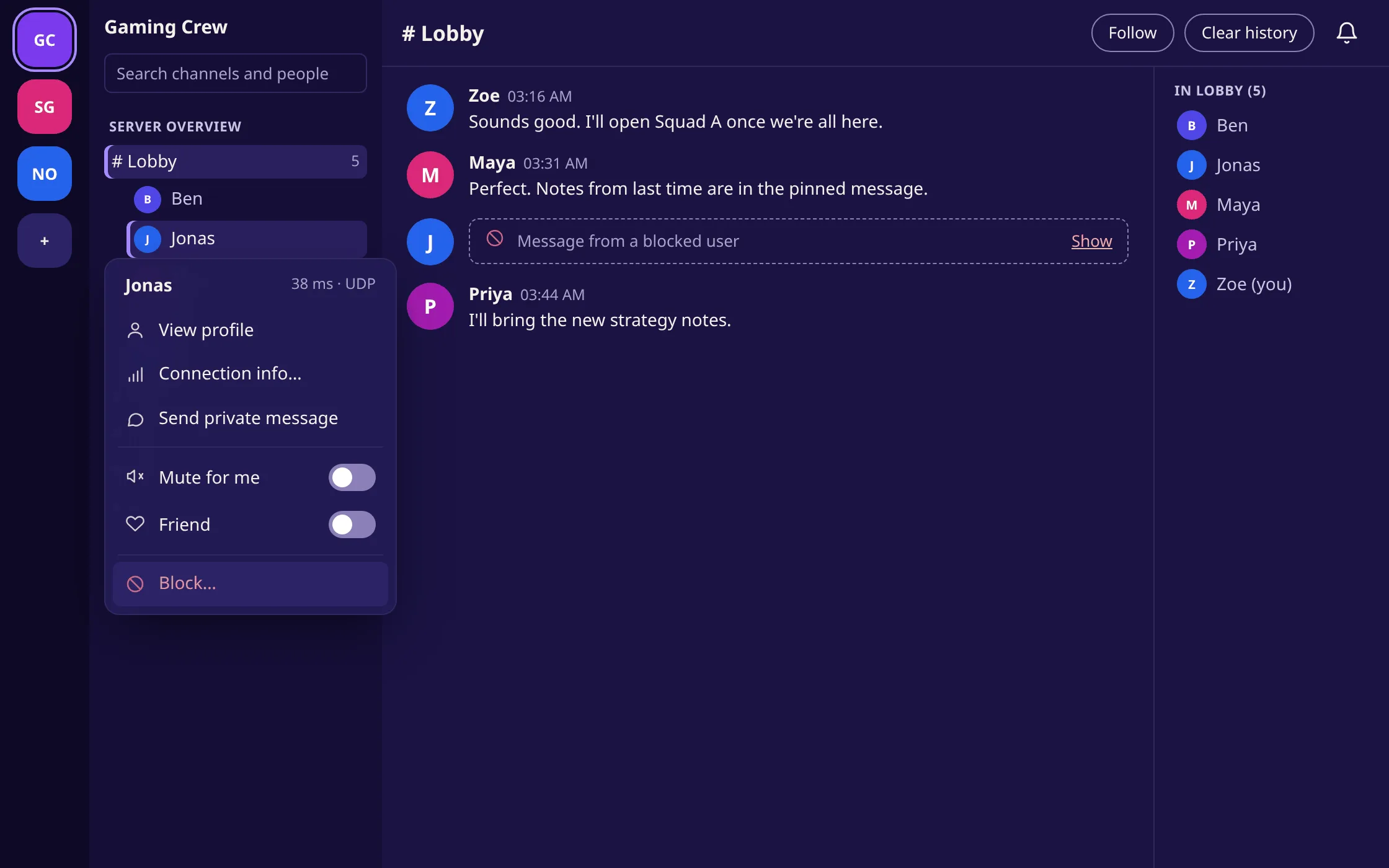
- done: Block people: no more messages, voice or invites from them, recognised by their certificate instead of their name
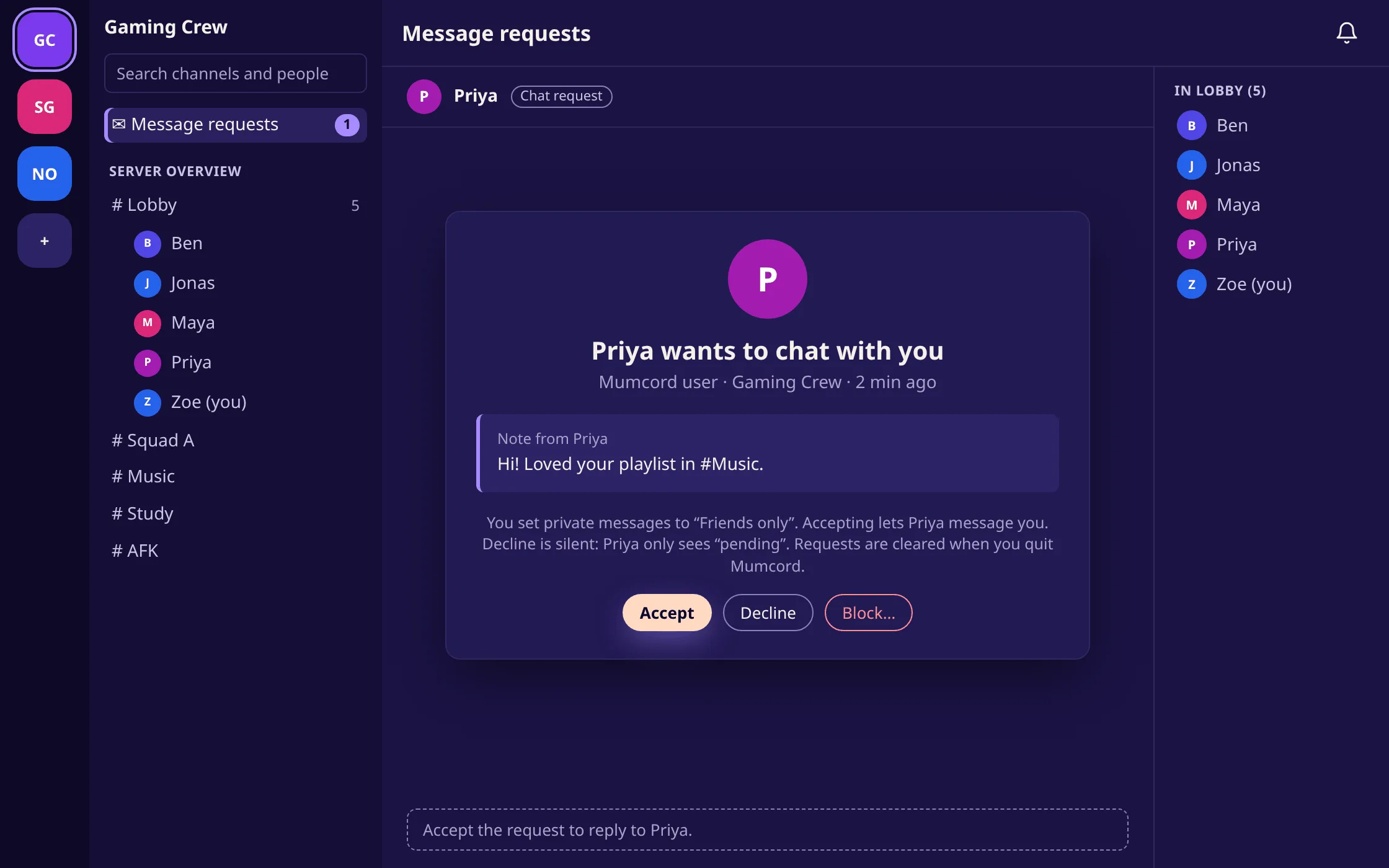
- done: Private messages from friends only, from everyone or from nobody, per server too. Strangers end up in message requests
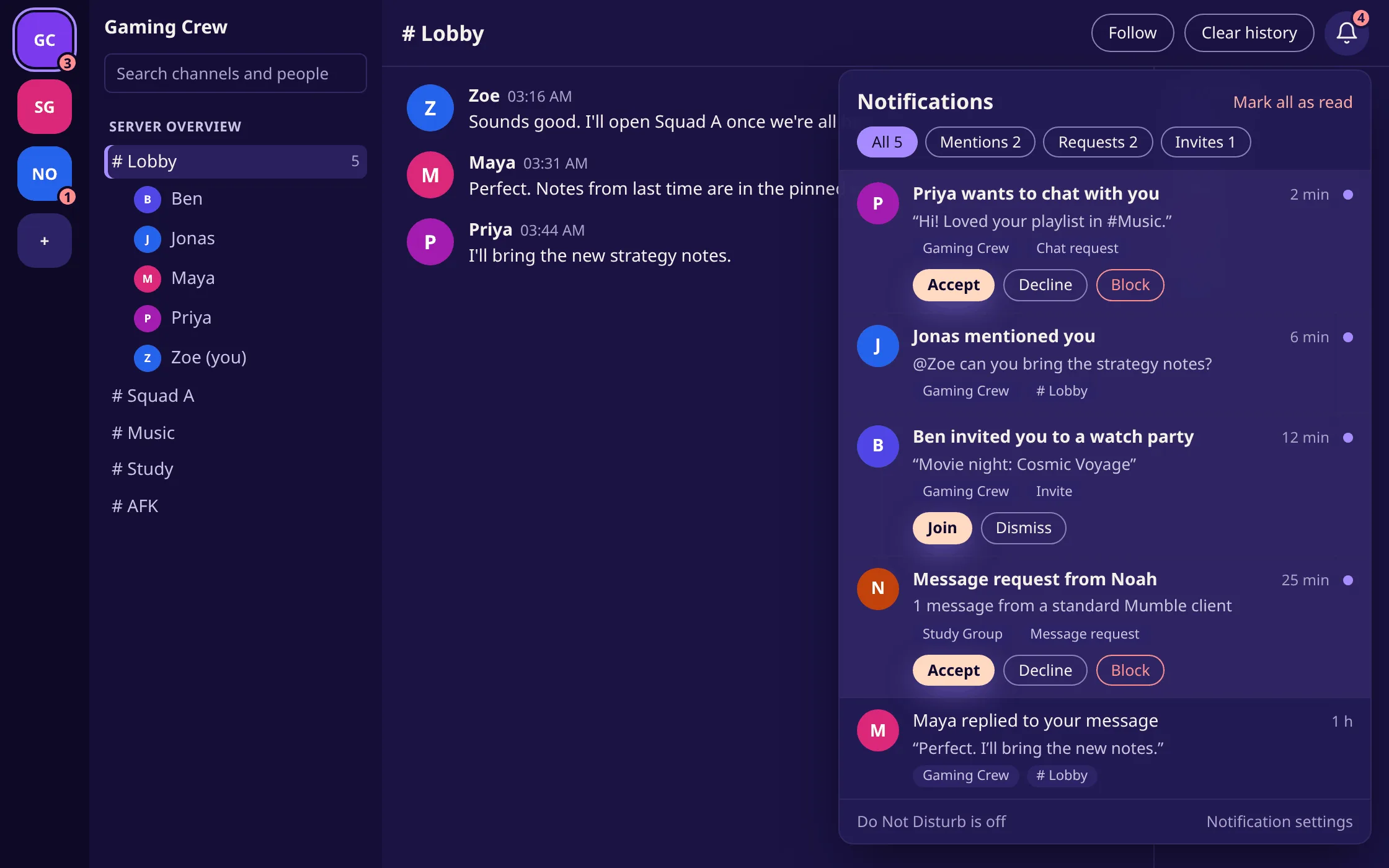
- done: A notification centre behind a bell collects mentions, replies, requests and invites from every server, and during Do Not Disturb everything that would otherwise pop up
- done: Watch parties load nothing from YouTube or Twitch while embedded content is off
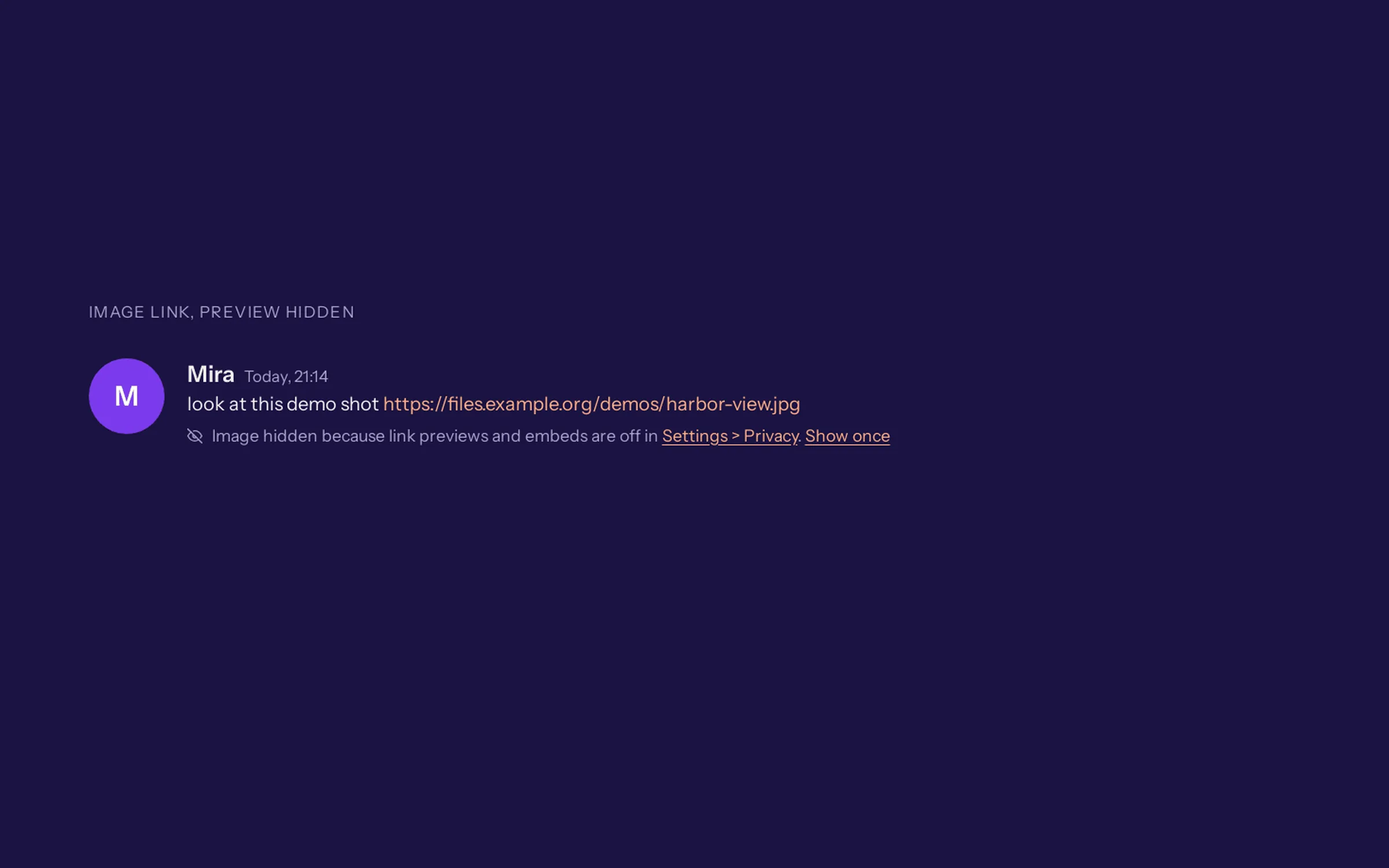
- done: A hint in the chat when link previews and embeds are off, instead of silently showing only the link
Servers and identities 5
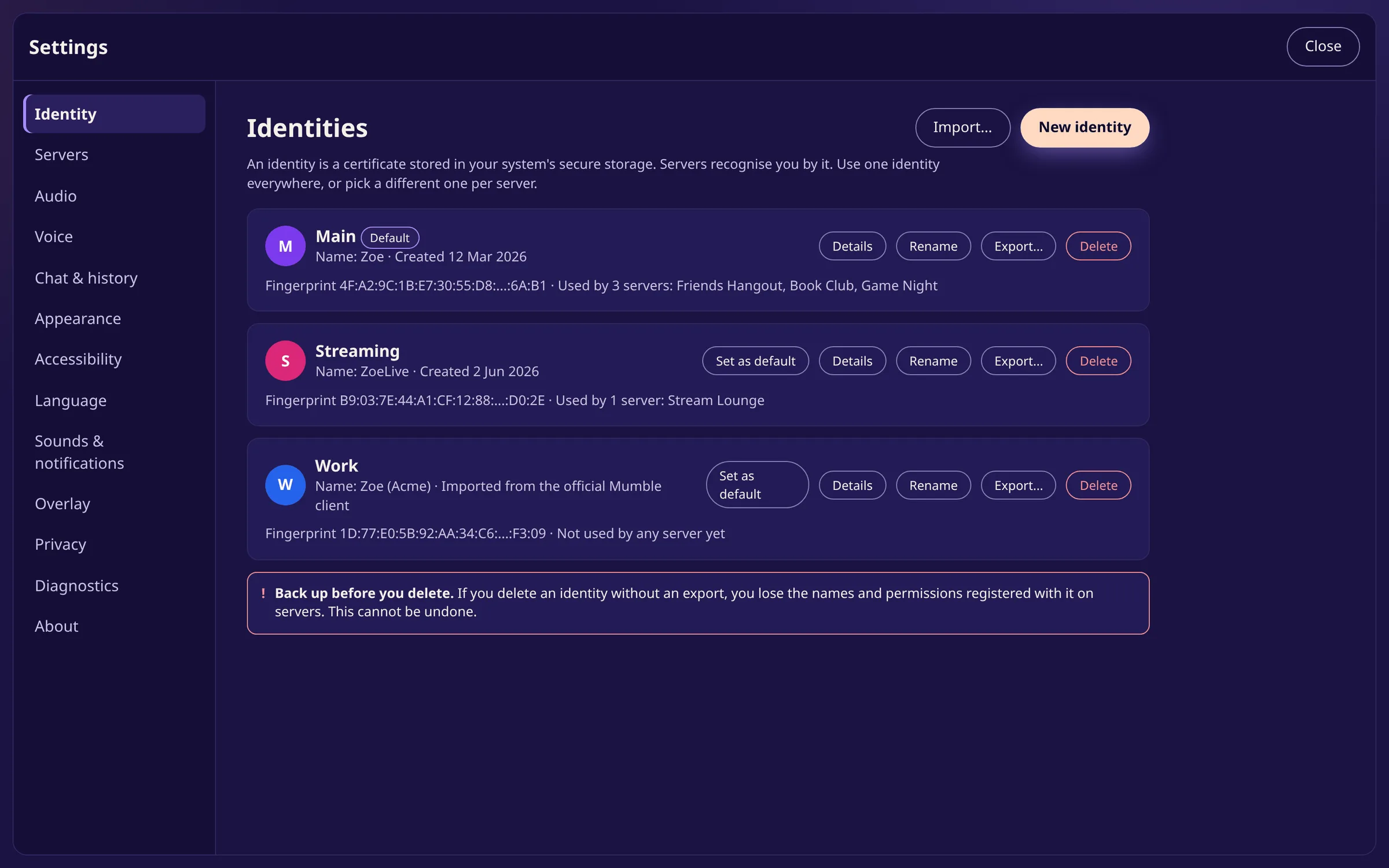
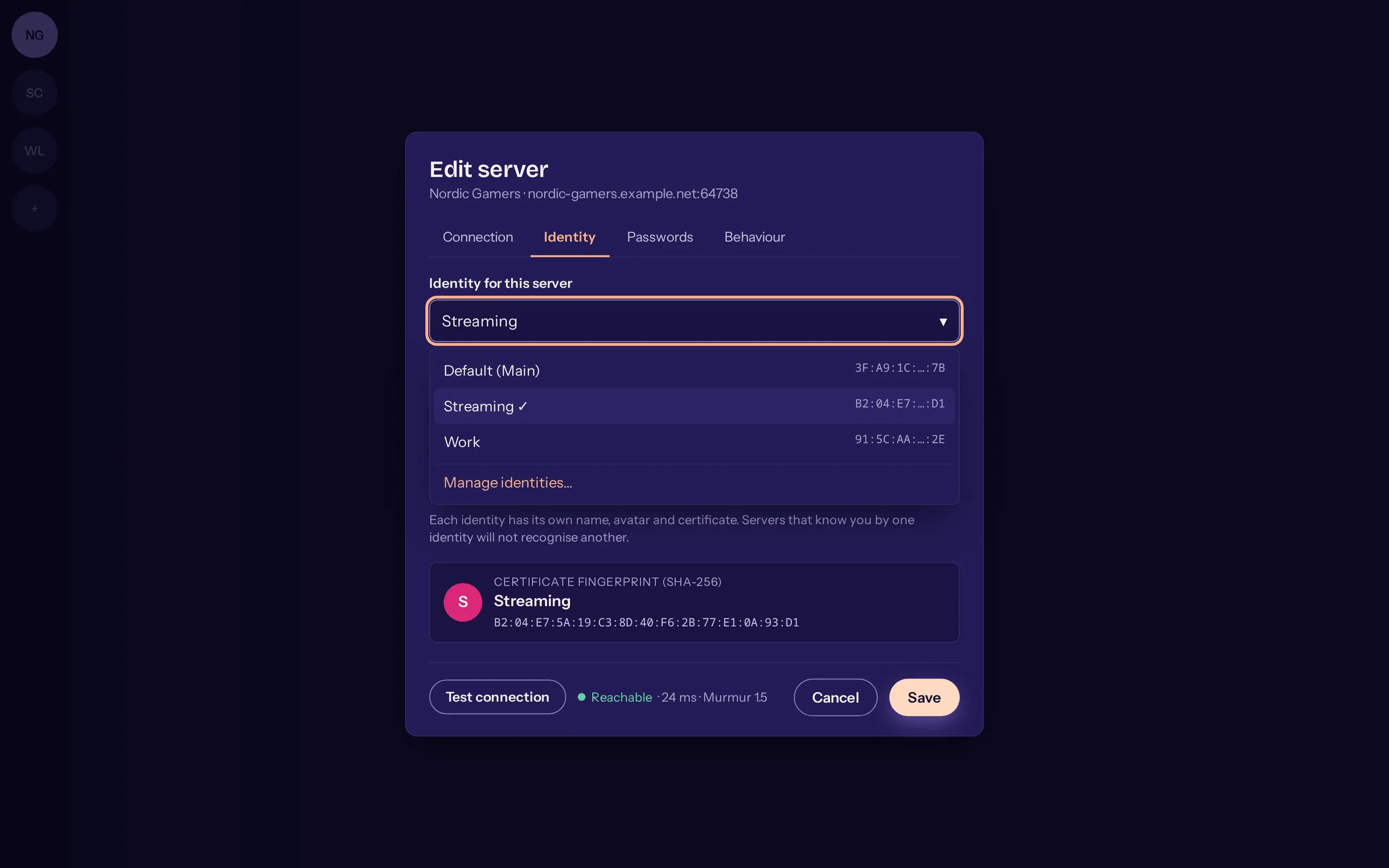
- done: Manage several identities and choose per server which one you connect with
- done: A tidy dialog for adding and editing servers, with identity and “Test connection”
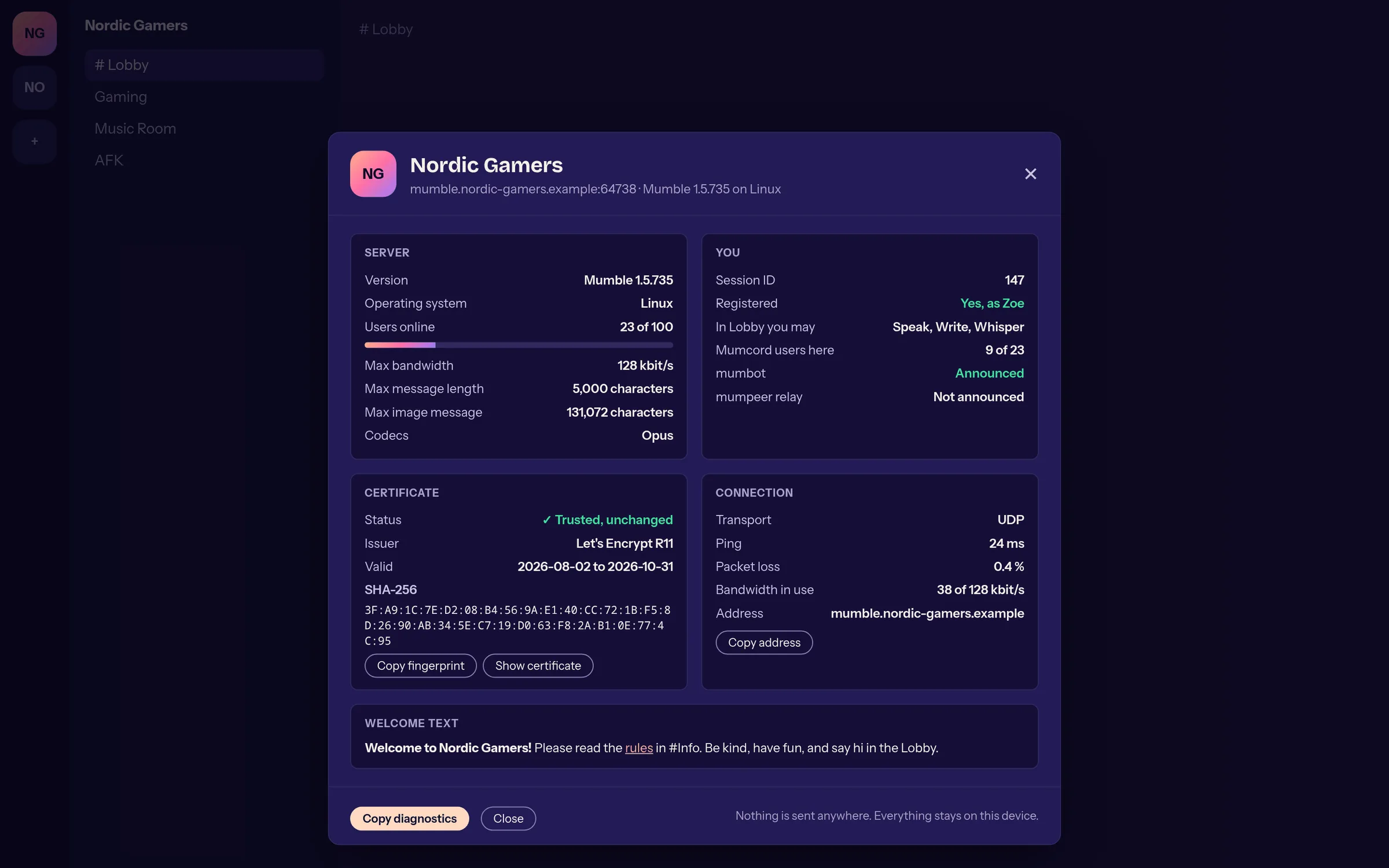
- done: Server info: version, limits, certificate and your permissions at a glance, without any server change
- done: Saved channel passwords show which channel they belong to and can be named
- done: Server info shows whether a Mumbot or a mumpeer relay is announced
Sound and music 4
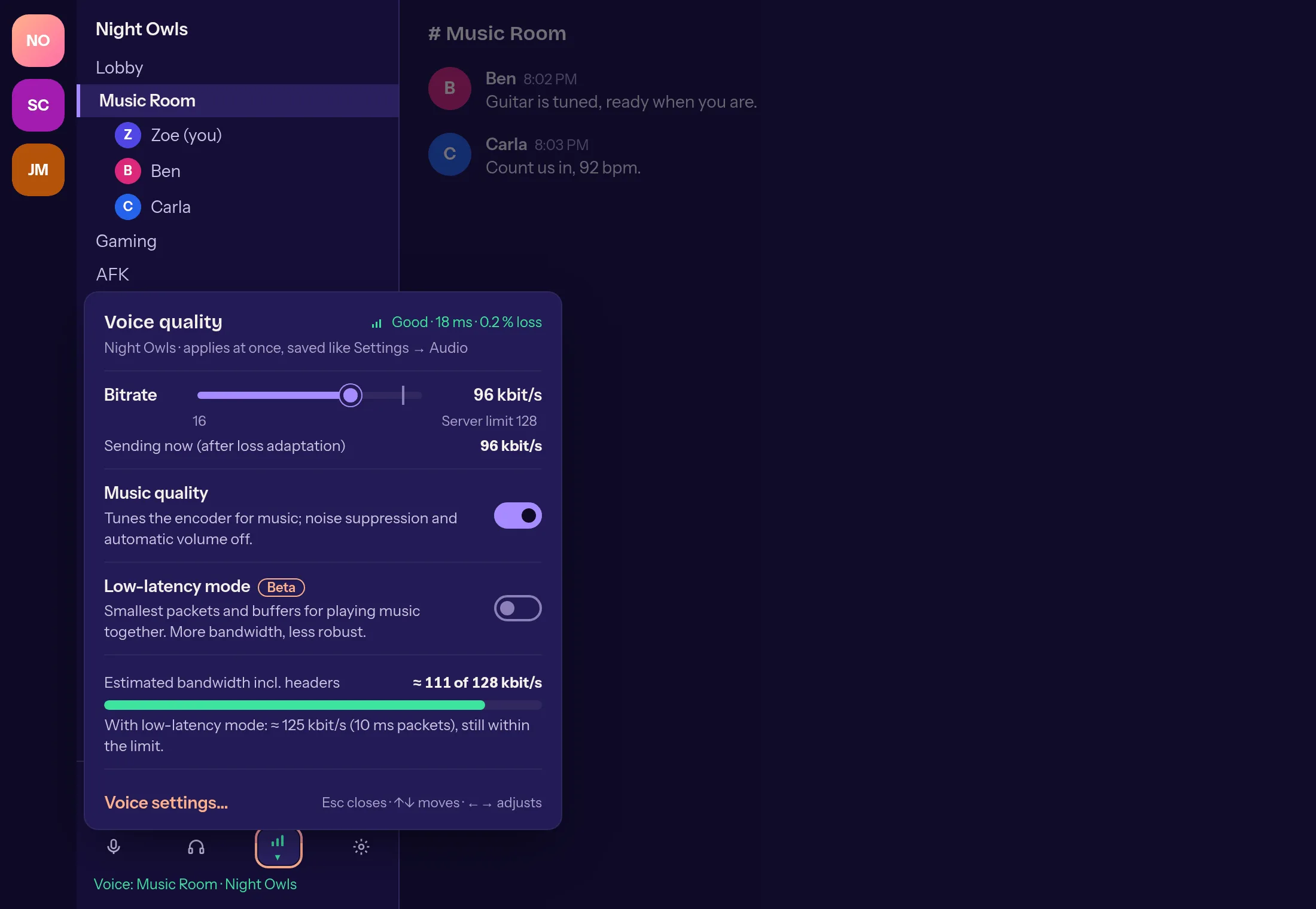
- done: Right-click the connection info: set bitrate, music quality and low-latency mode right in the conversation
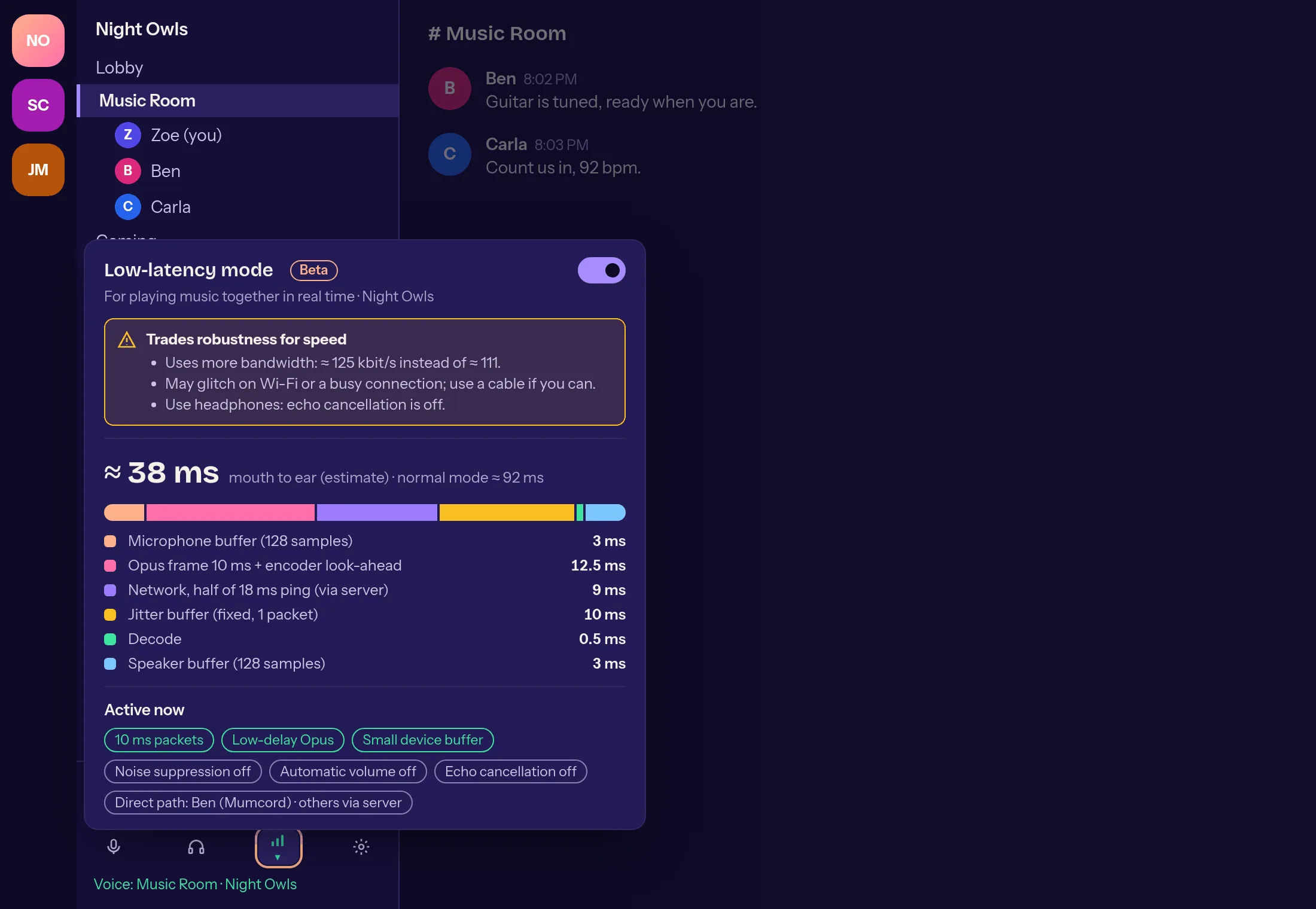
- done: Low-latency mode for making music together: about 40 instead of 90 ms mouth to ear, on standard Mumble servers too
- done: Audio per channel: every channel remembers its own music quality, low-latency mode and bitrate
- done: High-quality noise suppression with the 2024 RNNoise model, as a beta
Direct connections through a relay 4
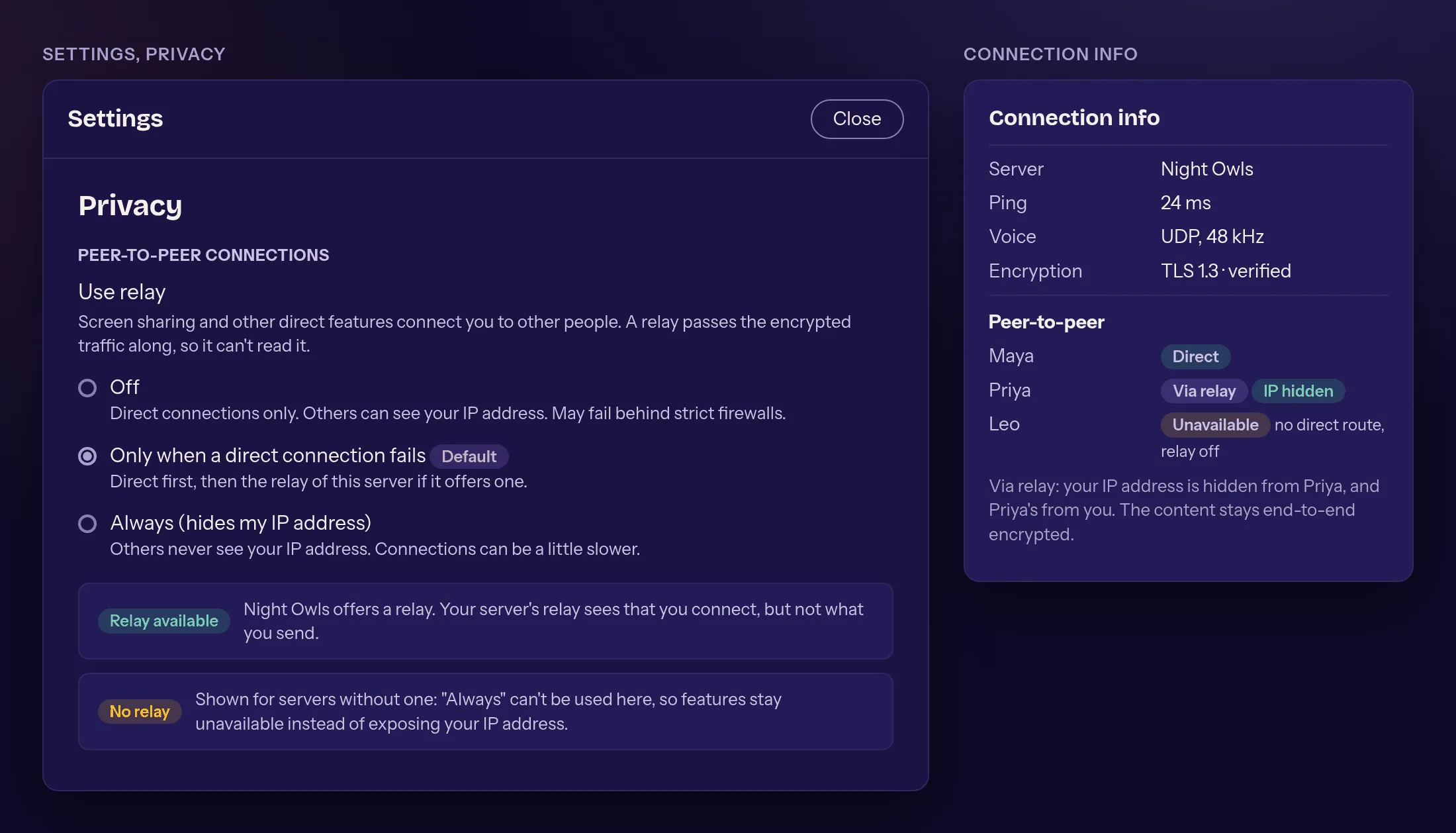
- done: If no direct connection works, for example behind CGNAT, or you don't want to show your IP address, a mumpeer relay forwards the data
- done: The content stays end-to-end encrypted; the relay only passes bytes along and only lets in users of its own server
- done: Optional: a community can run the relay together with Mumbot. Without a relay everything works as before
- done: Your choice: relay off, only when a direct connection fails, or always, so your IP address stays hidden
Updates and installation 2
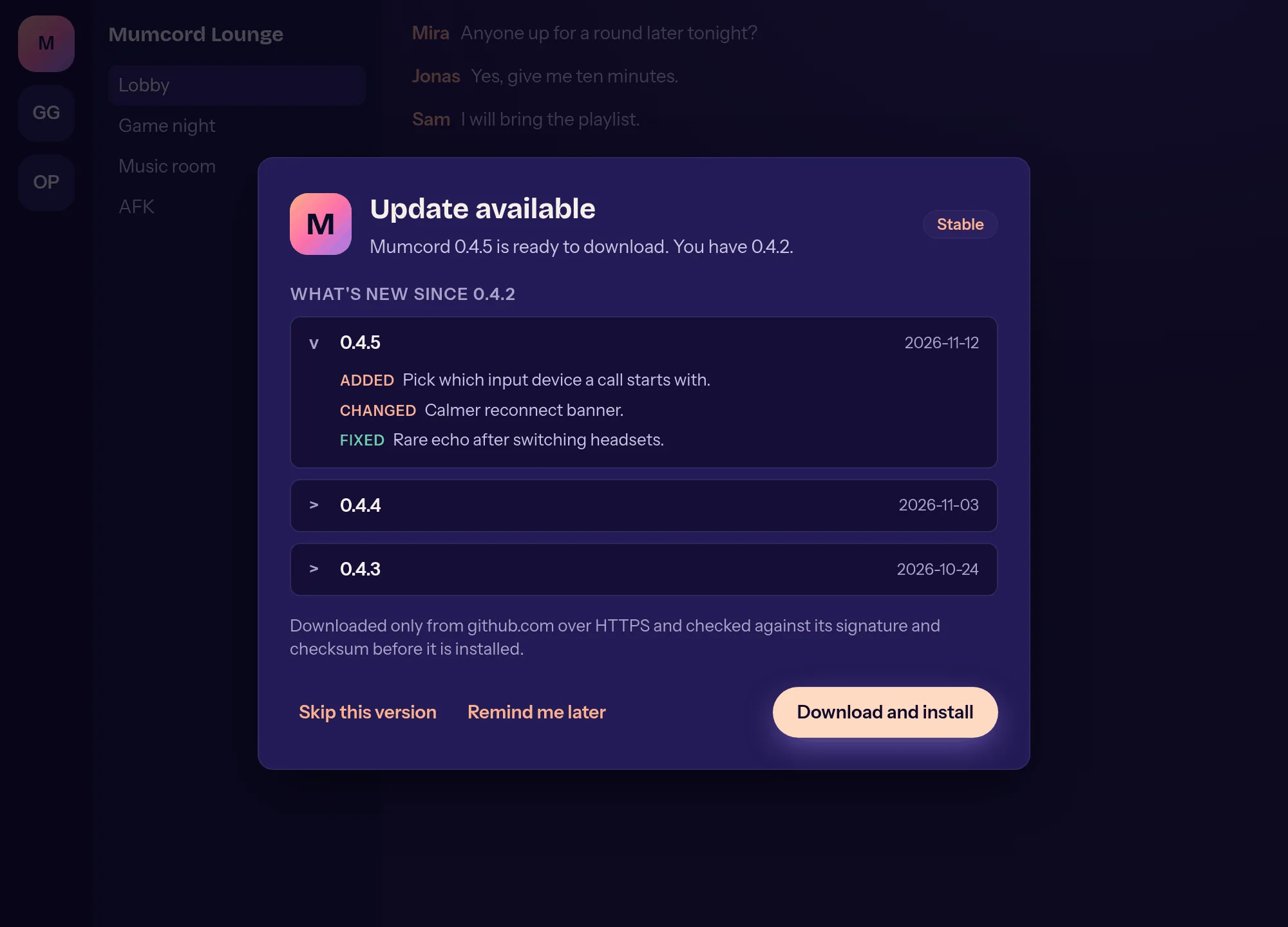
- done: Updates right in the app: check, download, verify the signature and restart
- done: On Windows a portable Mumcord.exe next to the installer
Sketches from the issues
Design sketches, not final. Names and content are made up.
-
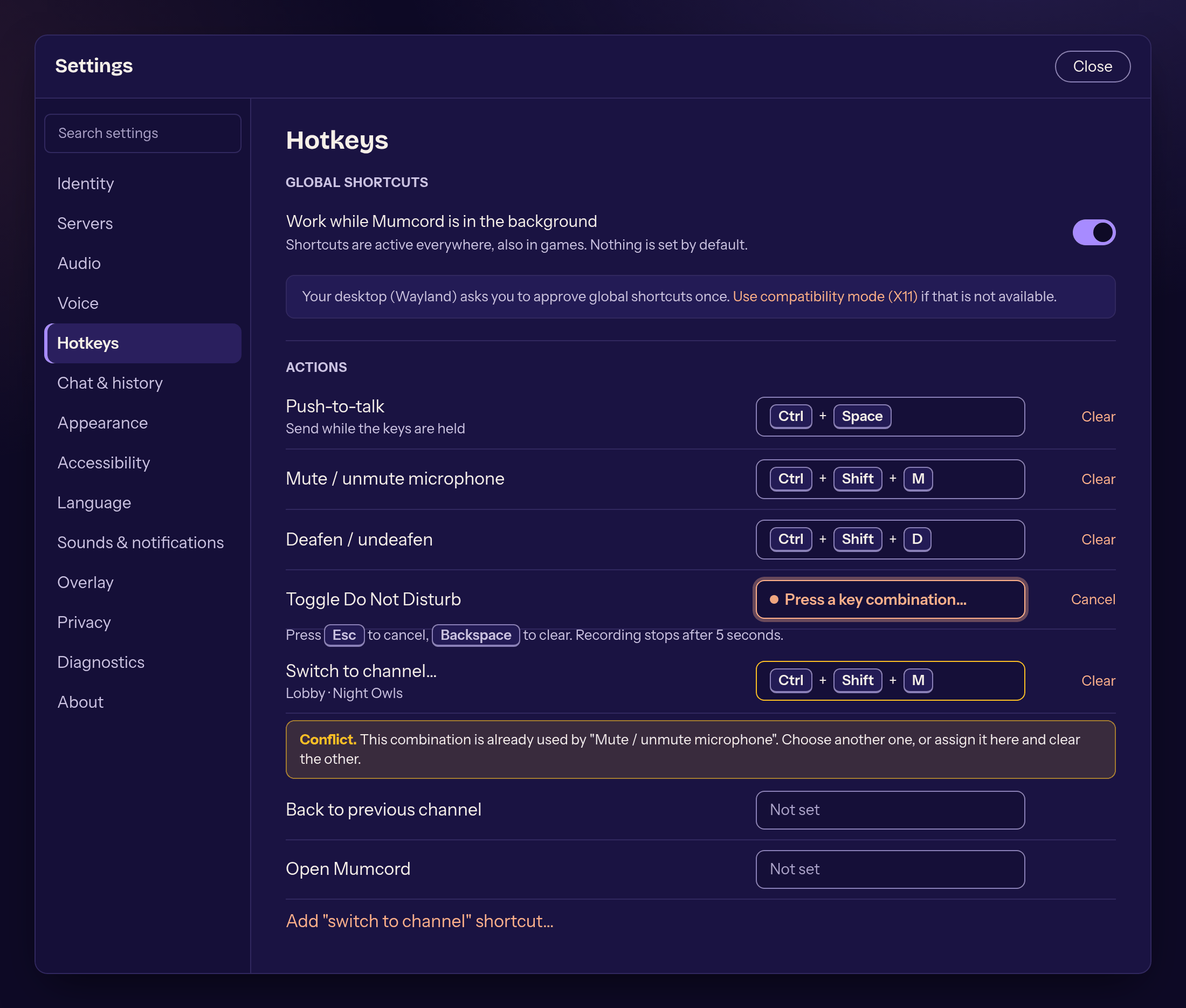
Global shortcuts in the settings #64 -
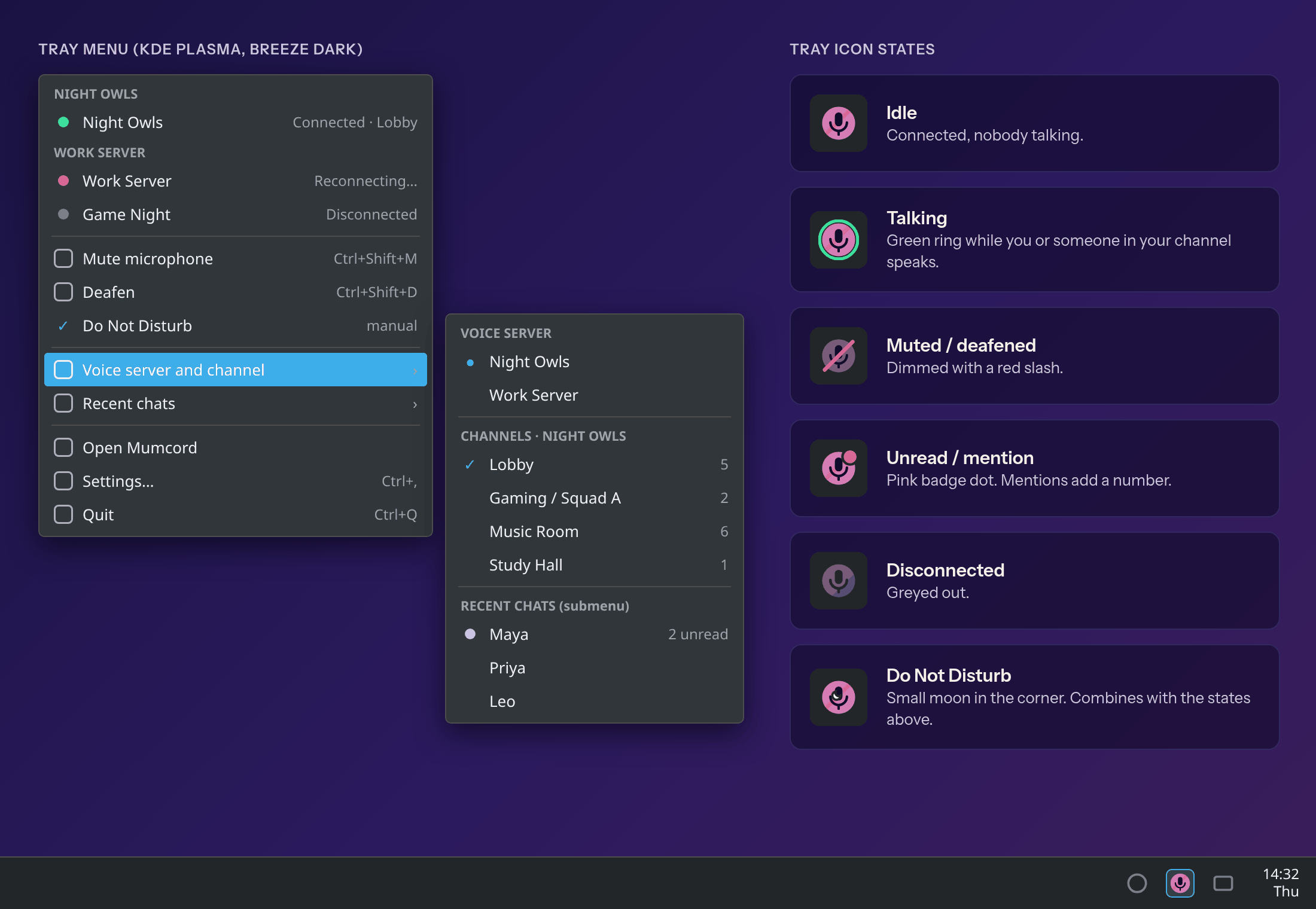
Full tray menu and icon states #65 -
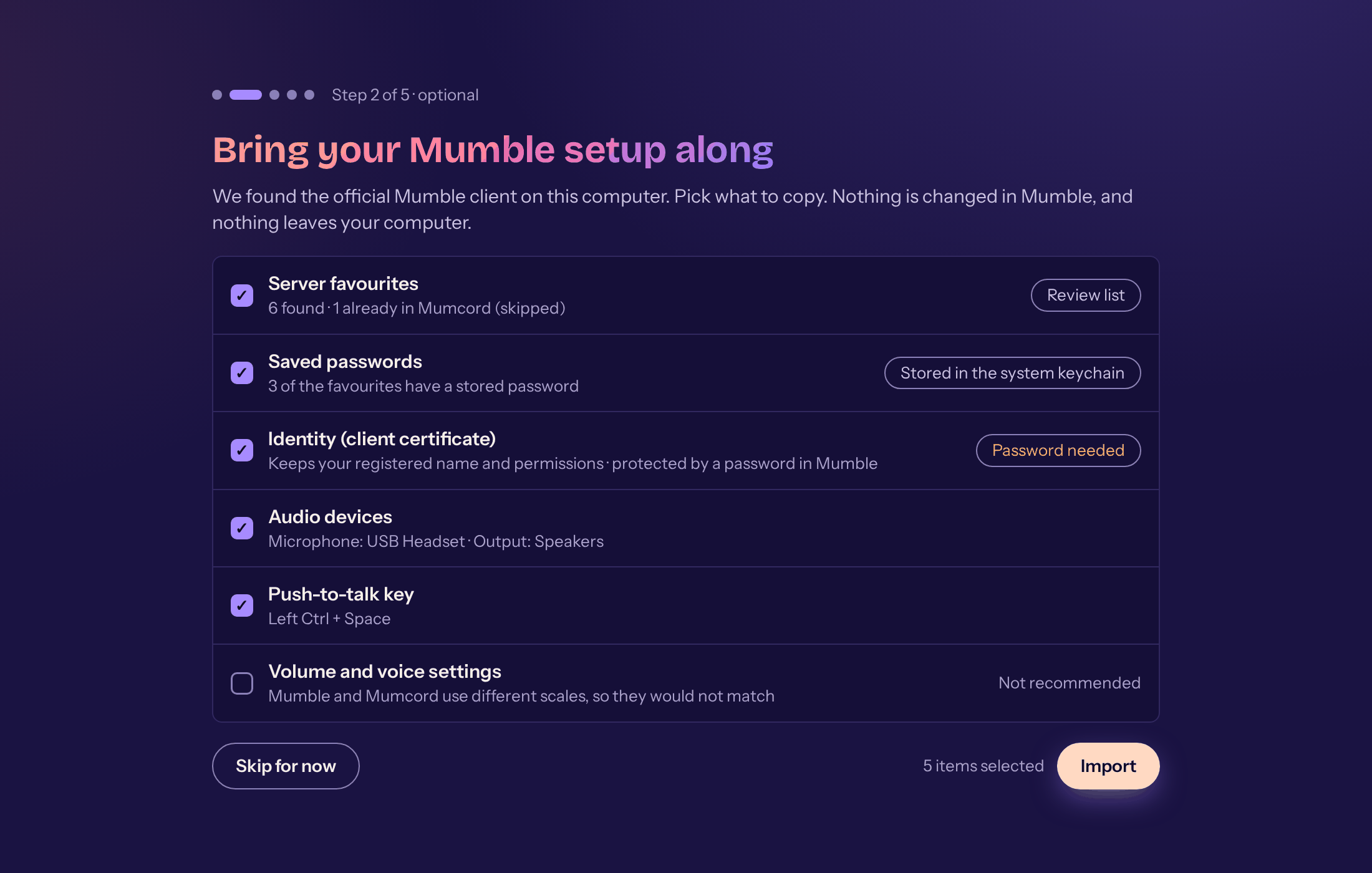
Importing settings from Mumble #66 -
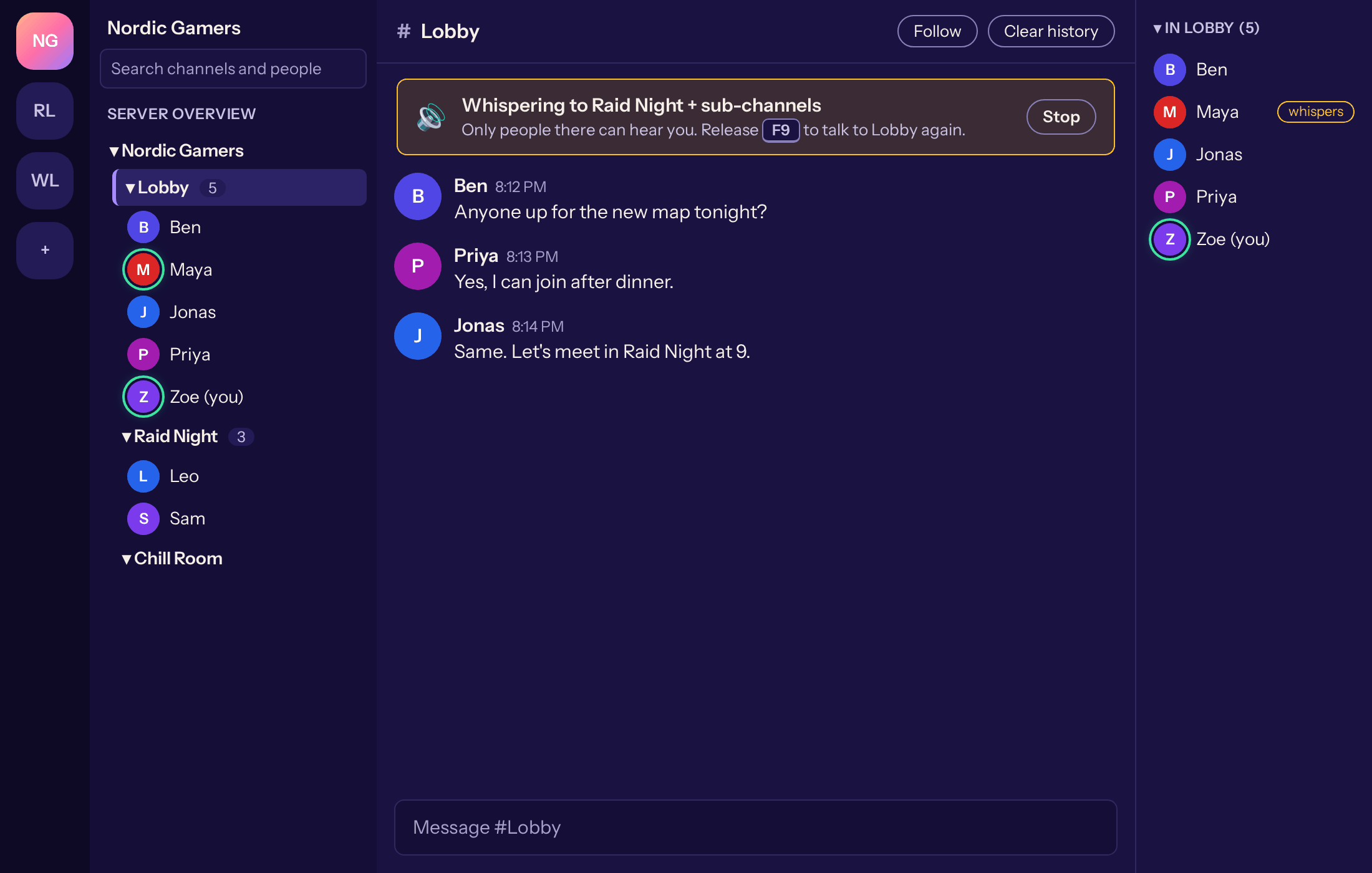
Whispering to another channel #67 -
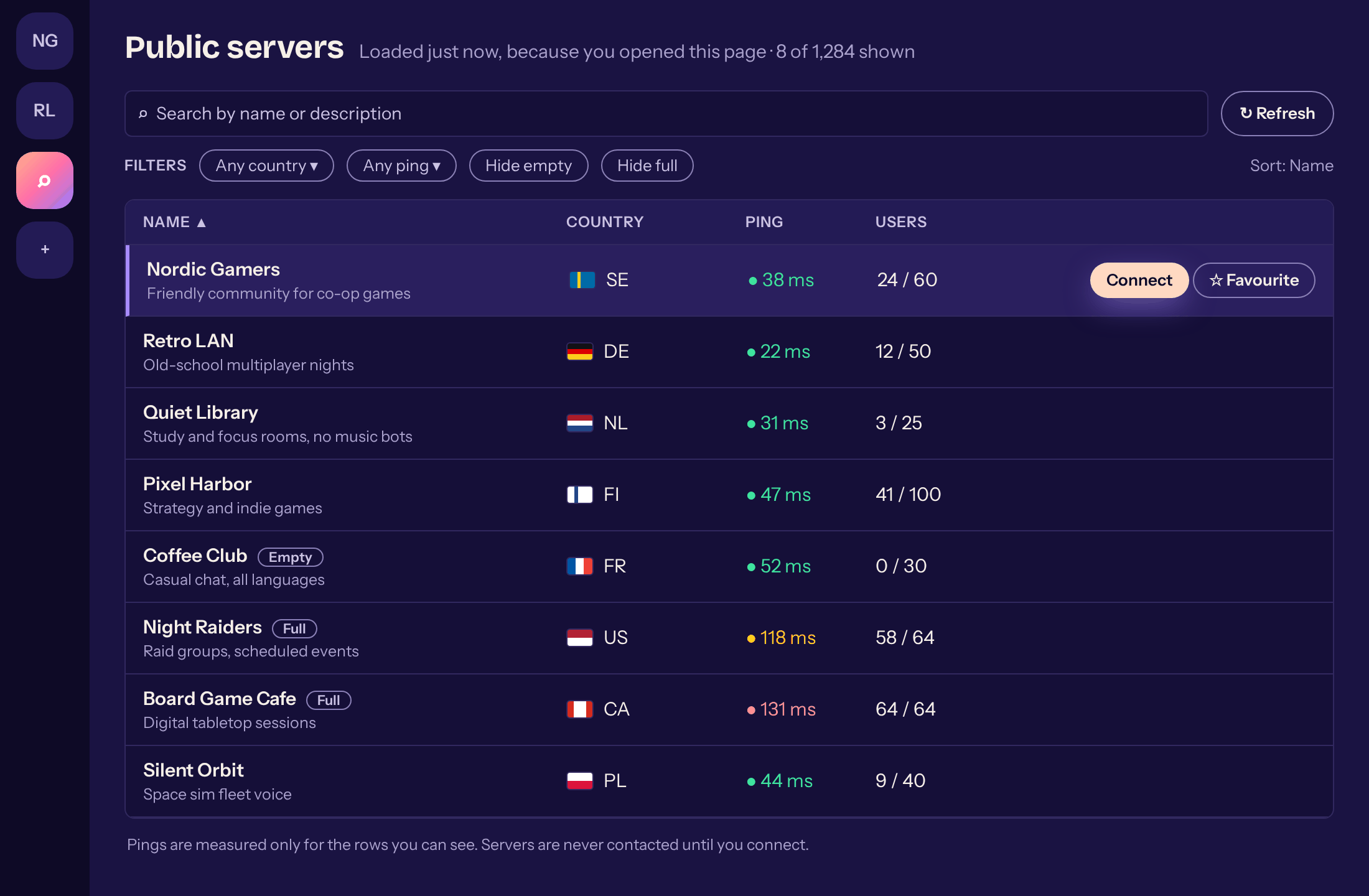
Public server browser #68 -
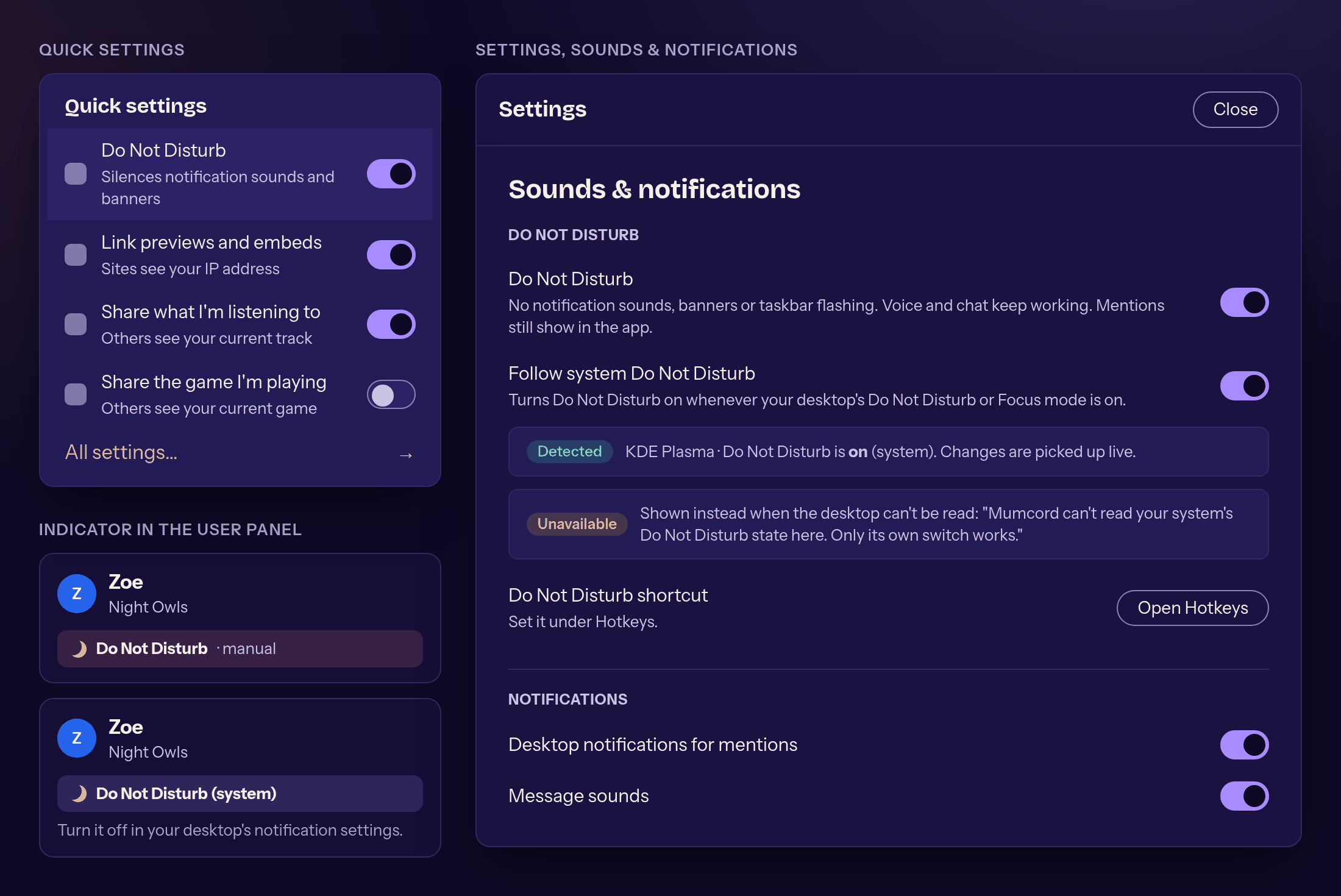
Do Not Disturb in the quick settings #69 -
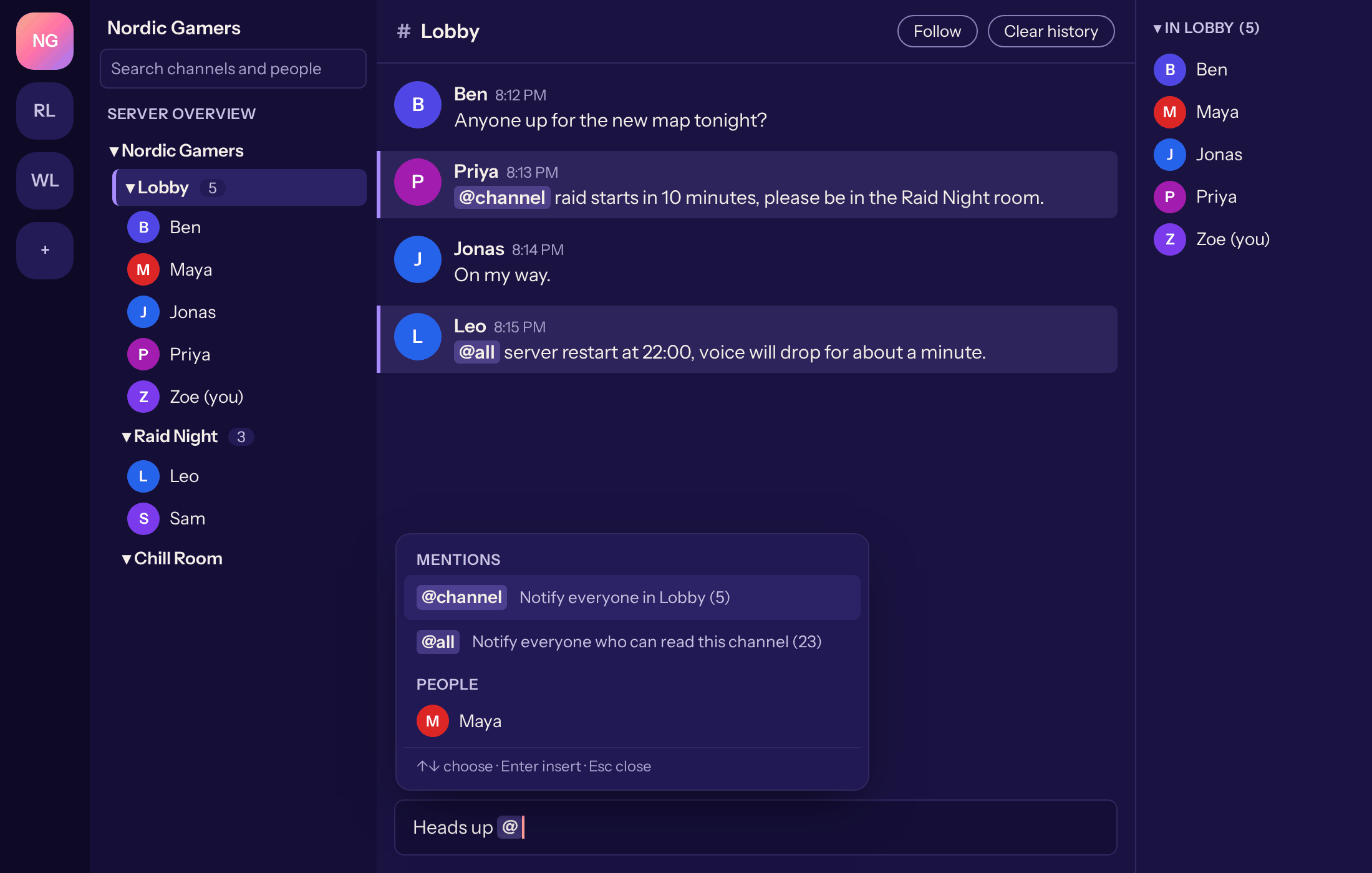
@channel and @all in the message input #70 -
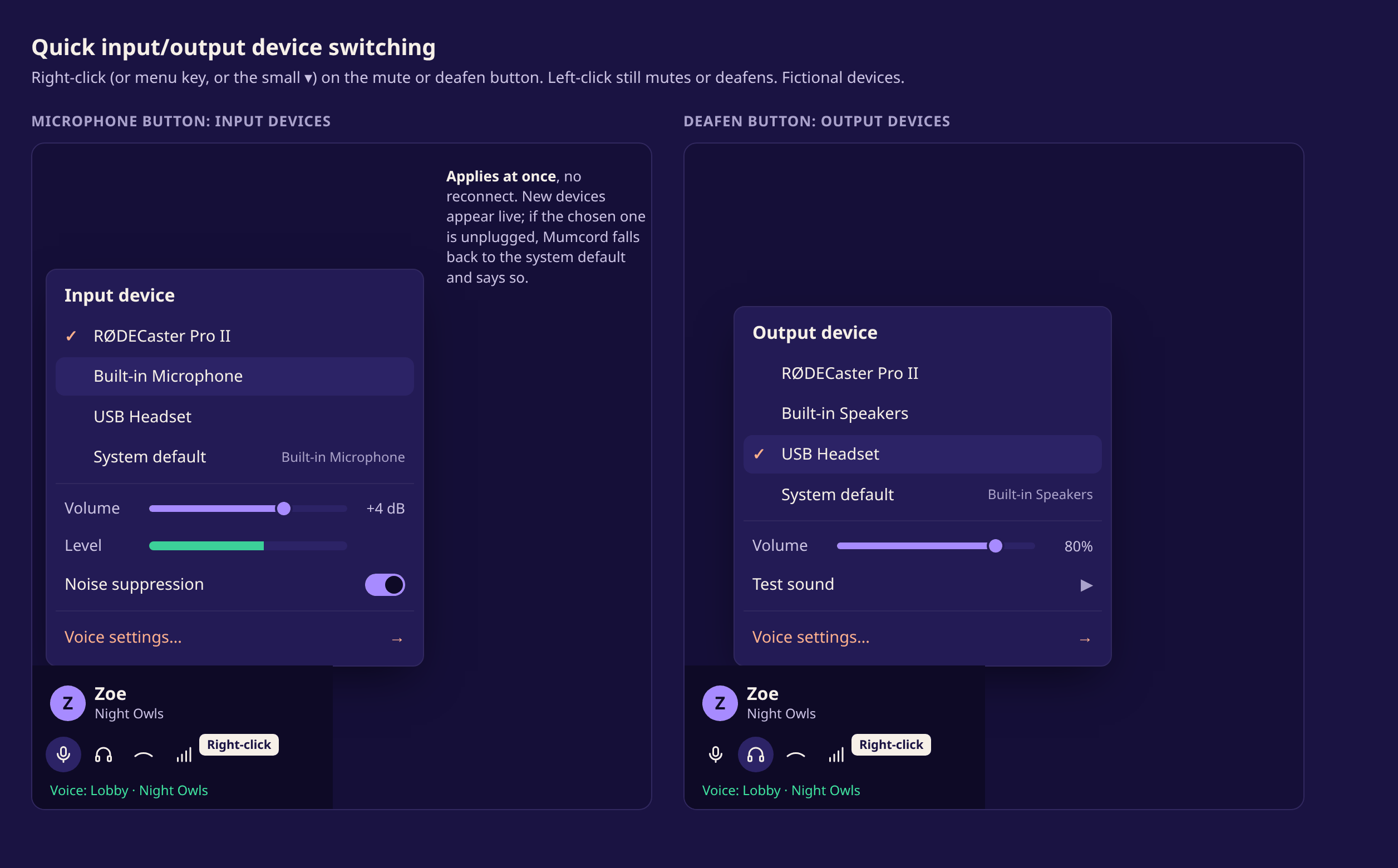
Switching devices from mute and deafen #153 -
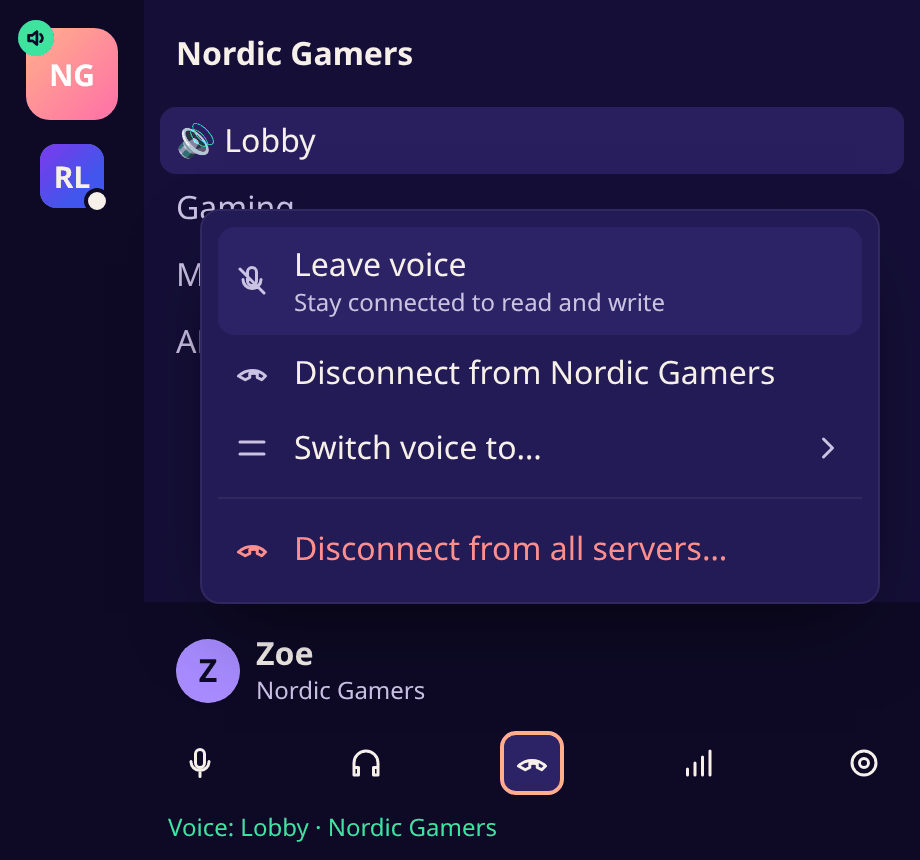
The hang-up button menu #154 -
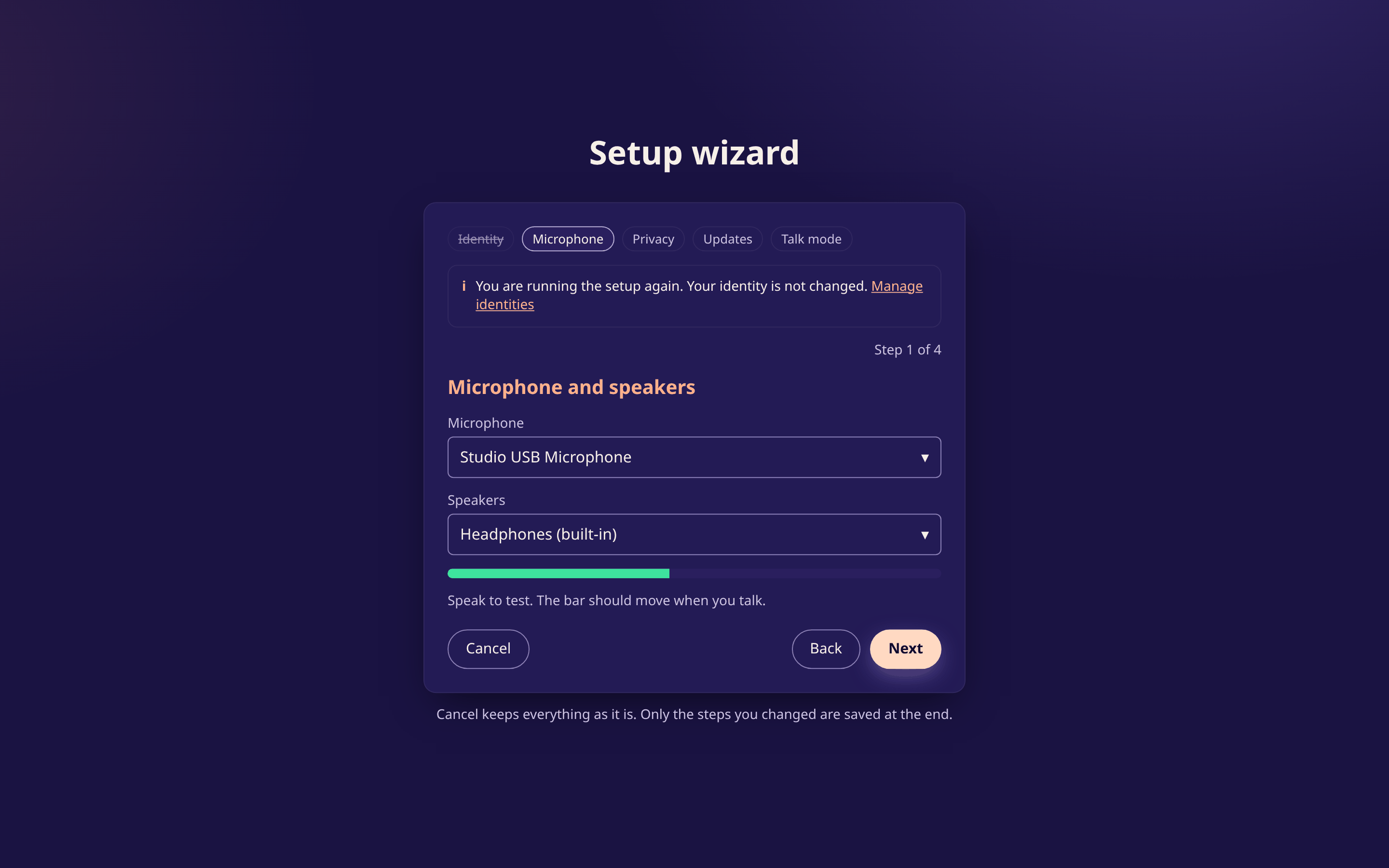
Running the setup wizard again #149 -
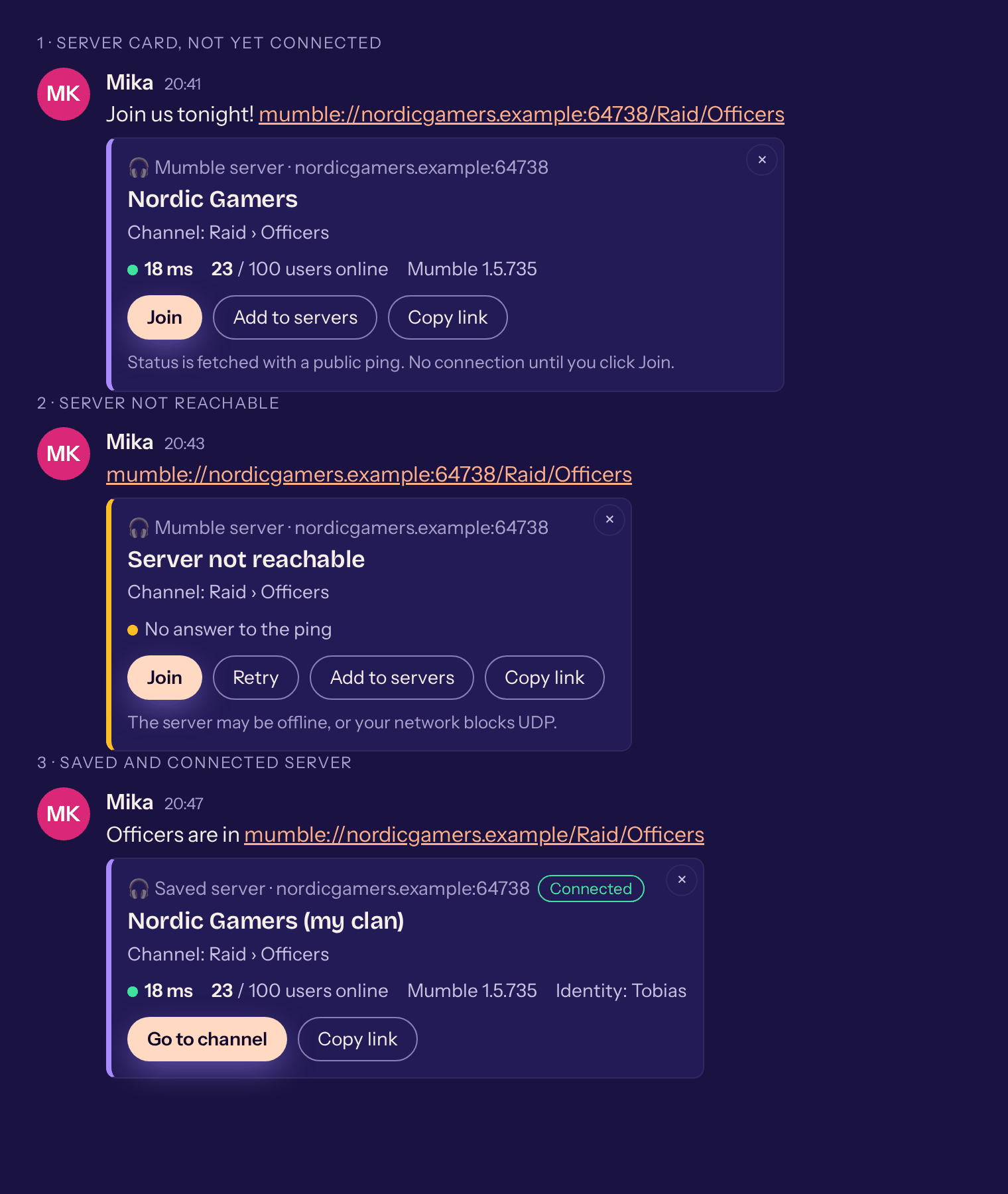
A mumble:// link as a card #175 -
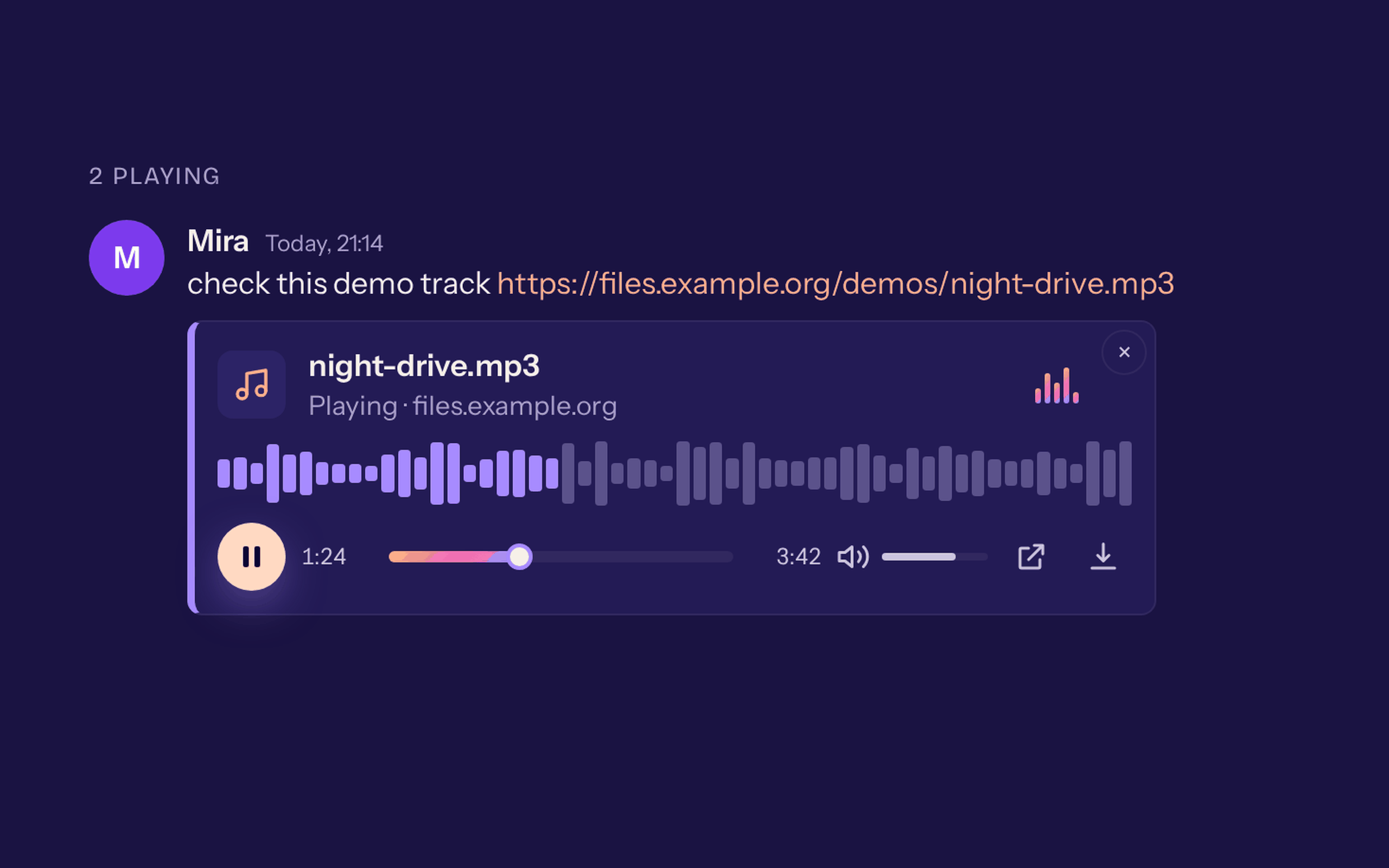
An audio link with a player in the chat #260 -
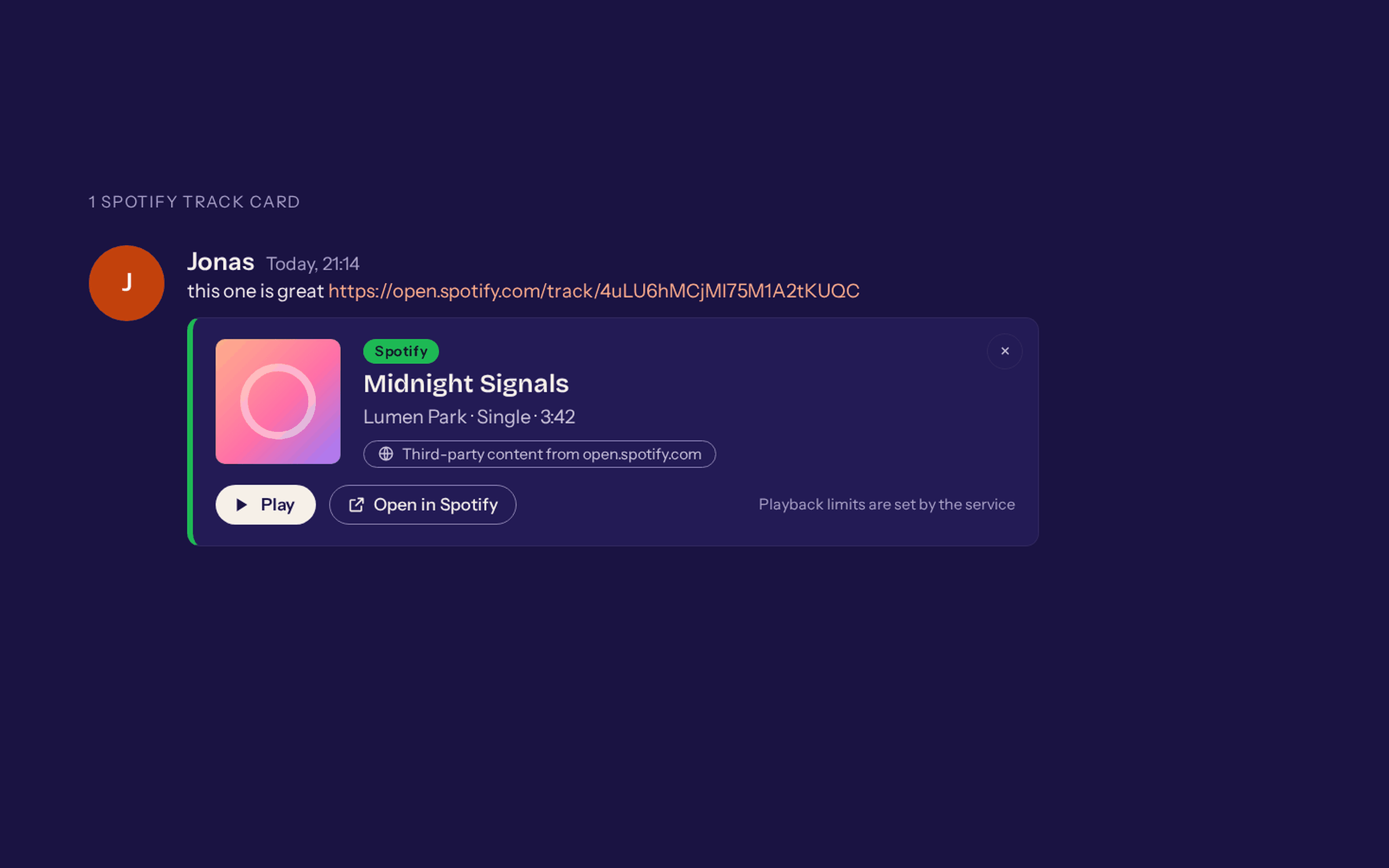
A music card in the chat #262 -
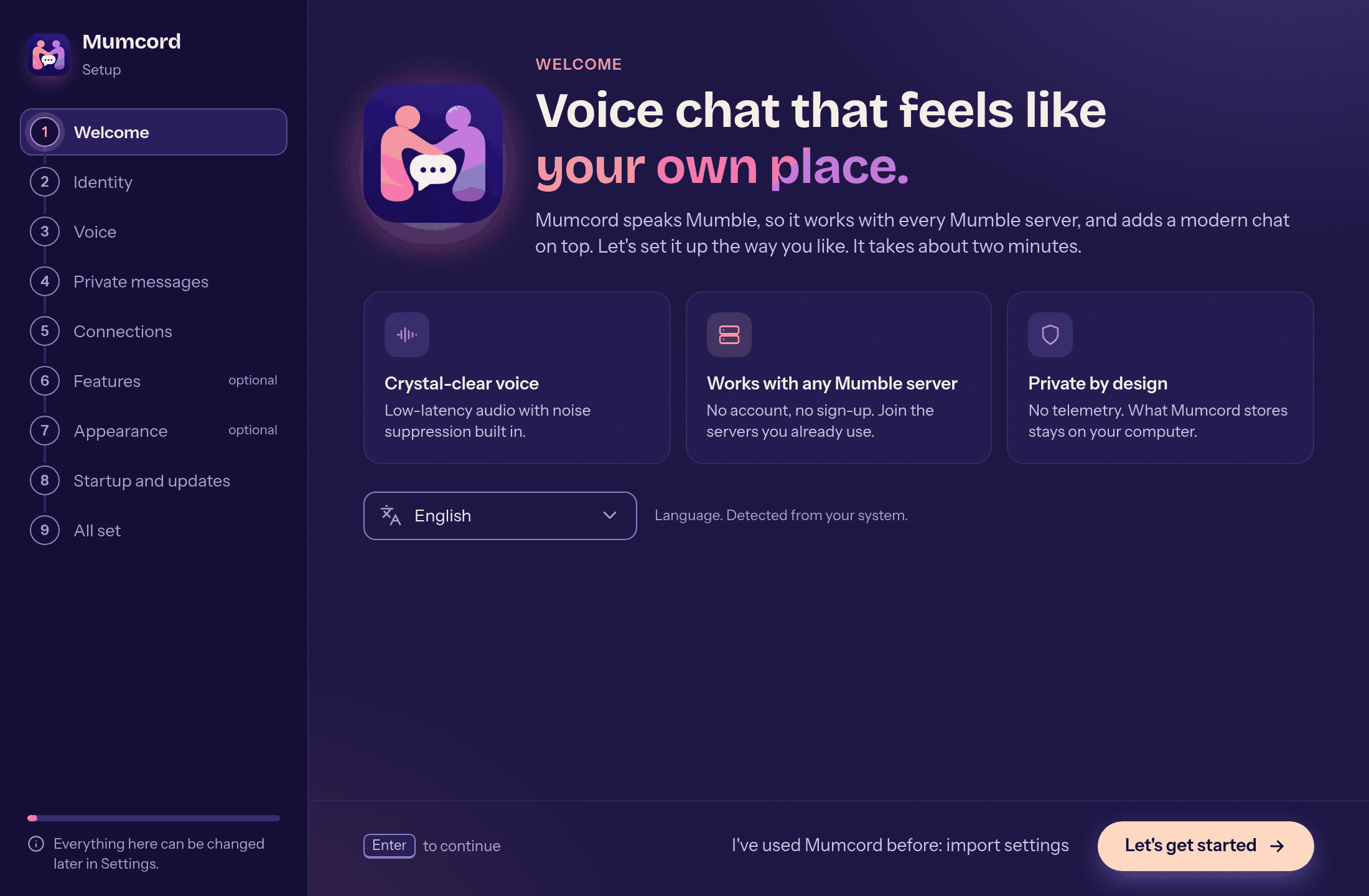
The new setup wizard #159 -
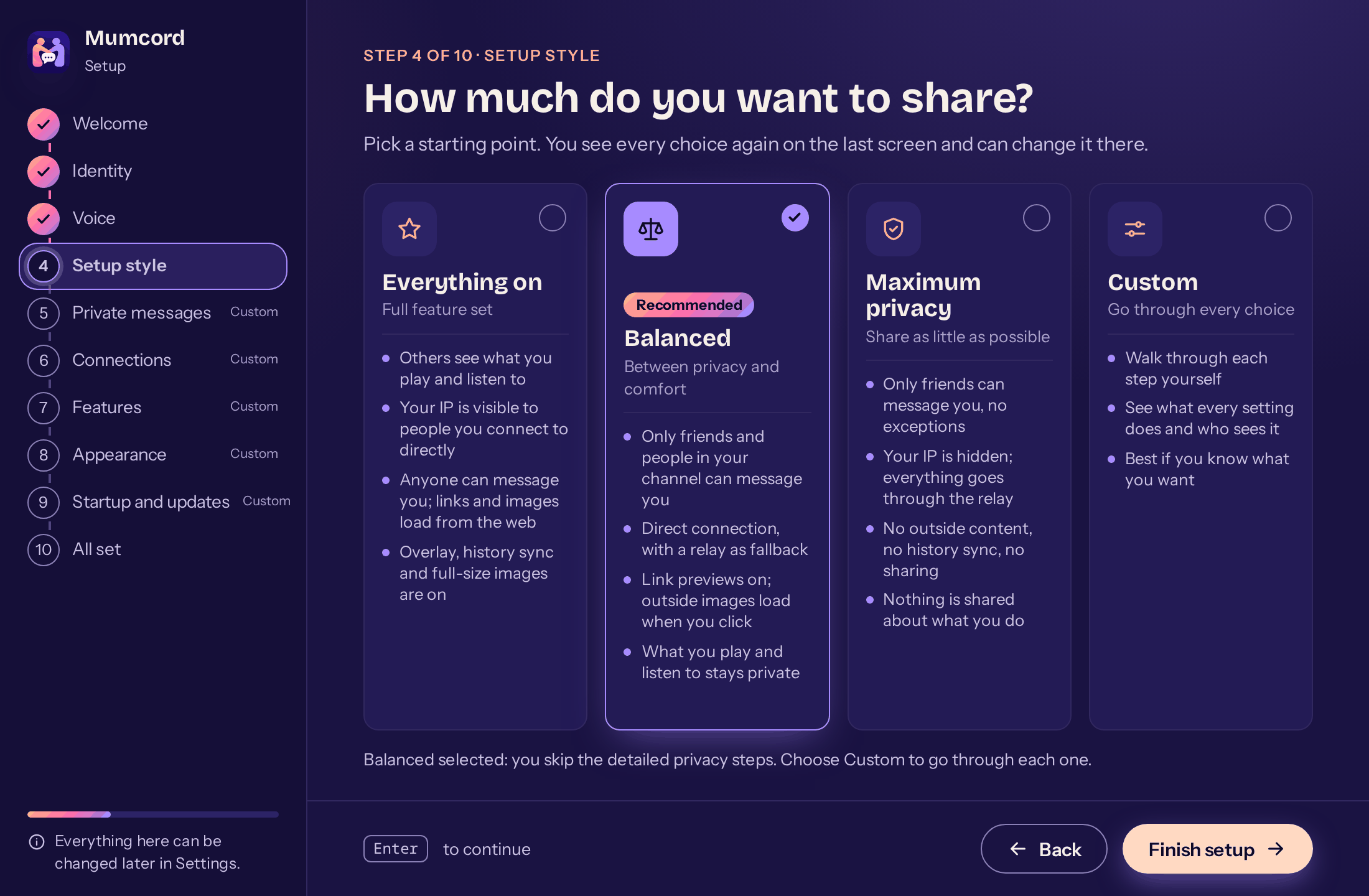
Presets in the wizard #159 -
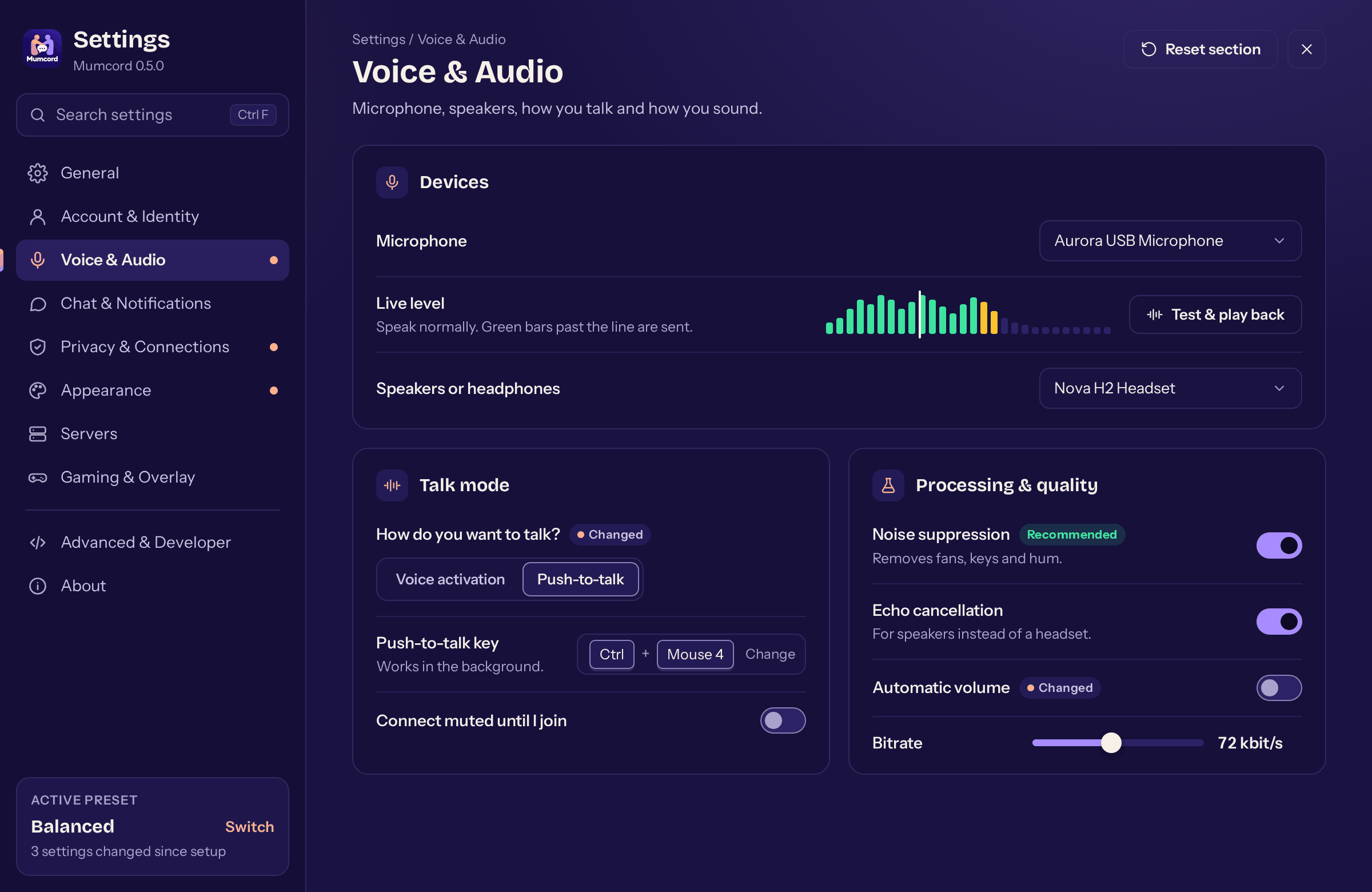
New settings: voice and audio #161 -
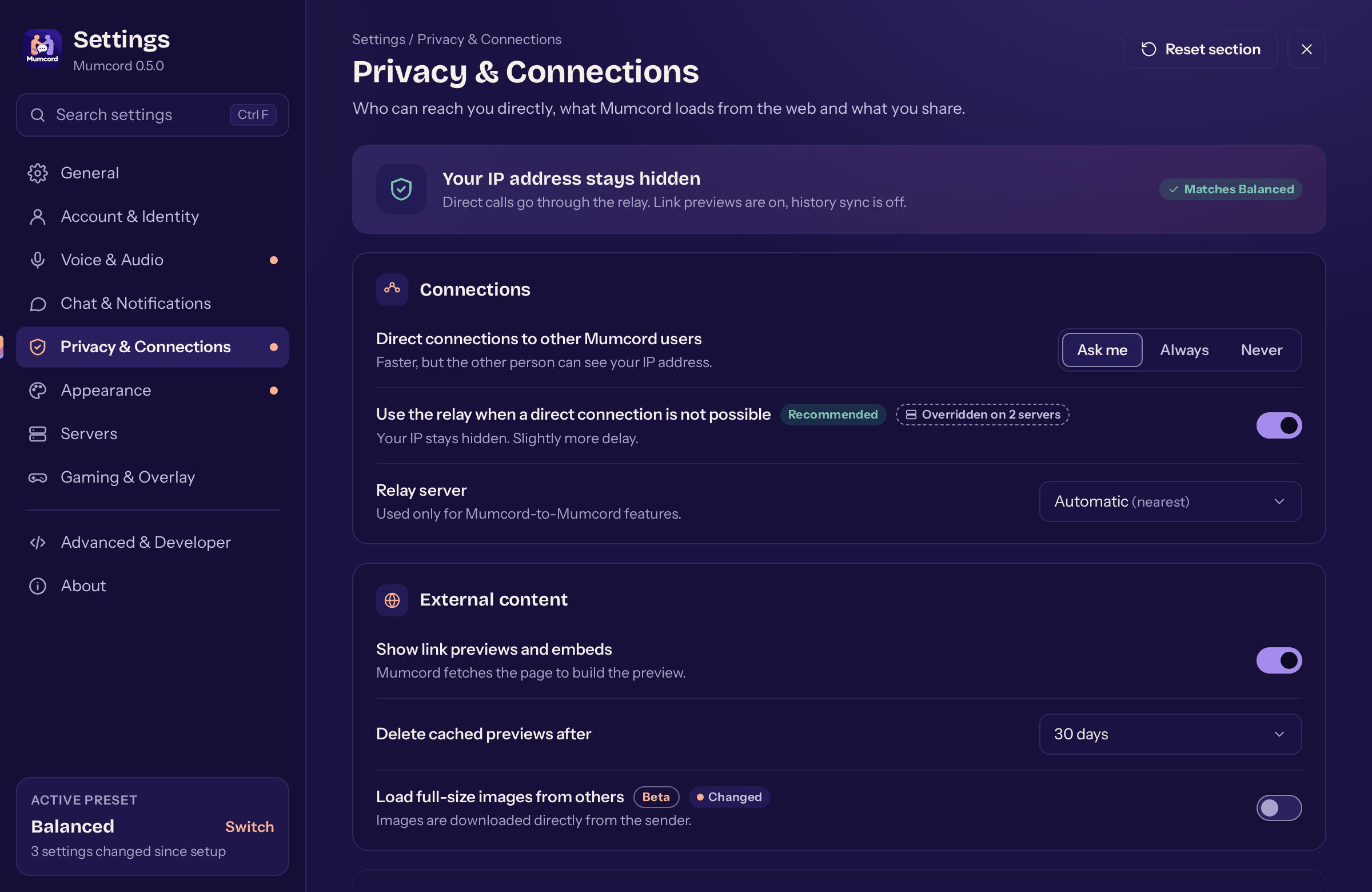
New settings: privacy and connections #161 -
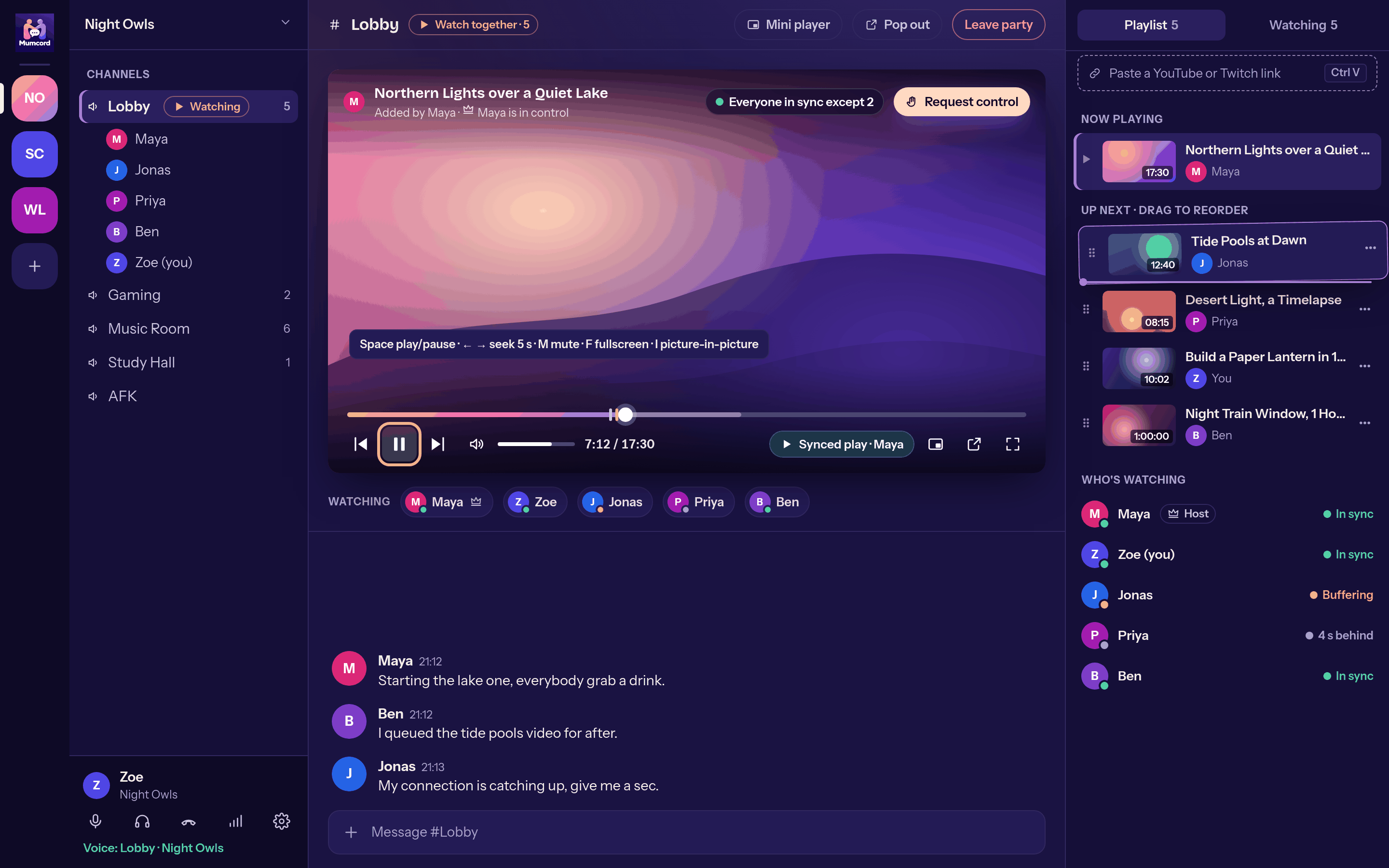
Watching together in the new view #163 -
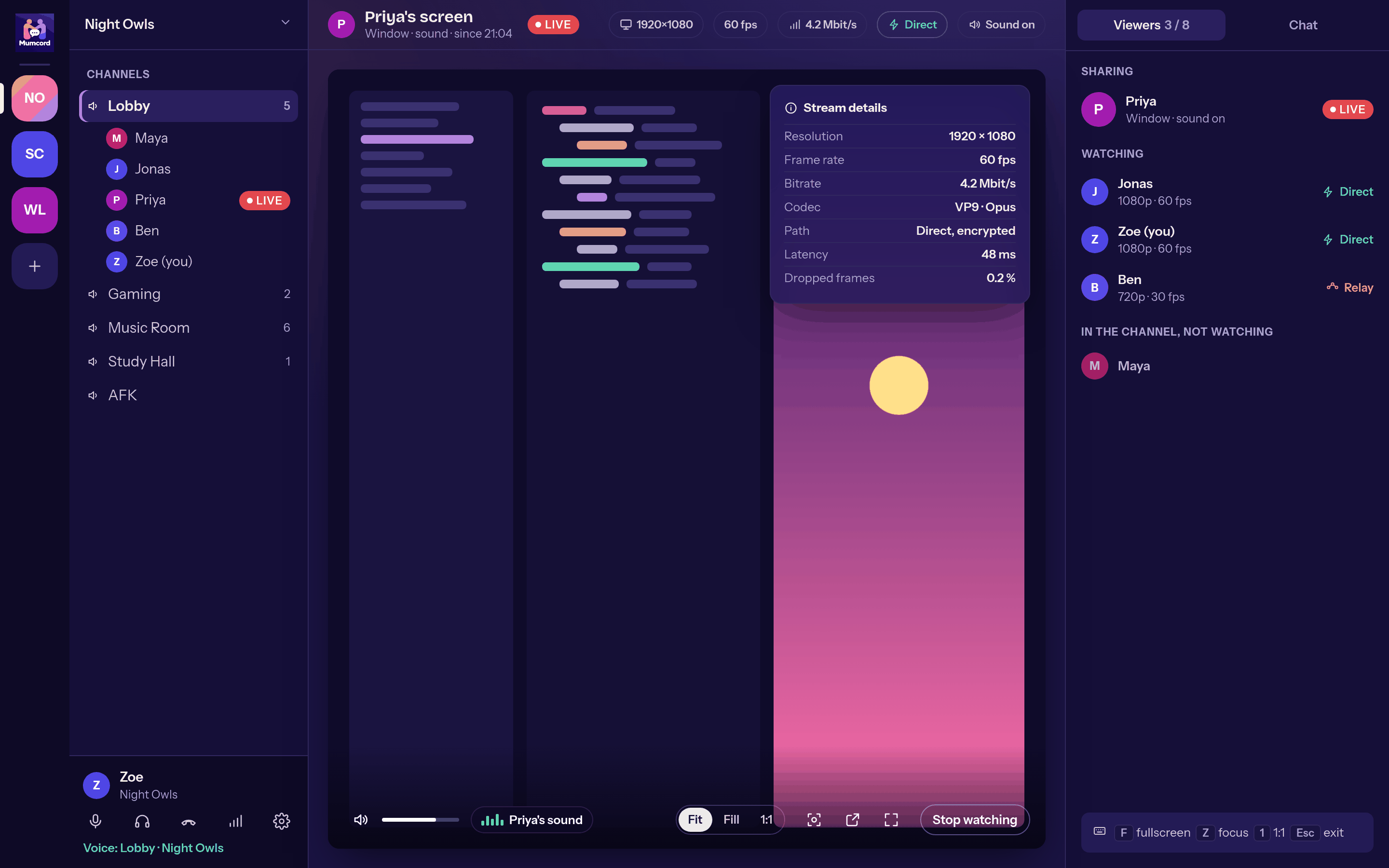
Watching a shared screen #163 -
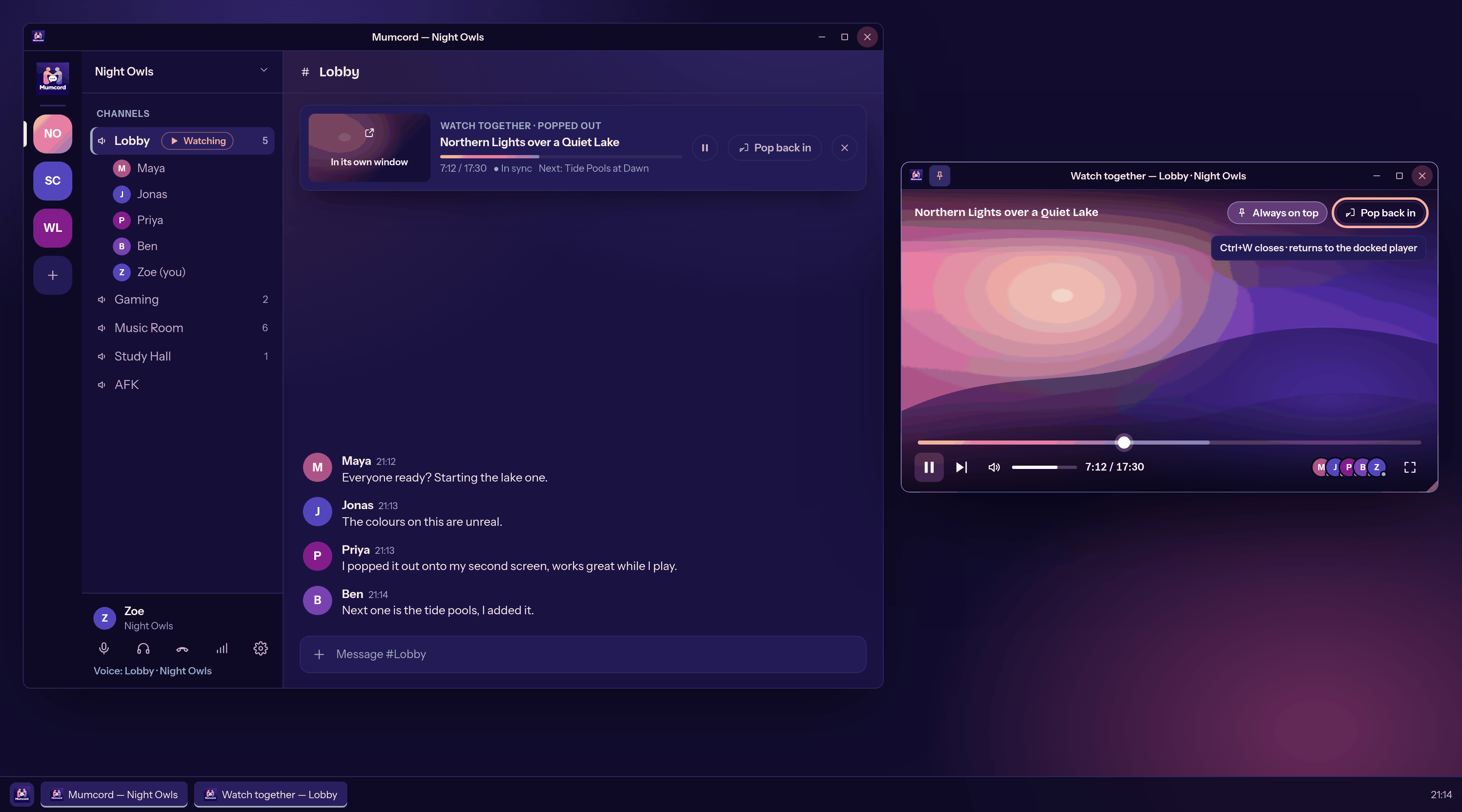
A video in its own window #164 -
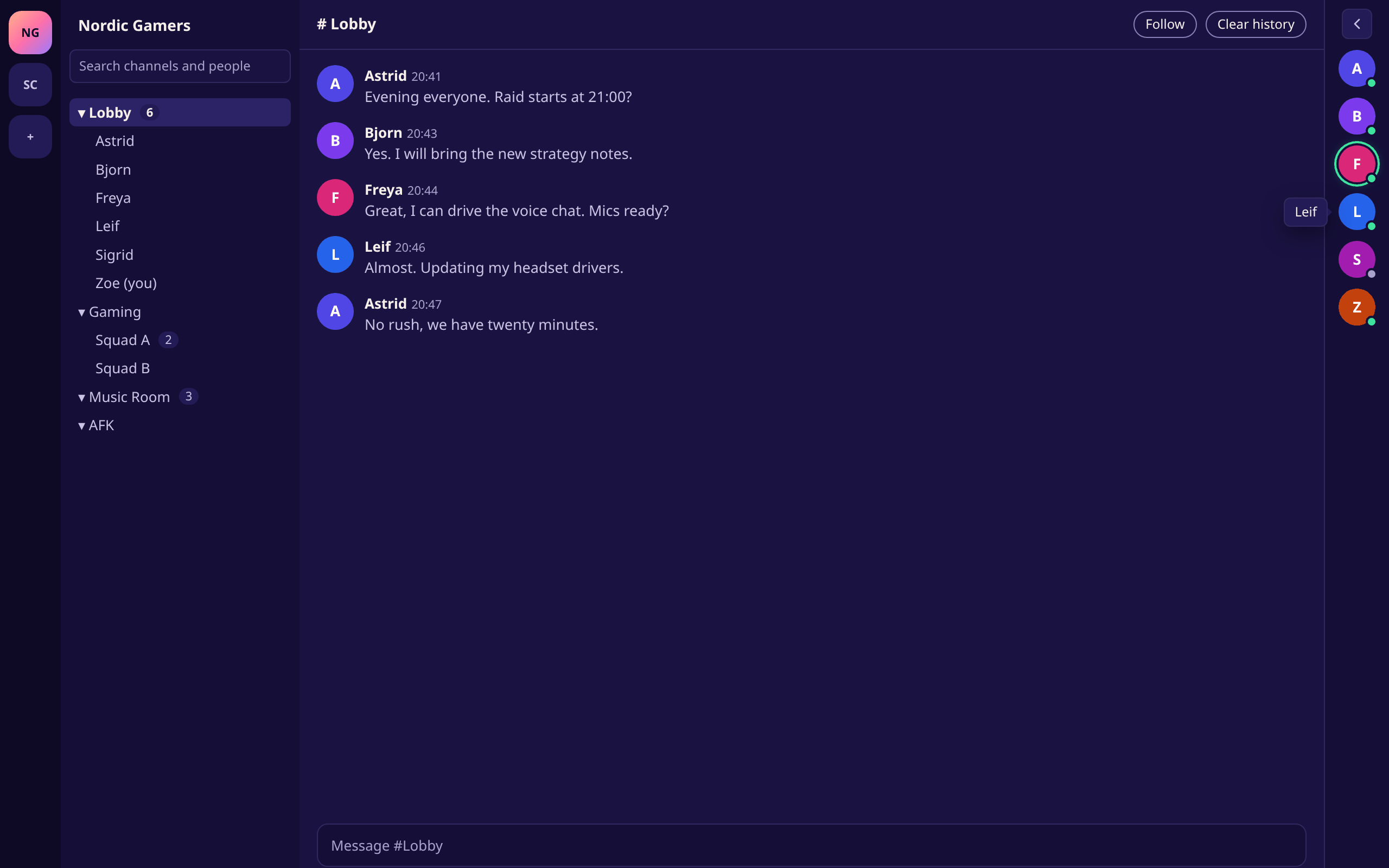
The member column as a slim rail #165 -
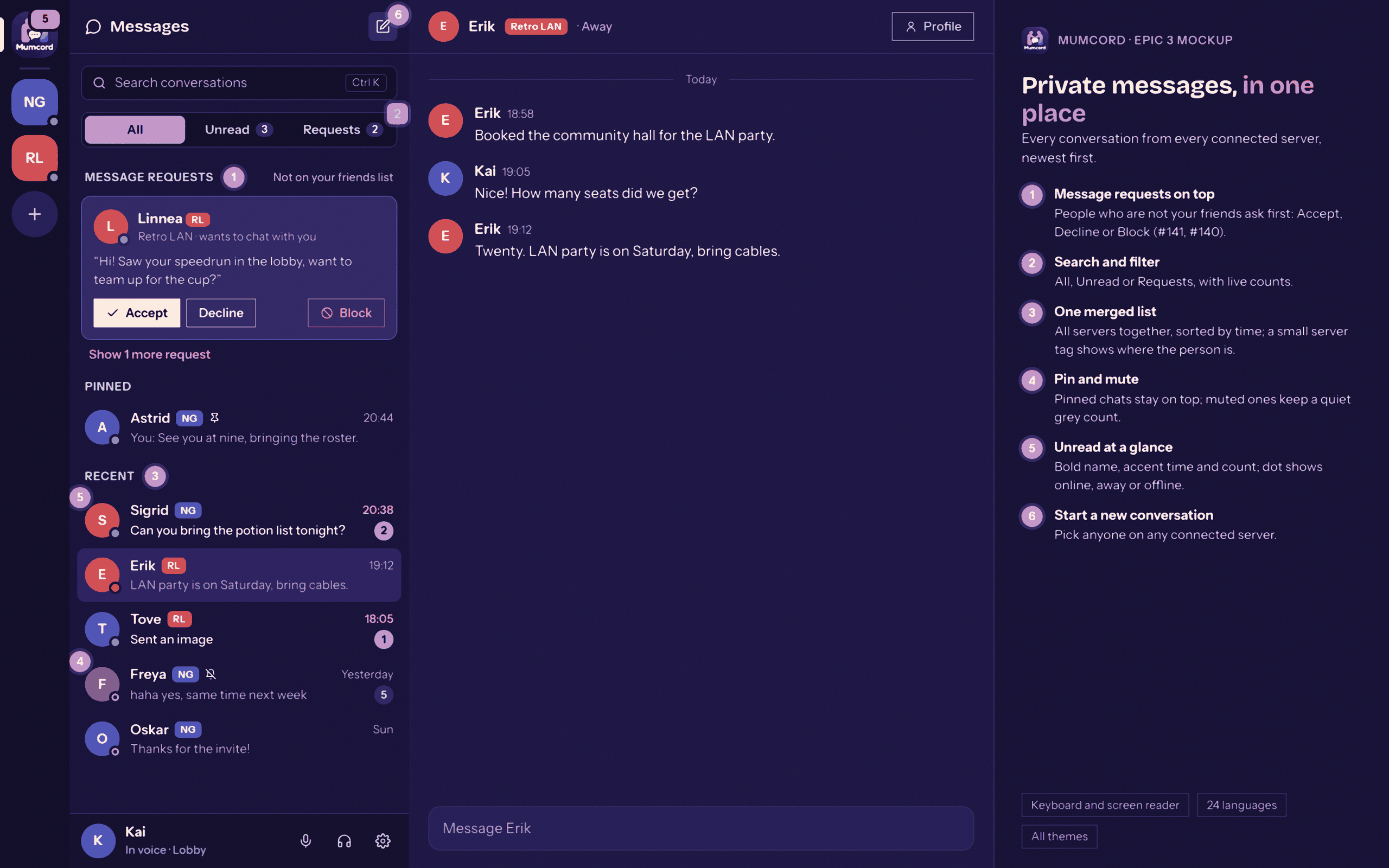
The new private messages overview #173 -
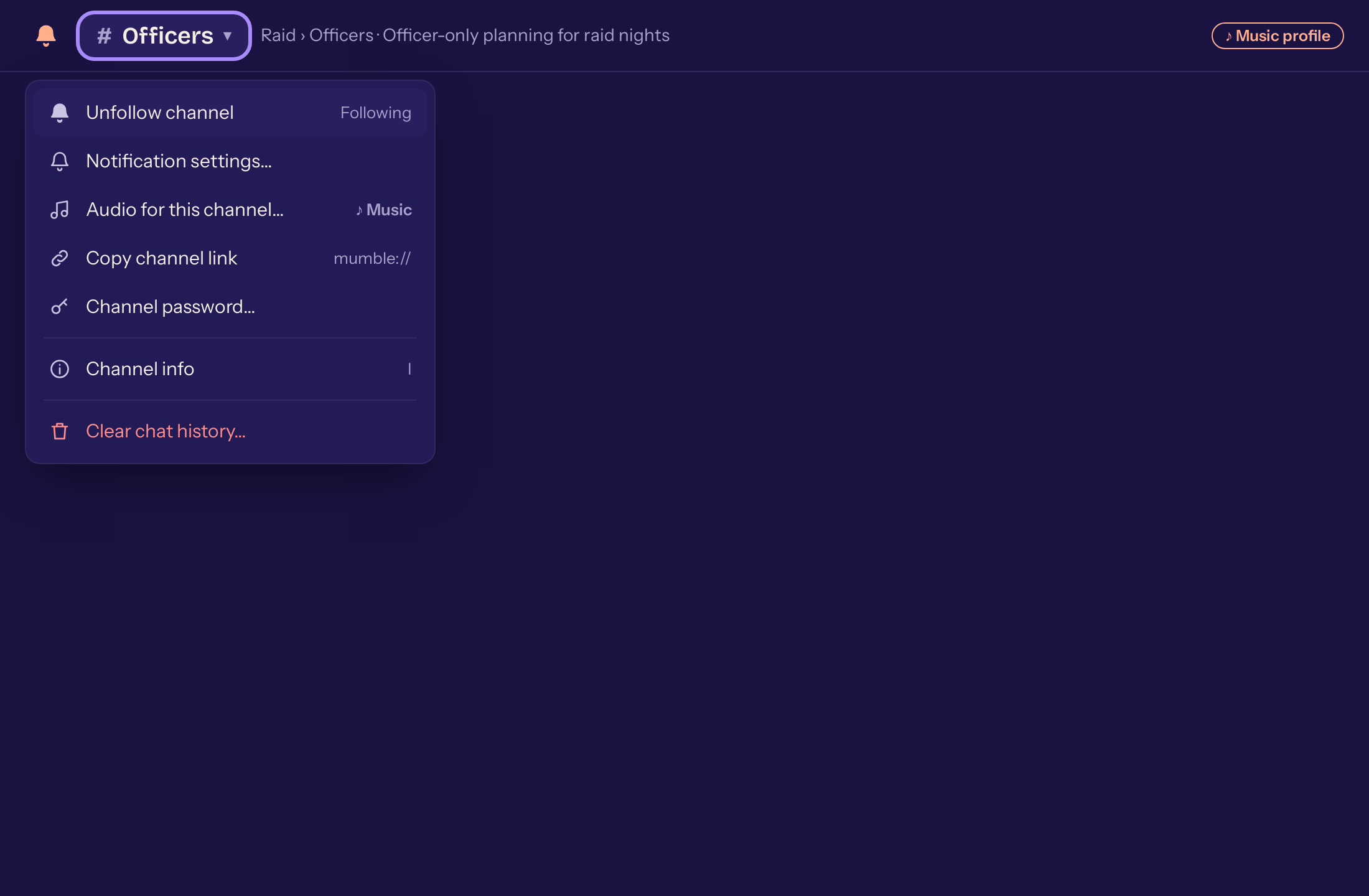
The menu behind the channel name #170 -
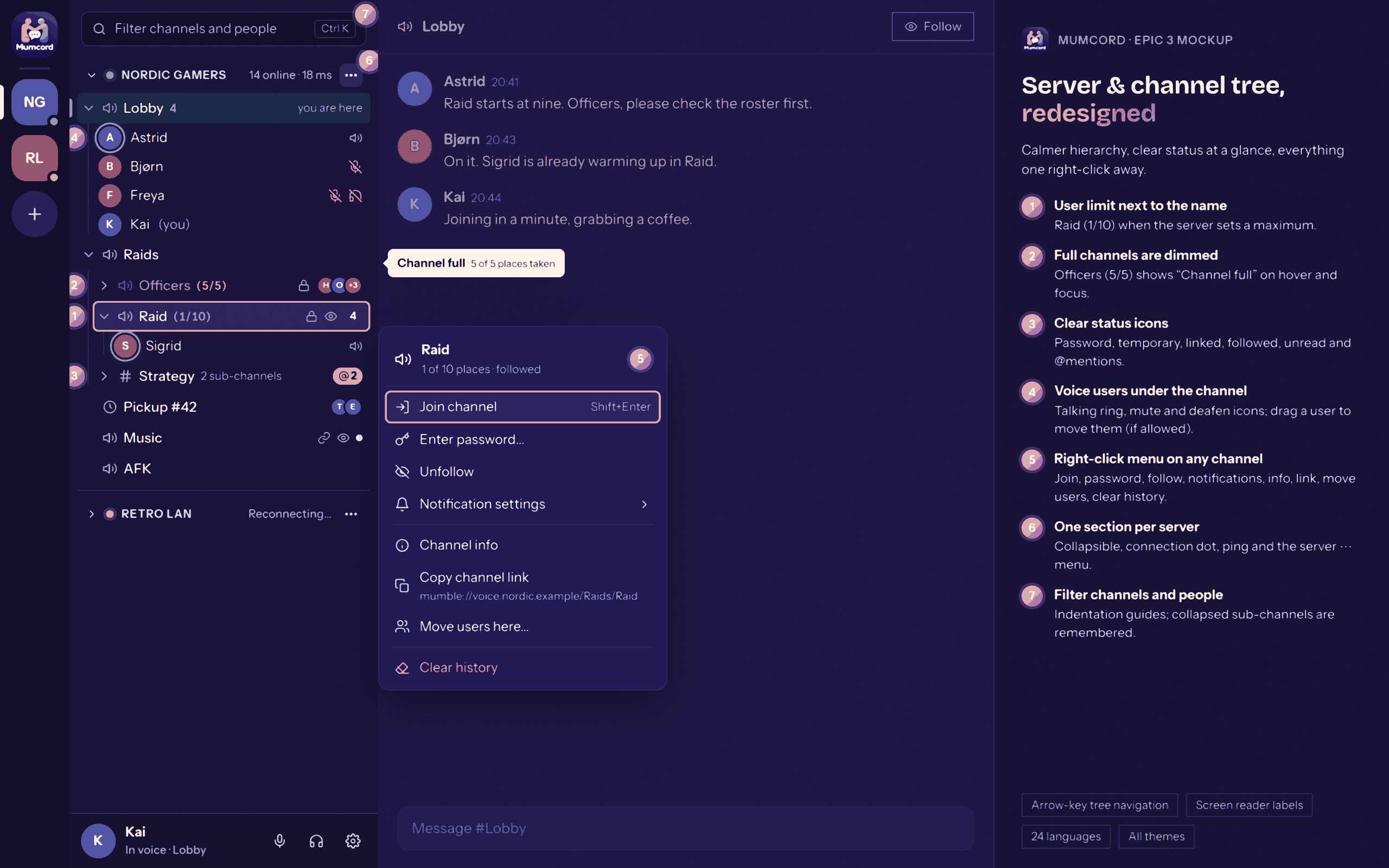
The redesigned server and channel tree #172 -
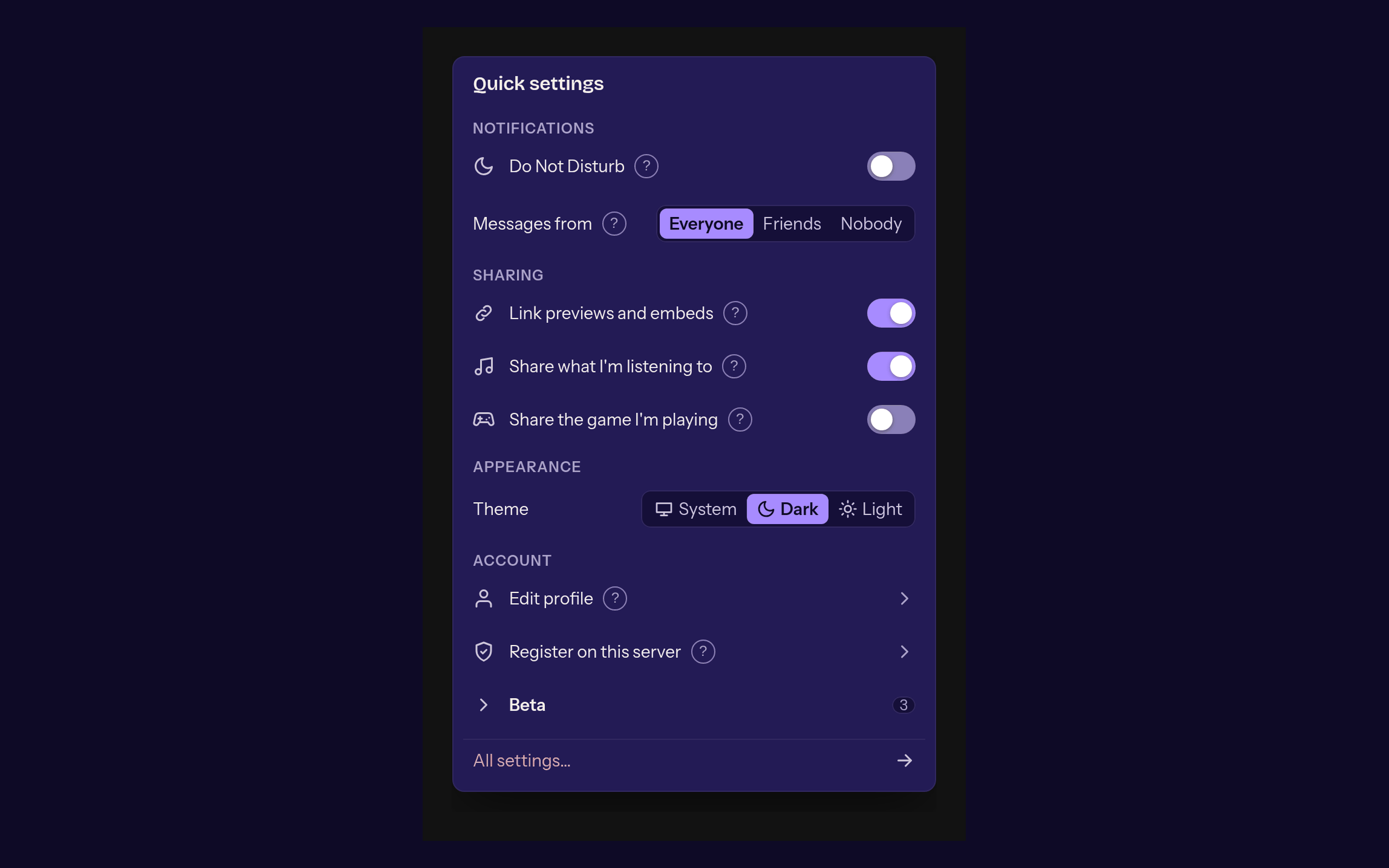
The overhauled quick settings #234 -
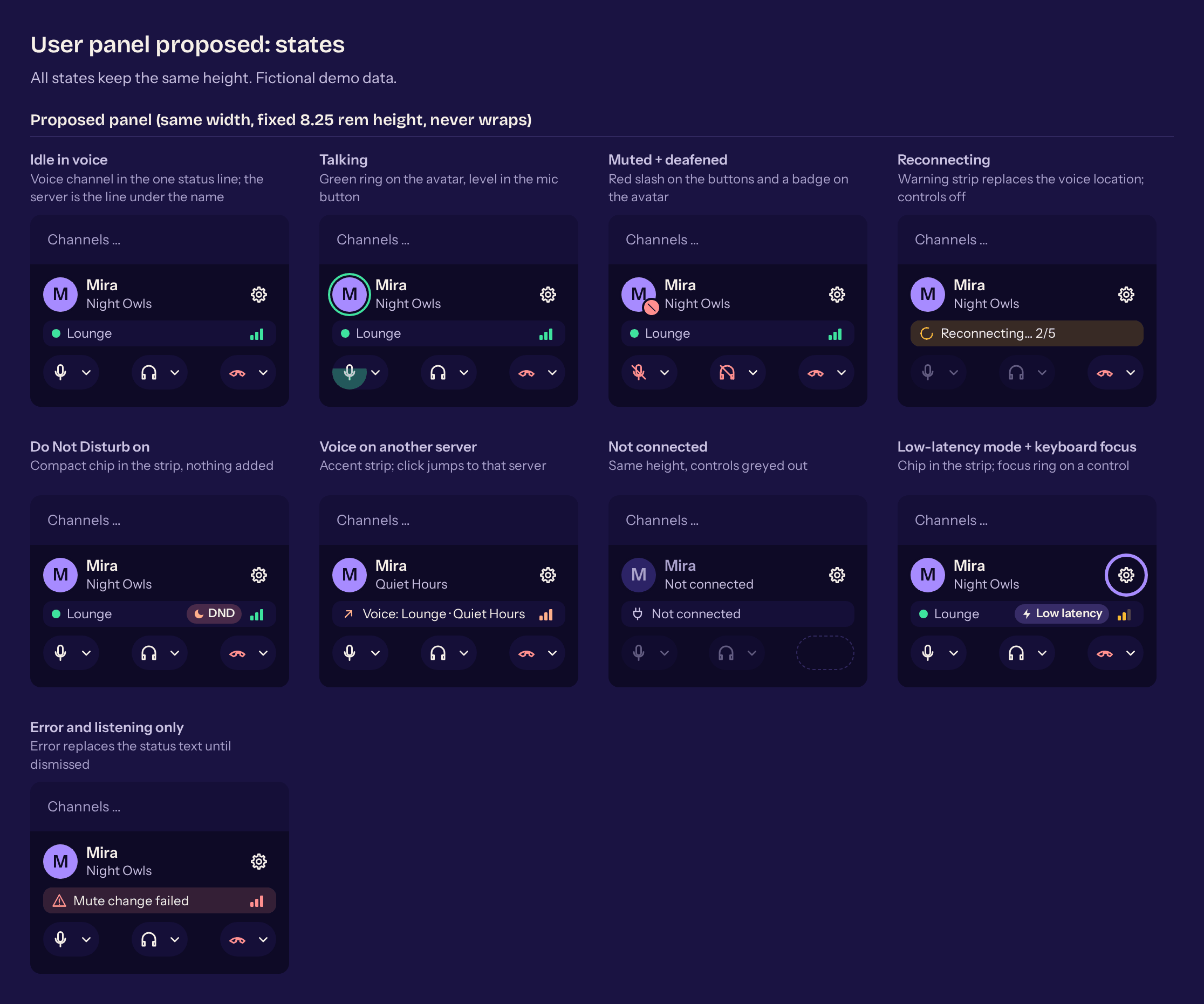
The new user panel #246 -
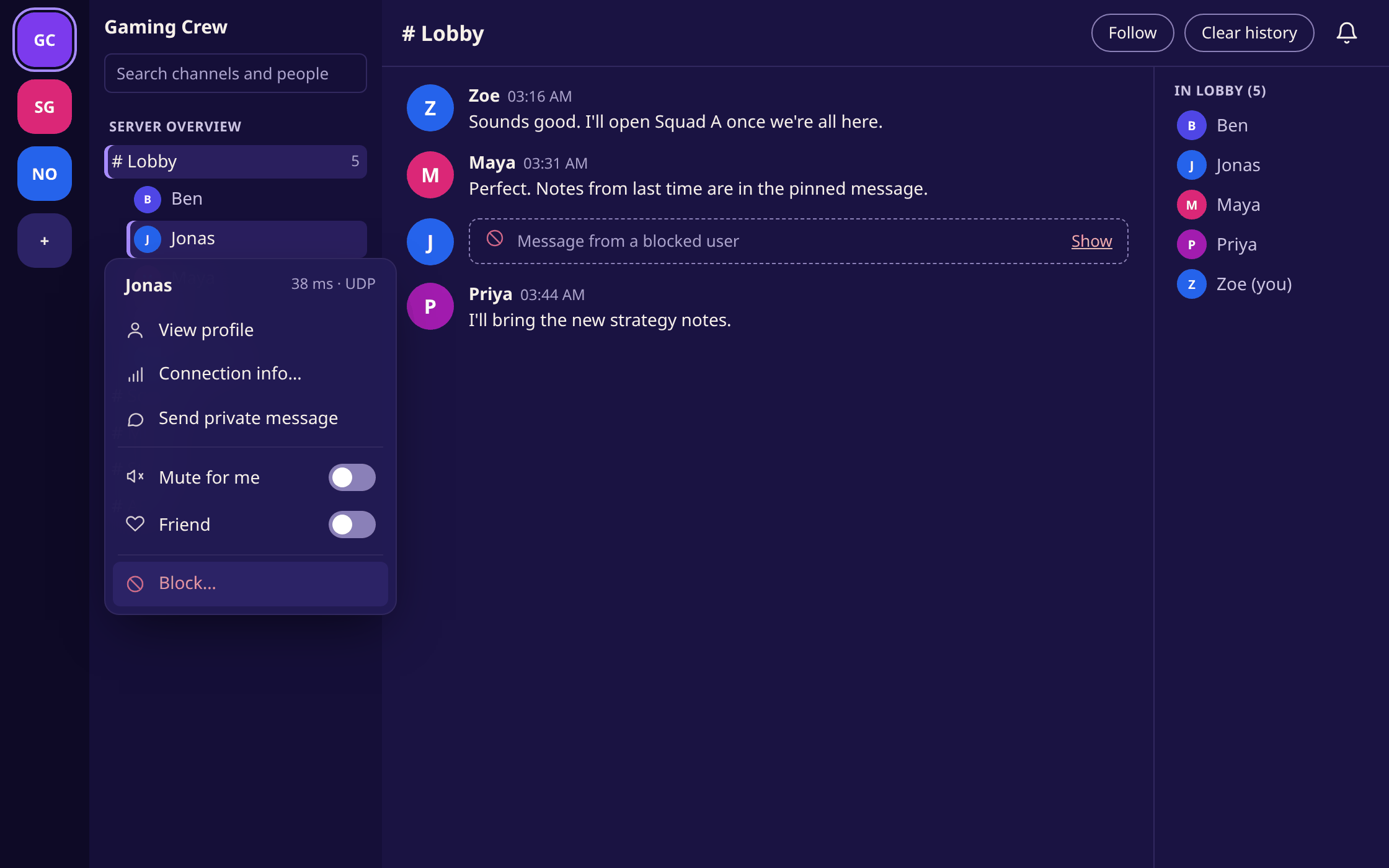
Blocking a person #140 -
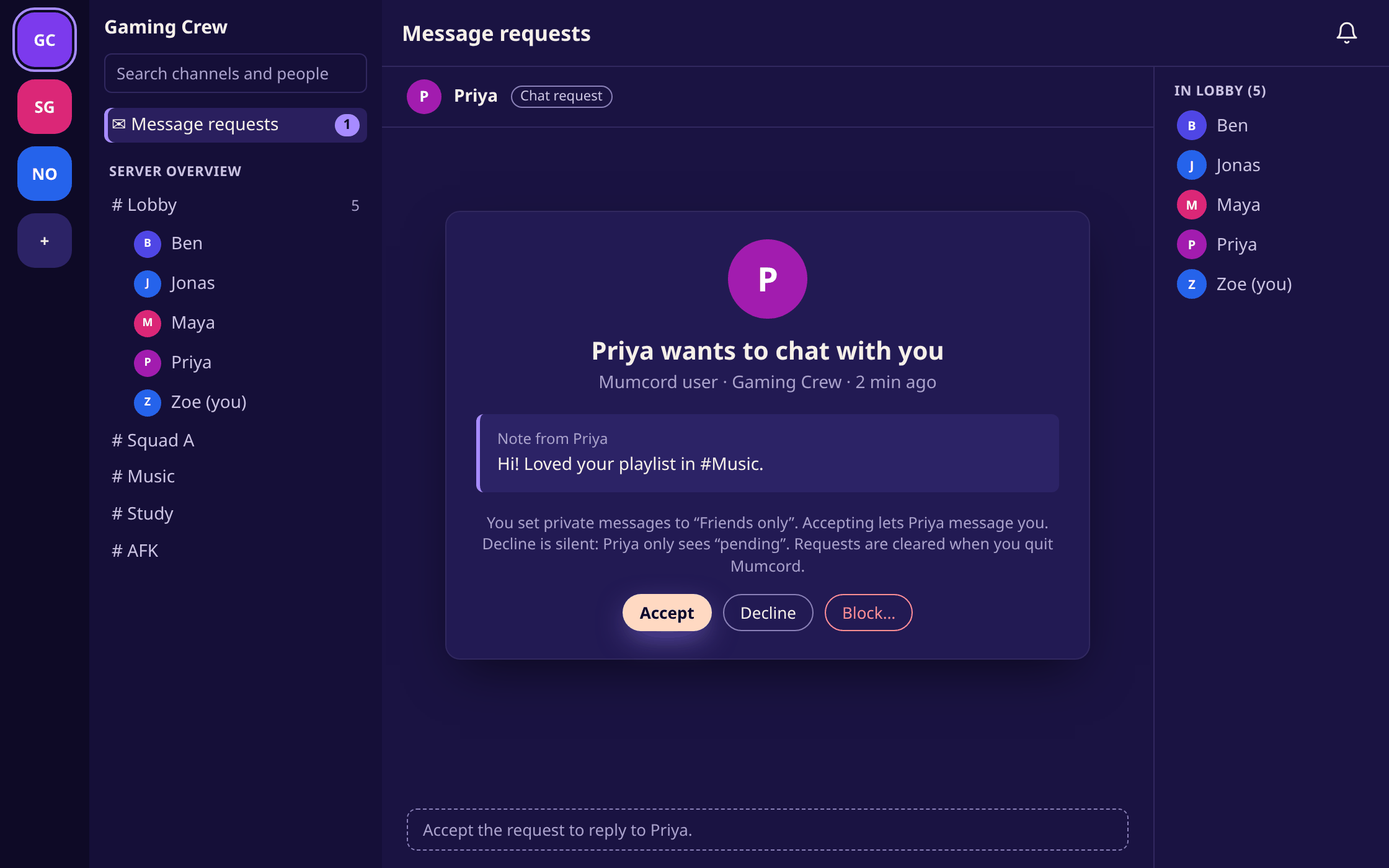
A message request from a stranger #141 -
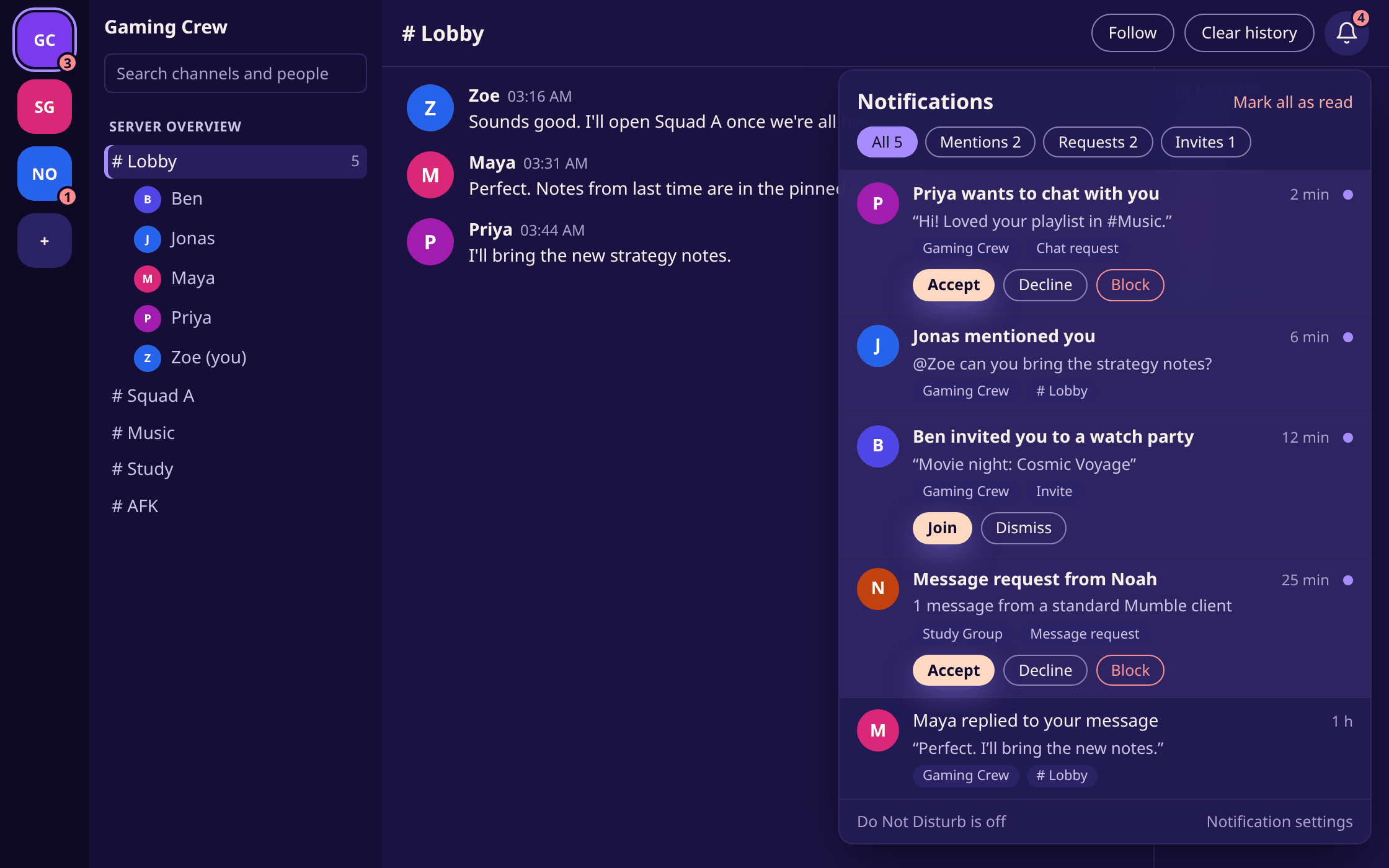
Notification centre #143 -
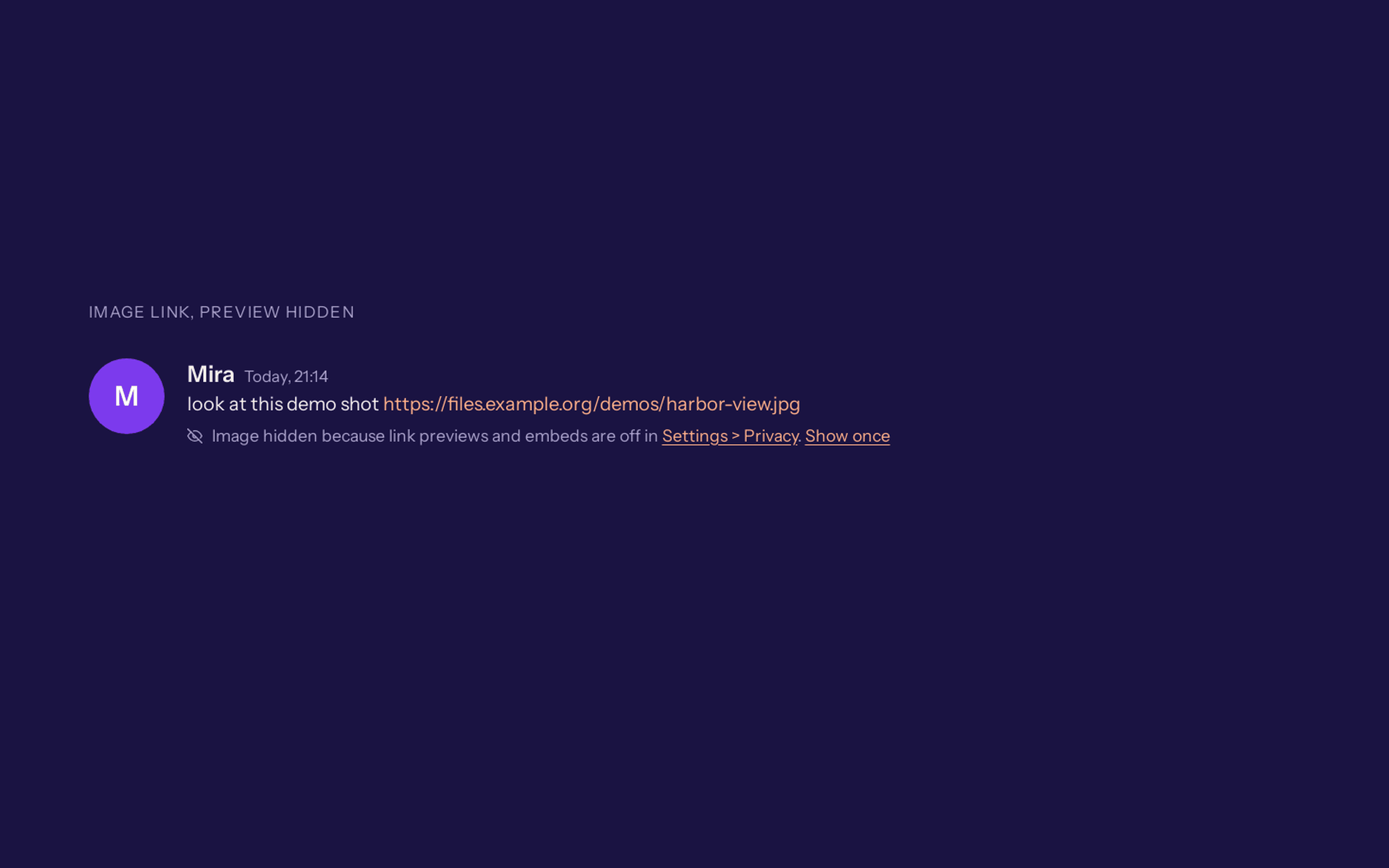
A hint when previews are off #261 -
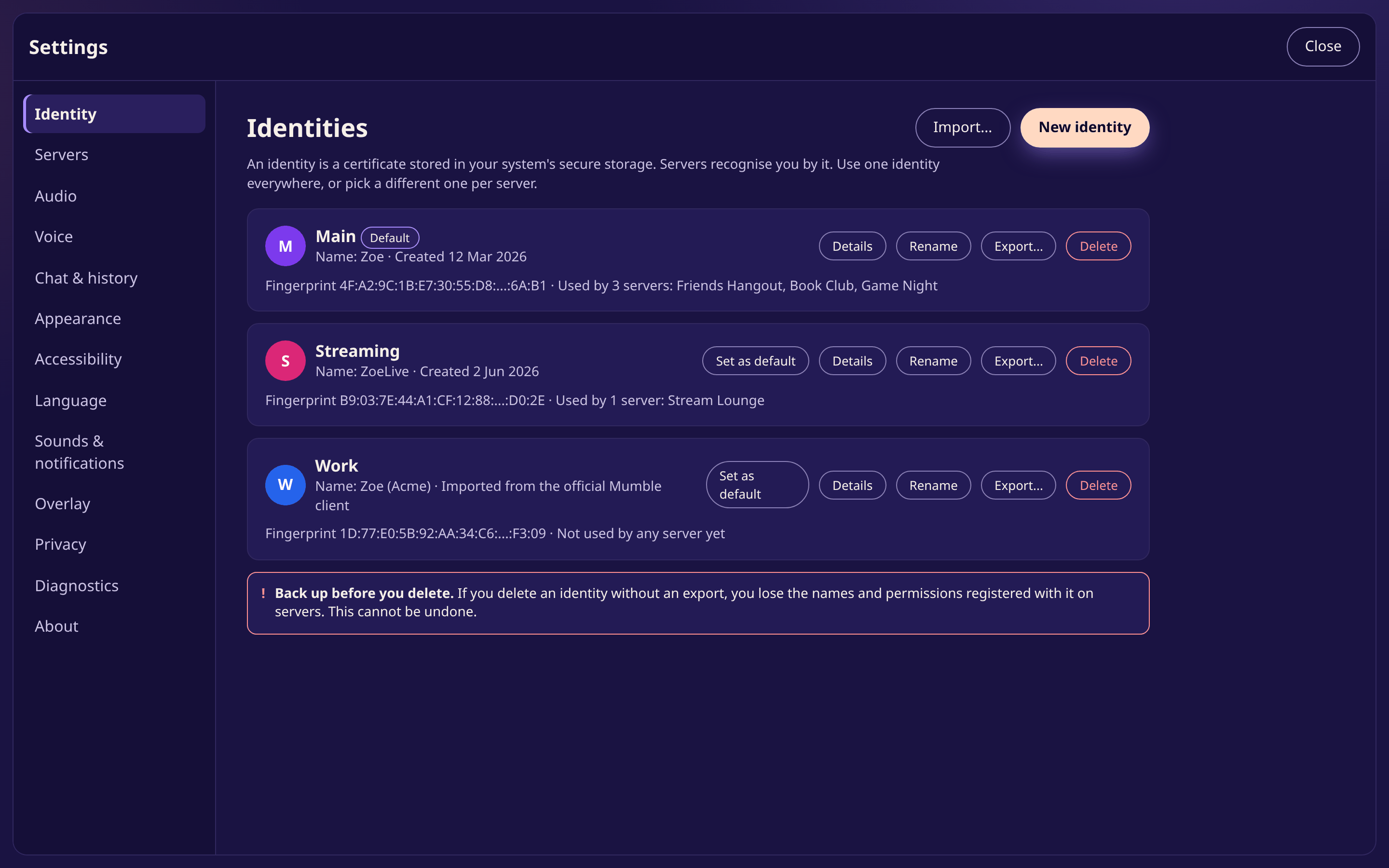
Managing several identities #148 -
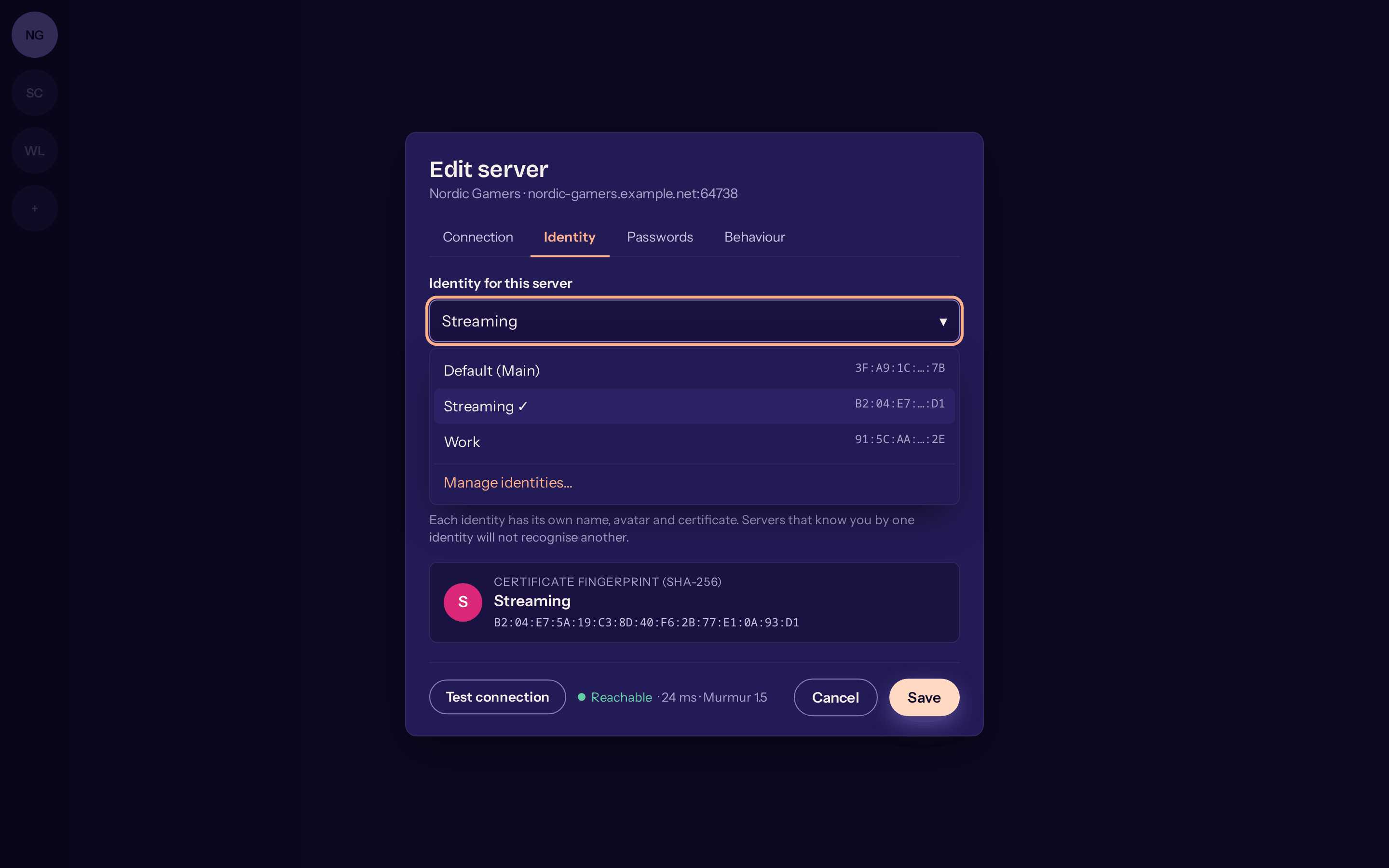
The new server dialog #151 -
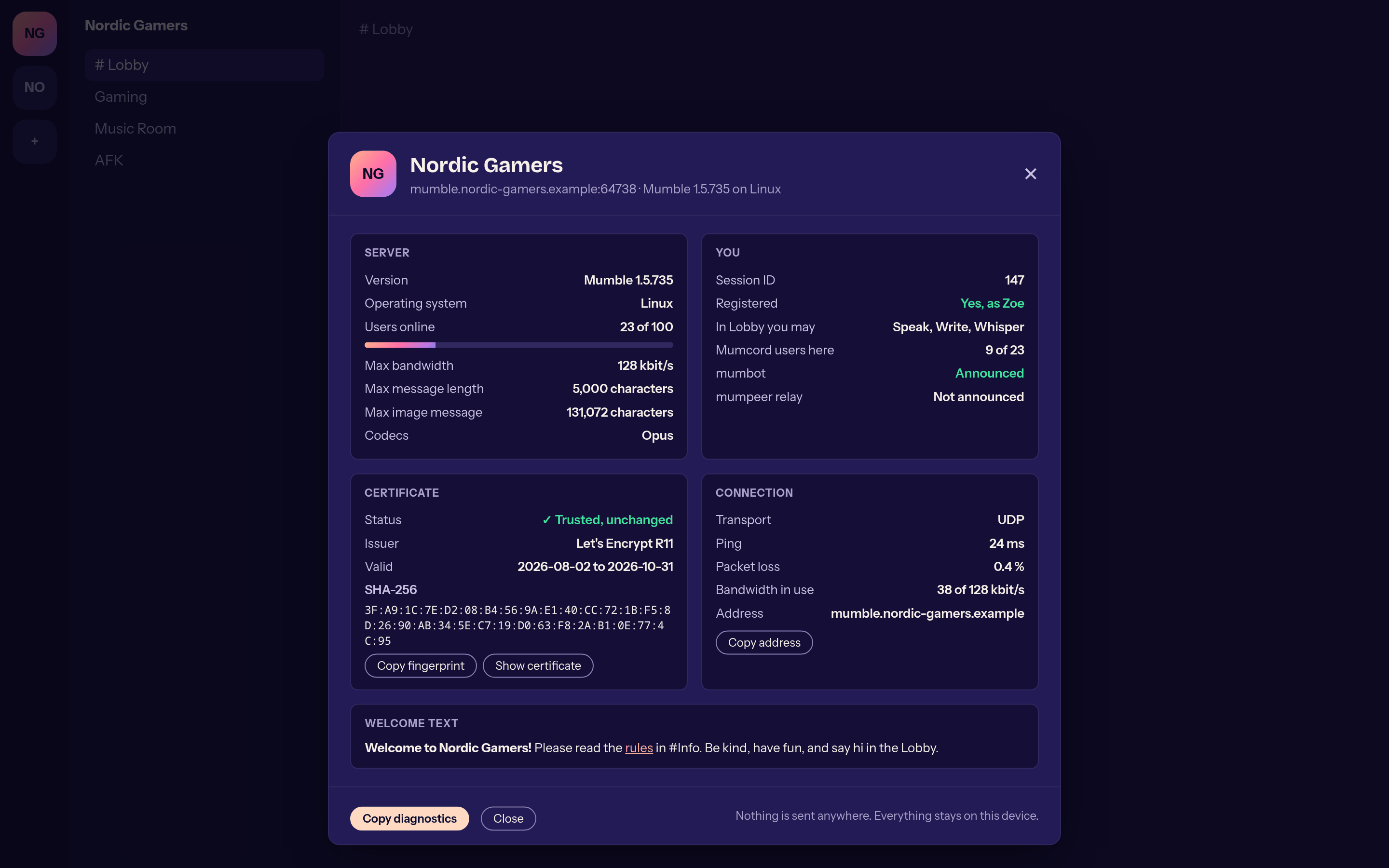
Server info #147 -
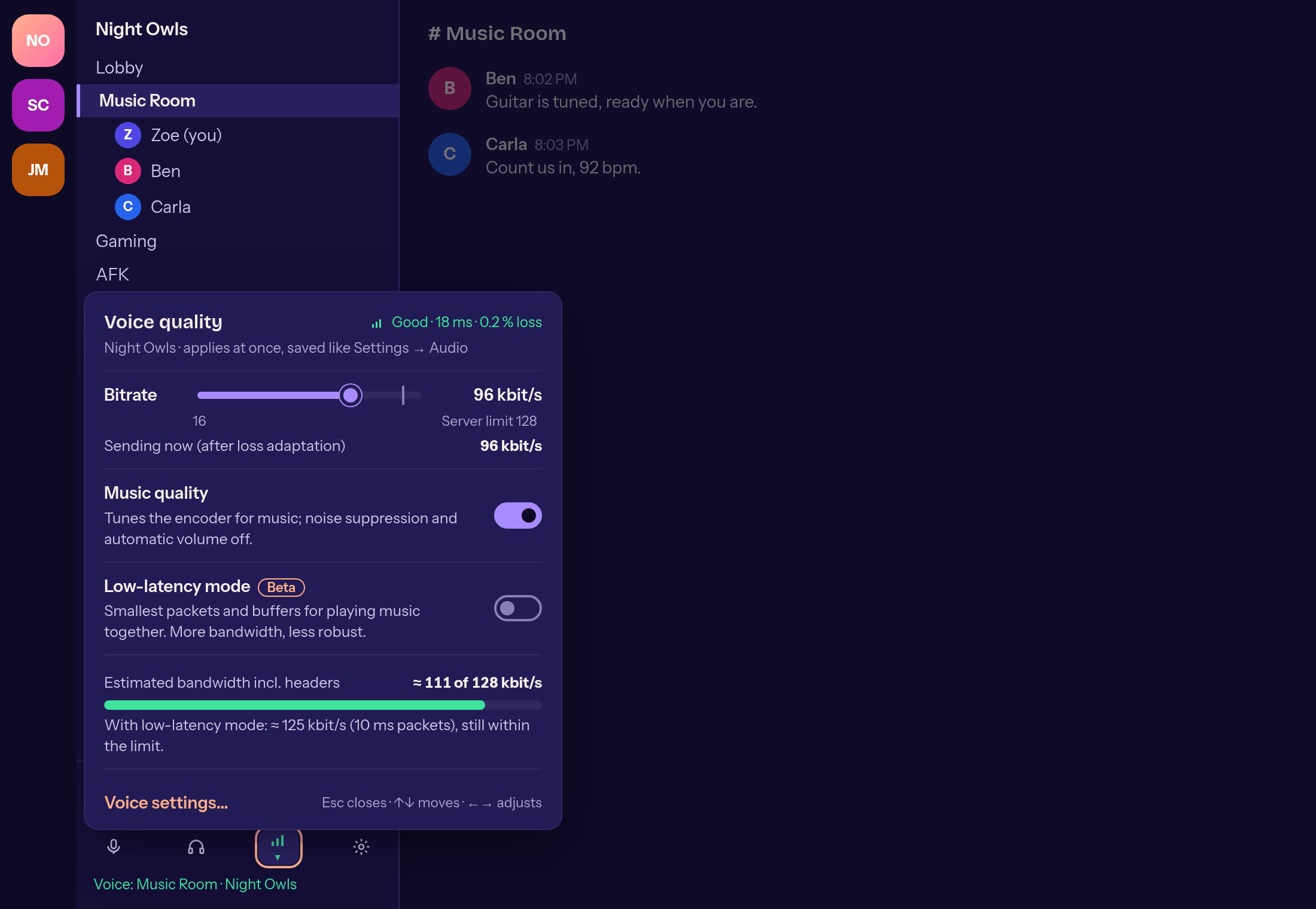
Voice quality right at the connection info #155 -
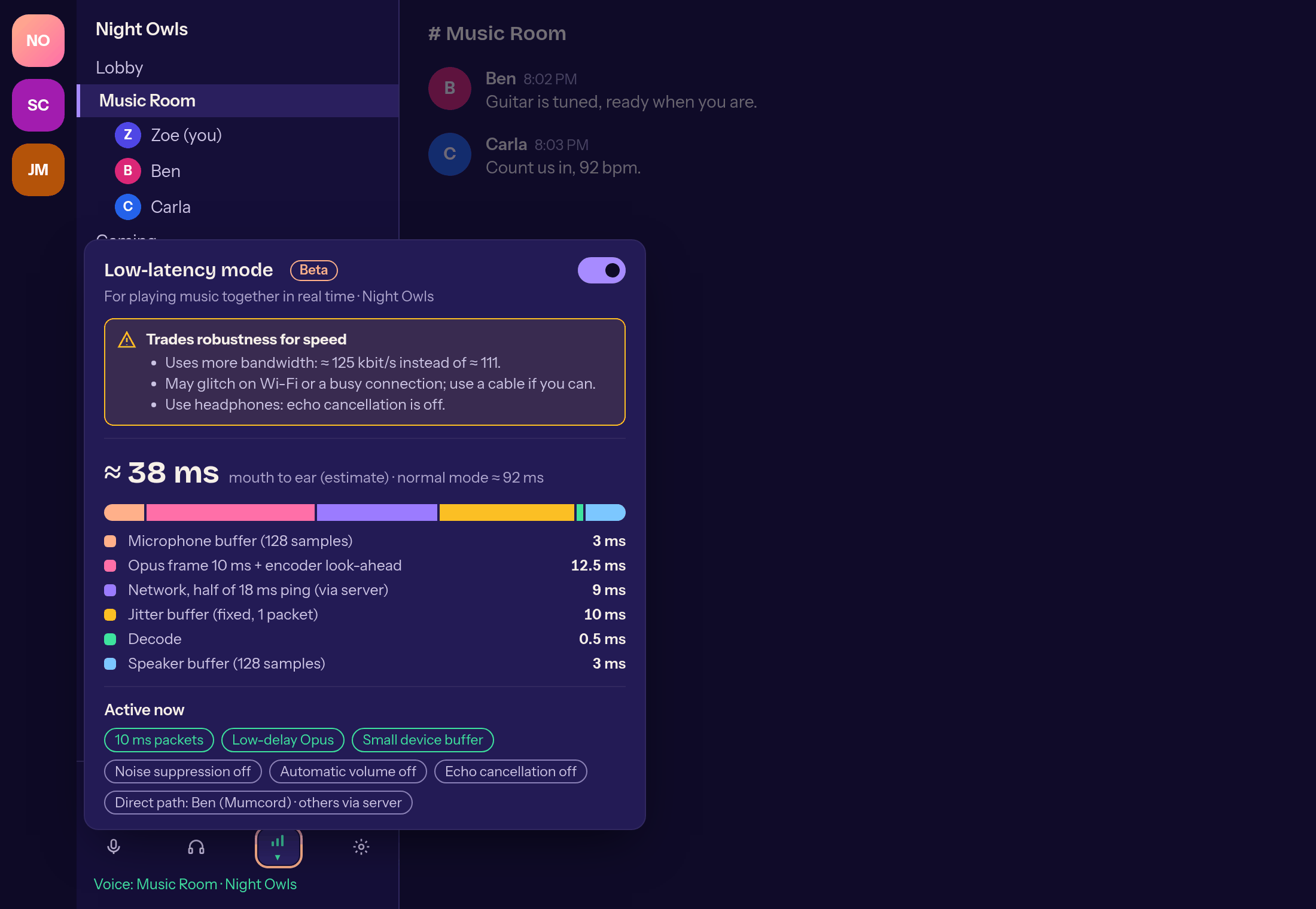
Low-latency mode #156 -
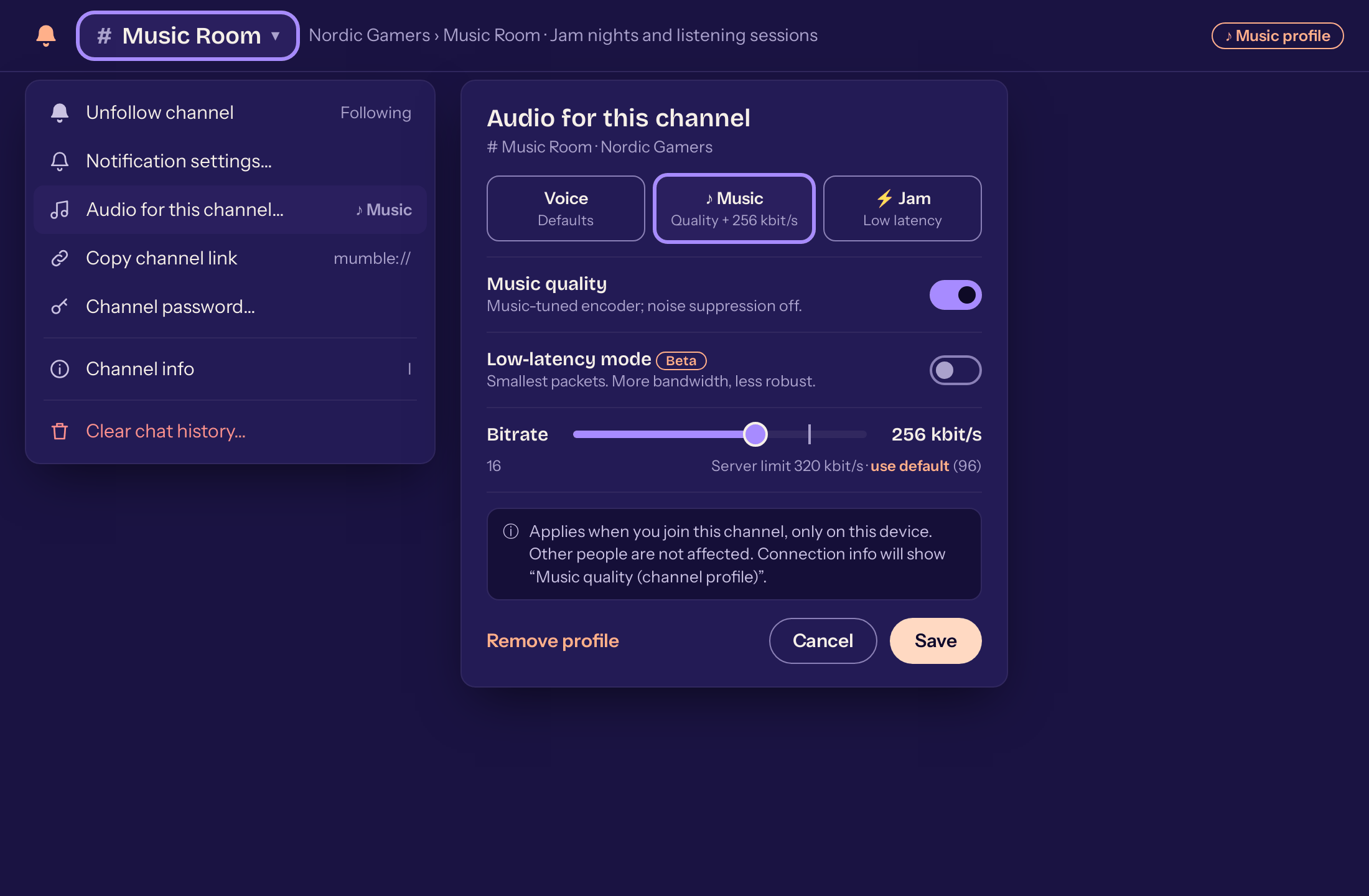
Audio settings per channel #171 -
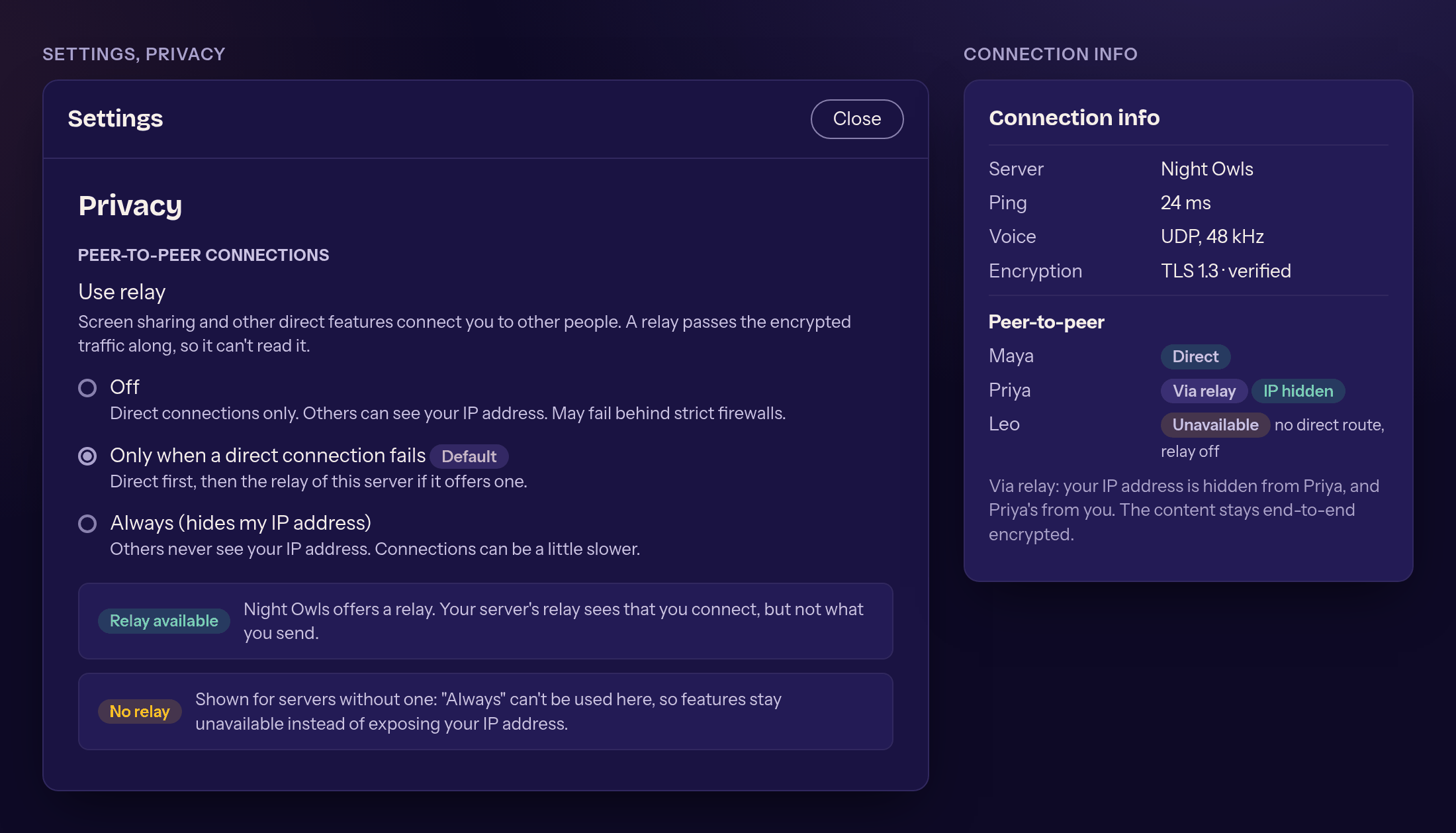
Relay setting and connection info #62 -
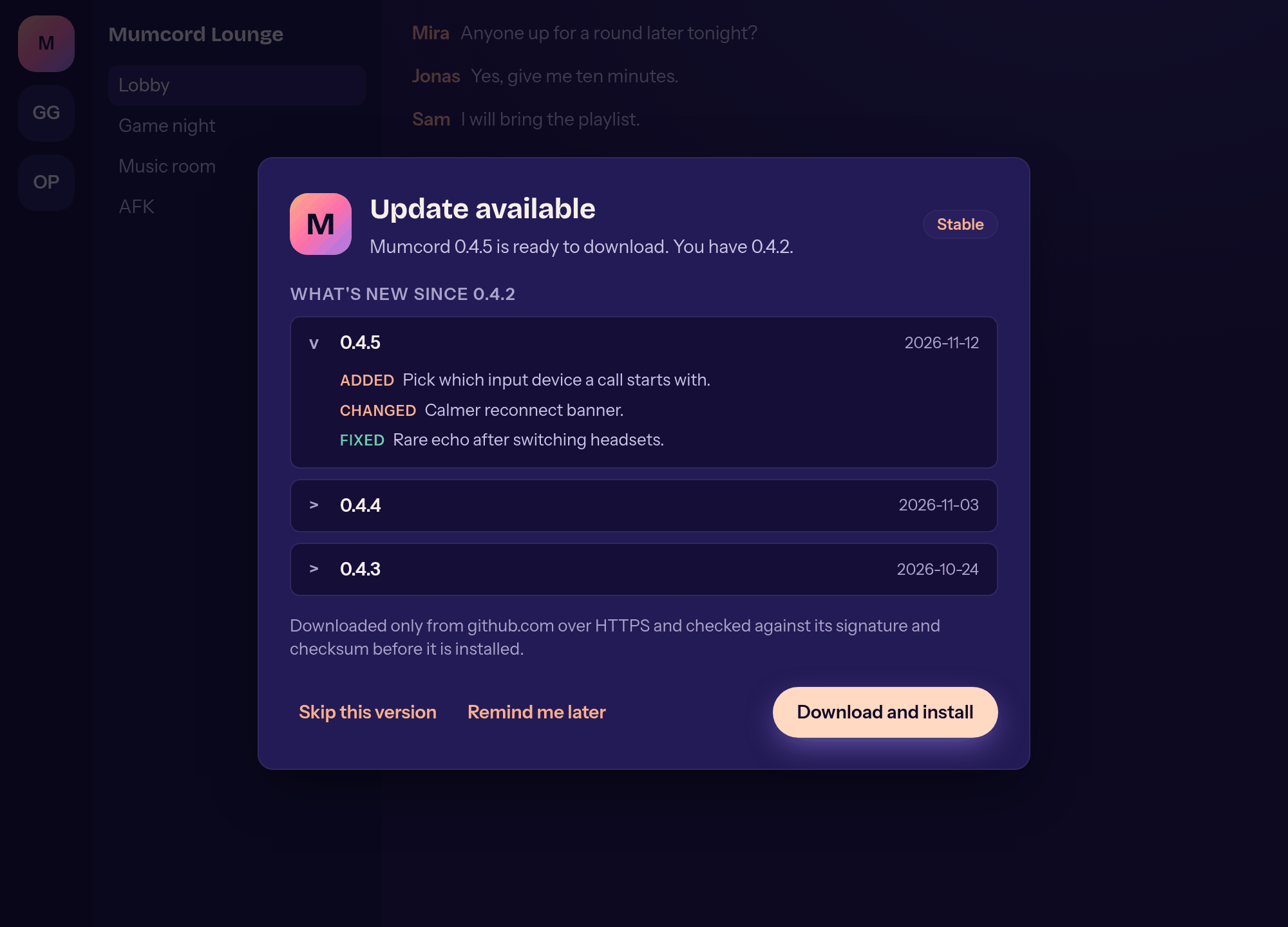
An update is ready #168