
New in Mumcord 0.6.0
Small extras for big evenings
Mumcord 0.6.0 adds plugins: small, safe extras on top of voice chat. They run inside Mumcord, need no server changes and work on any standard Mumble server. People on the official Mumble client see a plain text line where it matters and nothing else.
- Sandboxed
- Signed
- No server changes
- 24 languages


The first plugins
Nothing comes preinstalled. Pick what your group enjoys and leave the rest.

Poll
Ask the channel a question with up to ten options and watch the votes come in live.
- 2 to 10 options, live vote bars in a chat card
- No Mumcord? Vote by typing
!poll 1,!poll 2… in chat - Results are shown when the poll closes

Dice roller
/roll d20 or 2d6+3, with fair rolls that others can witness and verify.
- Advantage and disadvantage, drop lowest or highest, up to 20 dice
- Other Mumcord users in the channel witness each roll, so nobody can cheat
- A roll history you can expand

Echolings
A little creature made of sound that grows while you hang out with friends.
- 5 species, 4 growth stages, 3 colours
- Grows from time spent together in voice and chat
- Never dies, never nags


Mumbot Music
A remote for your Mumbot music bot.
- Right-click the bot → “Configure bot”
- Now playing, skip, volume, the queue and adding tracks
- Needs a Mumbot on the server: an ordinary Mumble user, no server change

EVE Fit
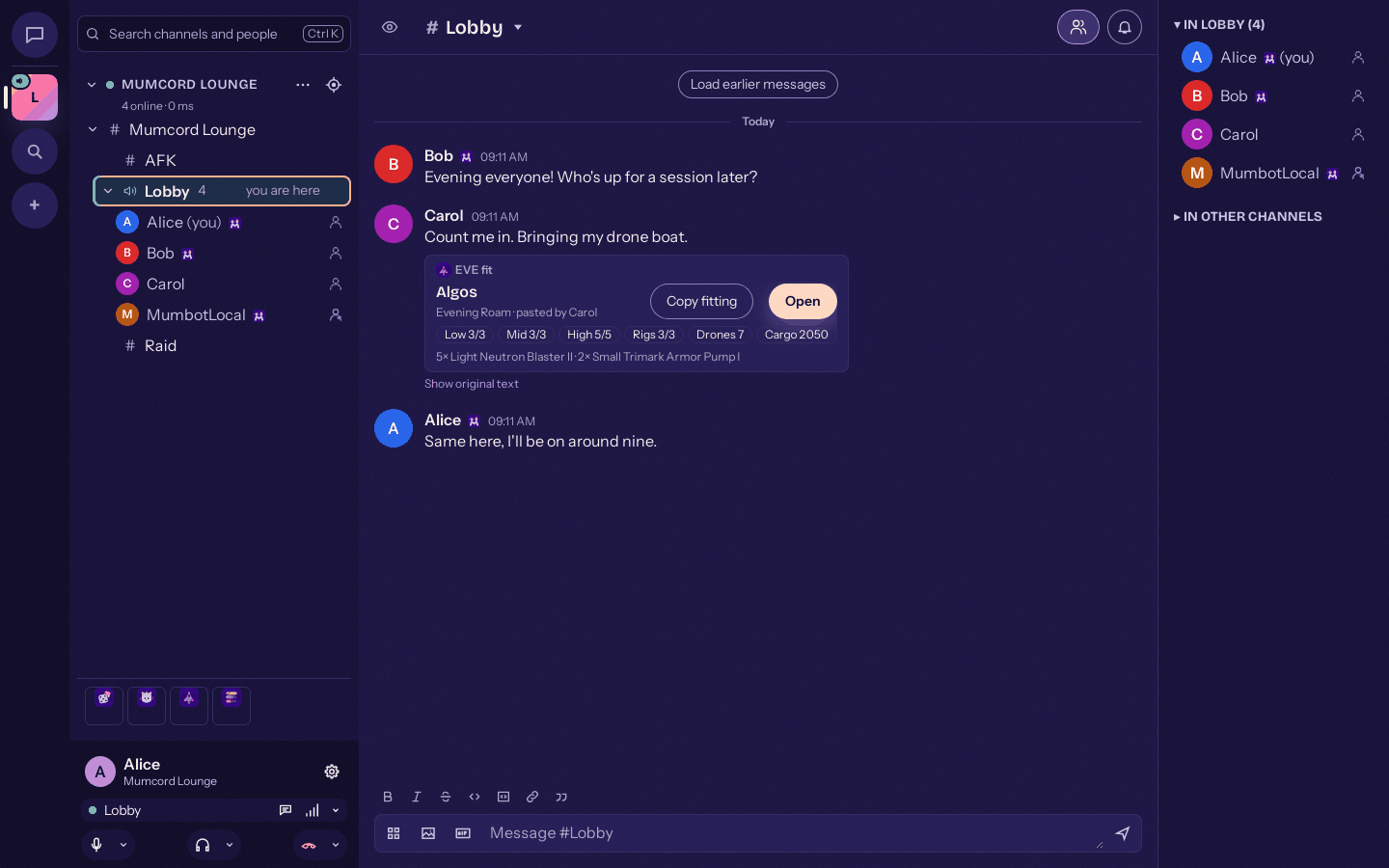
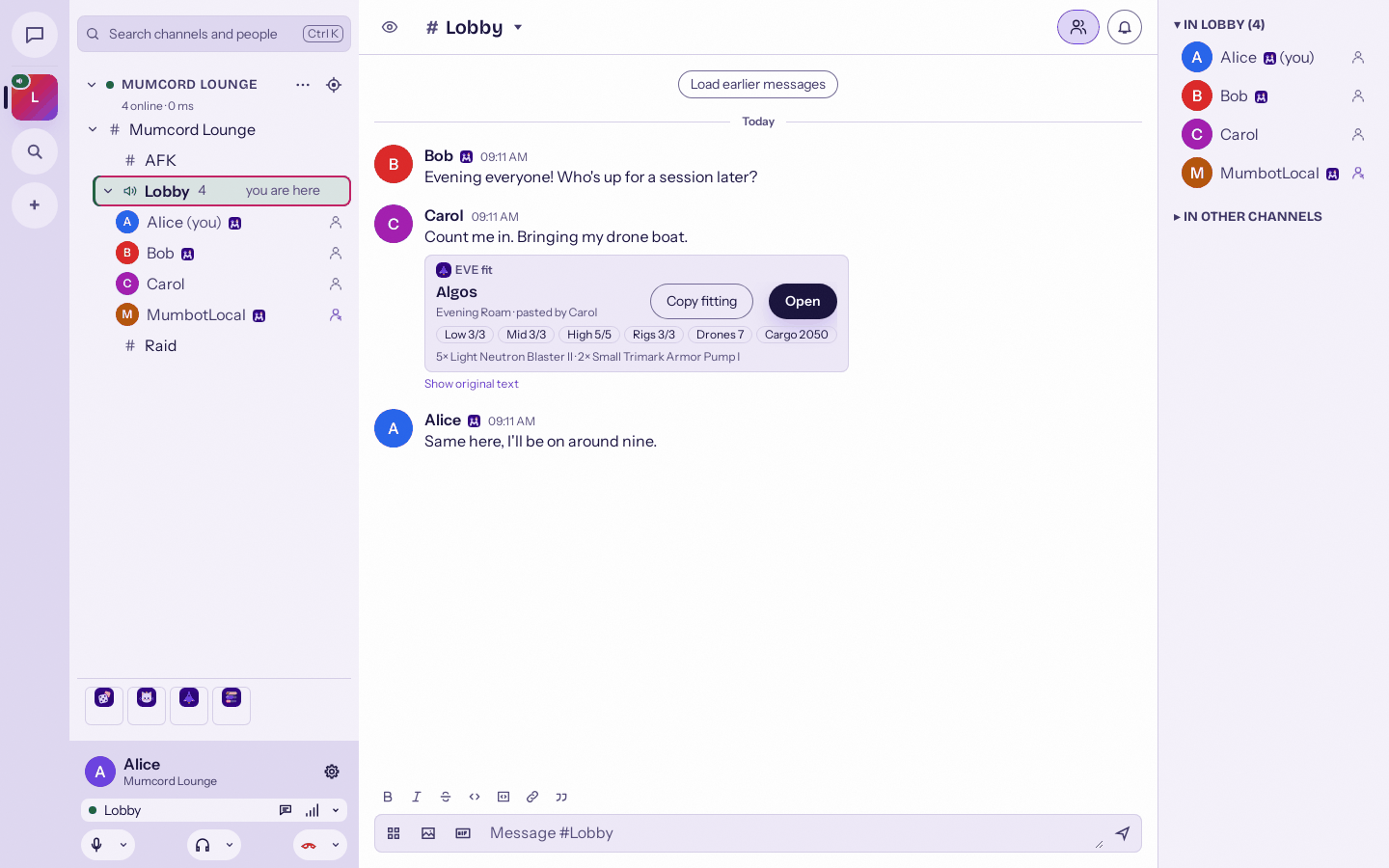
Paste an EVE Online fitting in chat and everyone sees a ship card.
- Spots EFT fits pasted in chat and shows a card with ship and modules
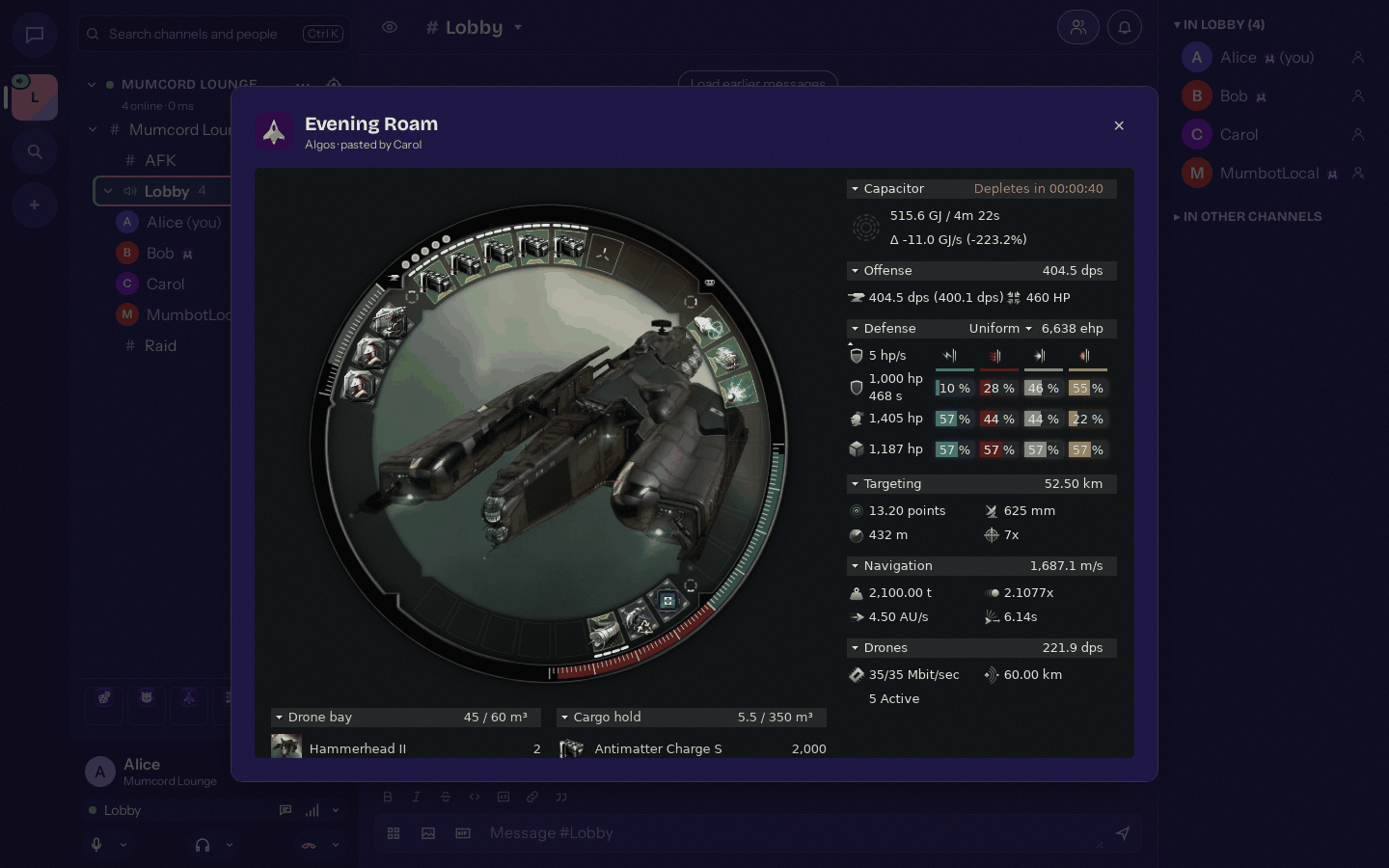
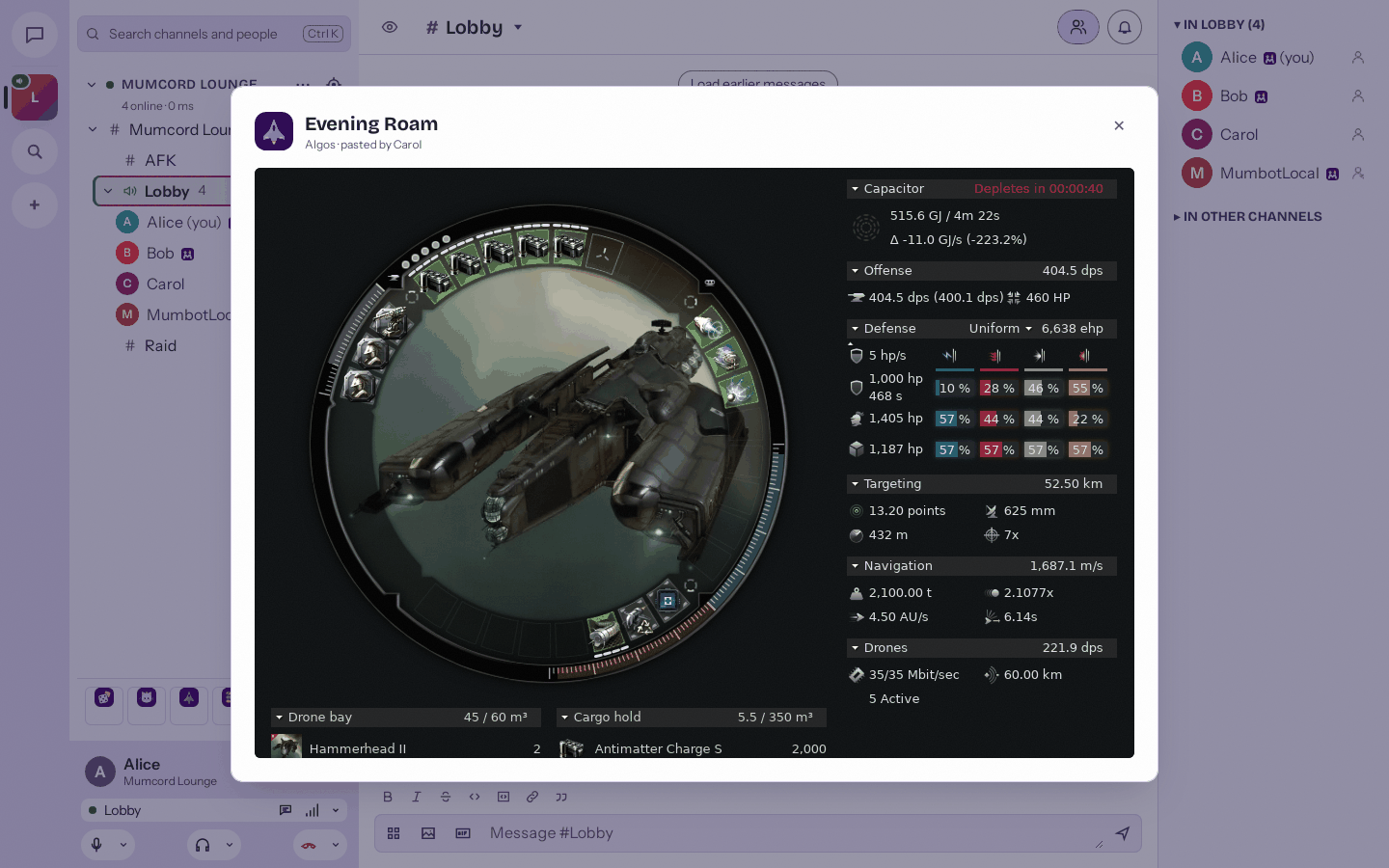
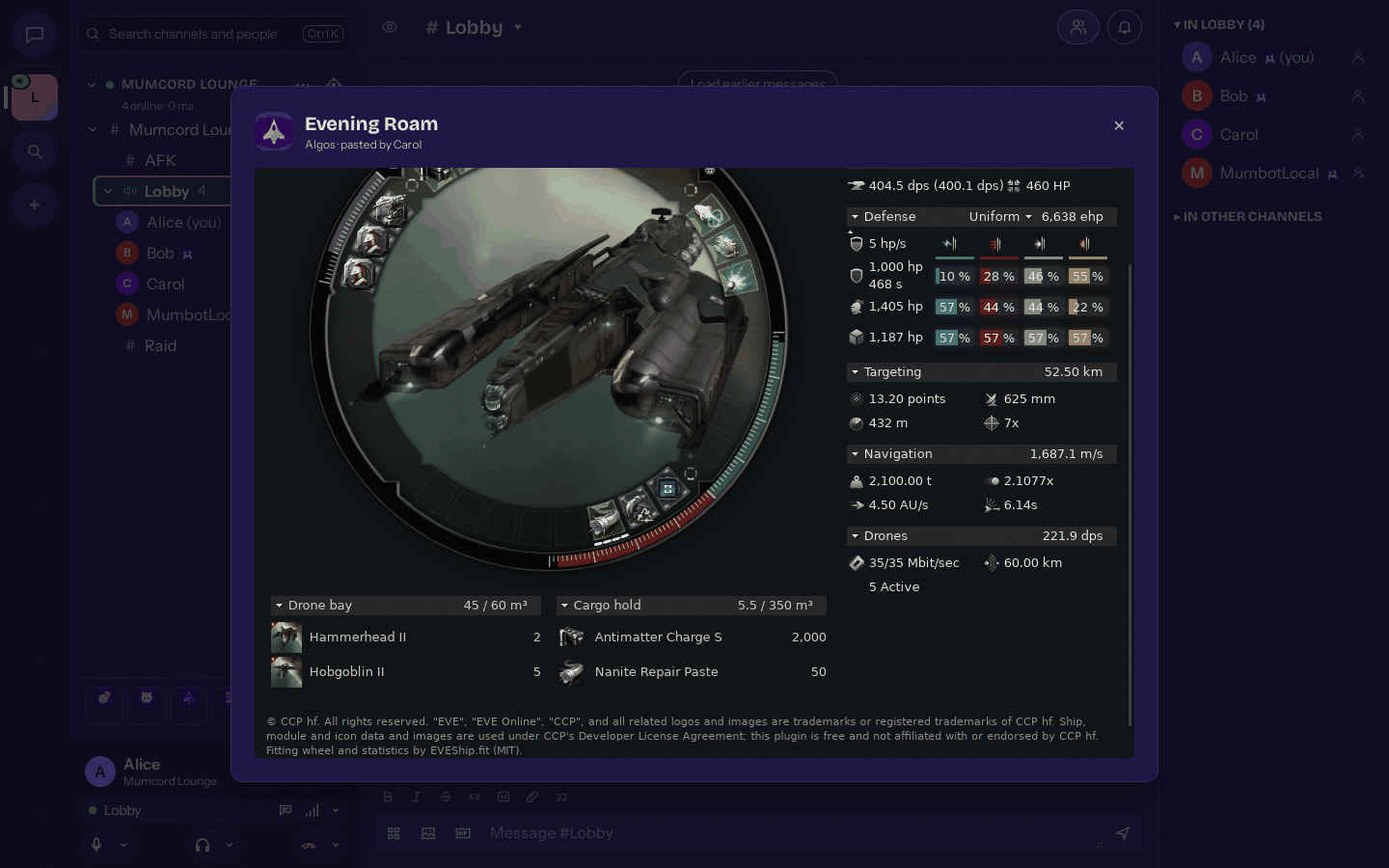
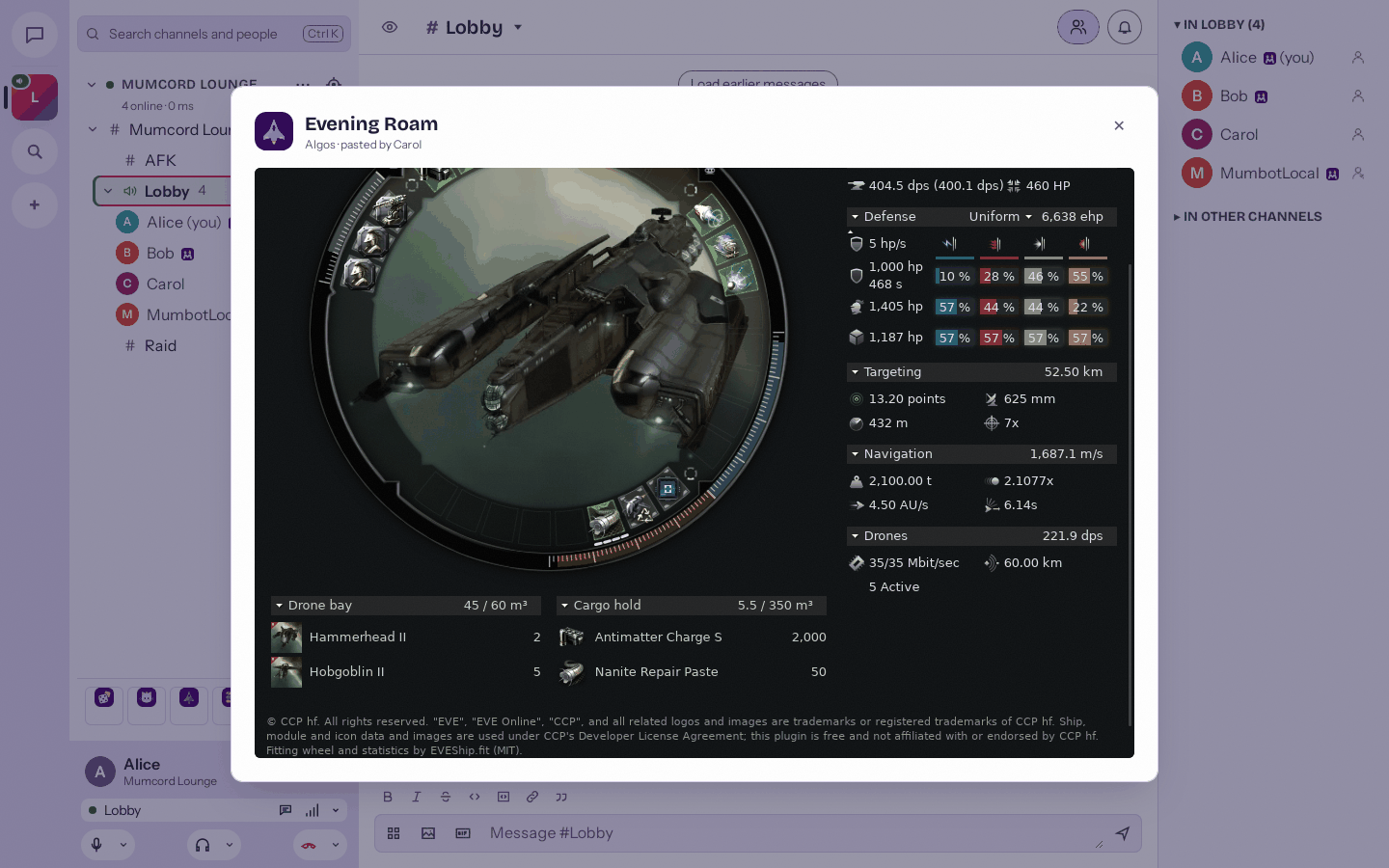
- Opens the full fitting view offline, right inside Mumcord
- A “Copy fitting” button, and it’s free
EVE Online and all related logos and images are trademarks or registered trademarks of CCP hf. Mumcord is not affiliated with CCP hf. The fitting view builds on eveship.fit by the EVEShipFit project.

The install buttons open the plugin in Mumcord 0.6.0 or newer, where you confirm the install. If nothing opens, the plugin page has the details.
Screenshots
See them in Mumcord
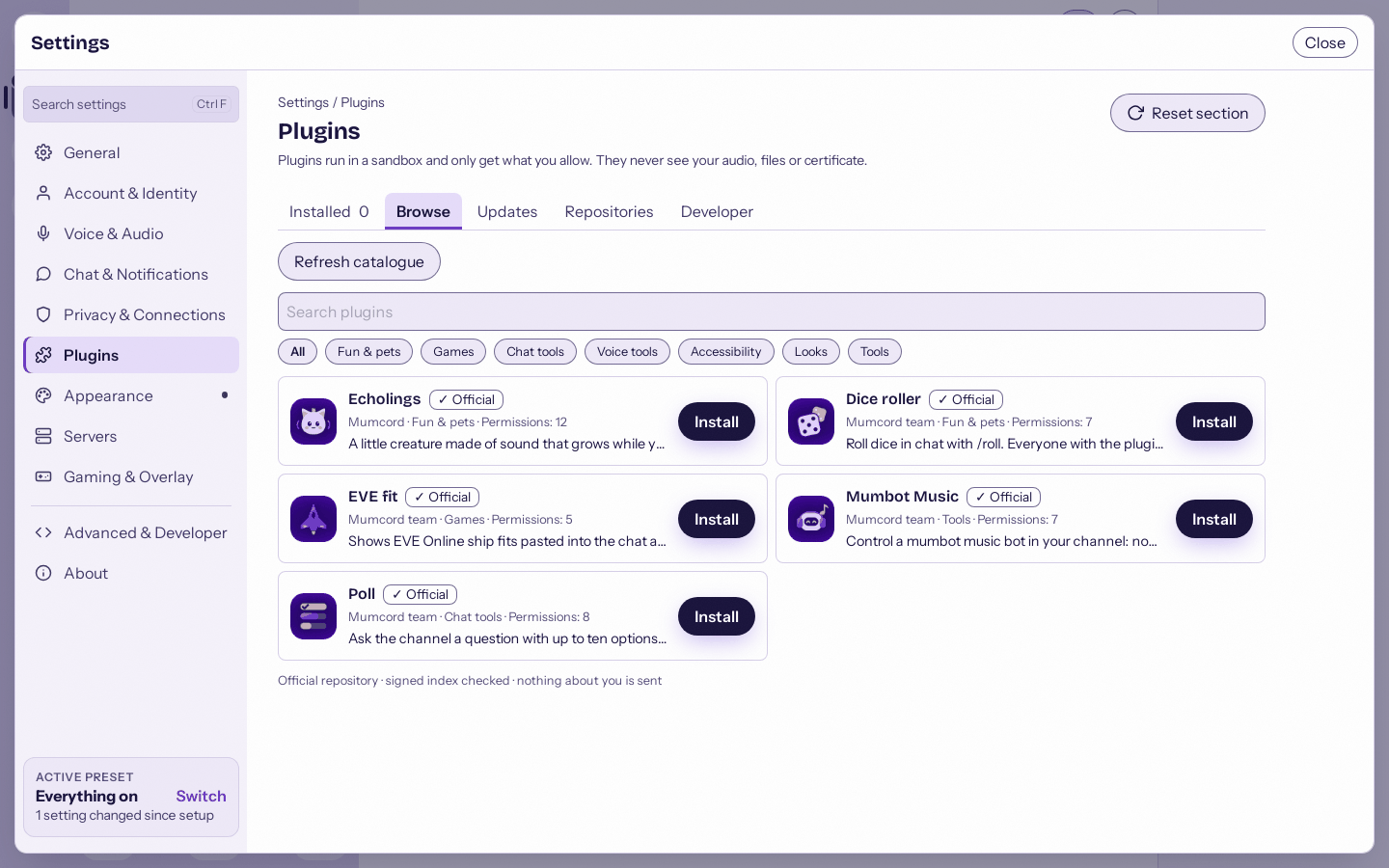
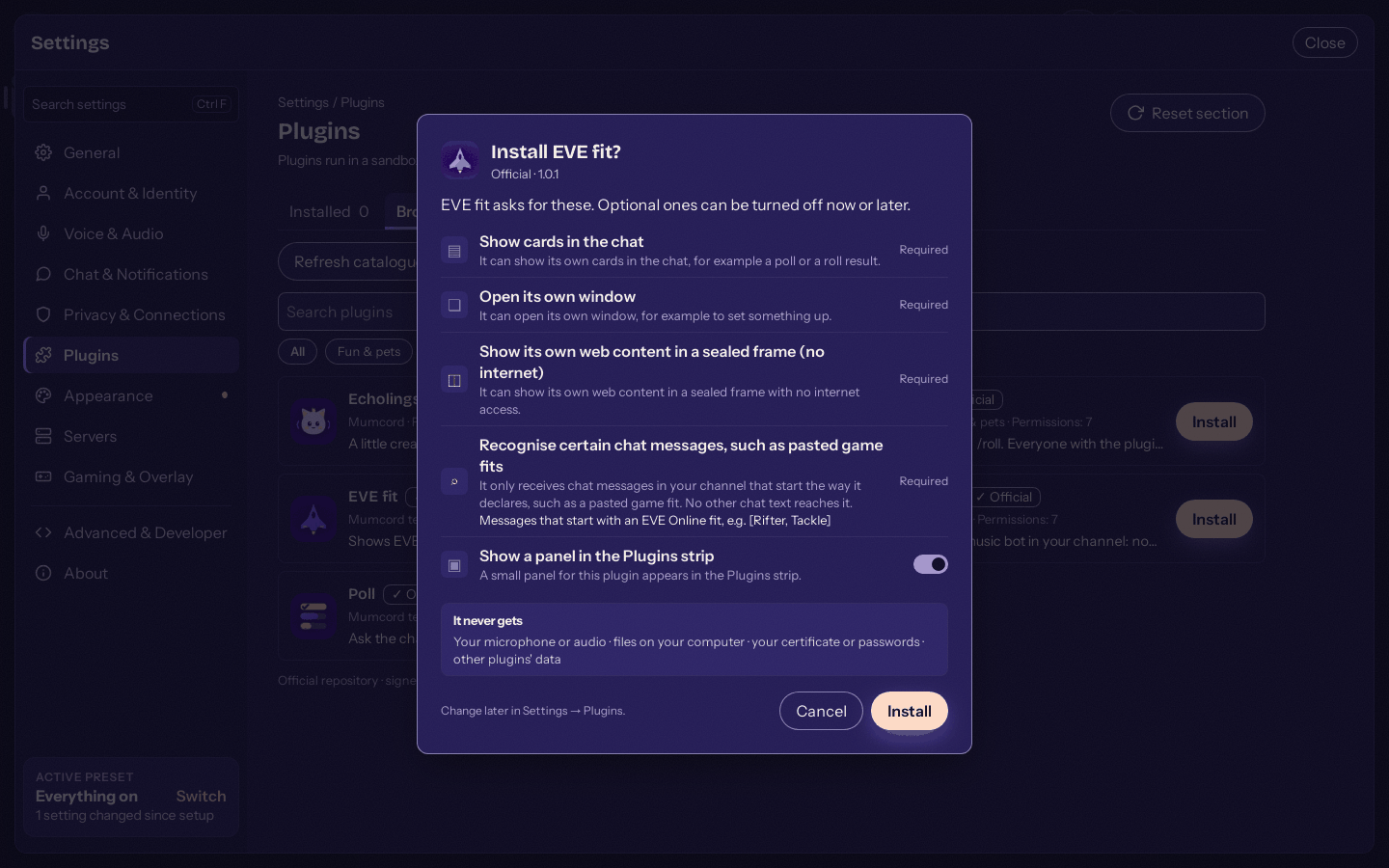
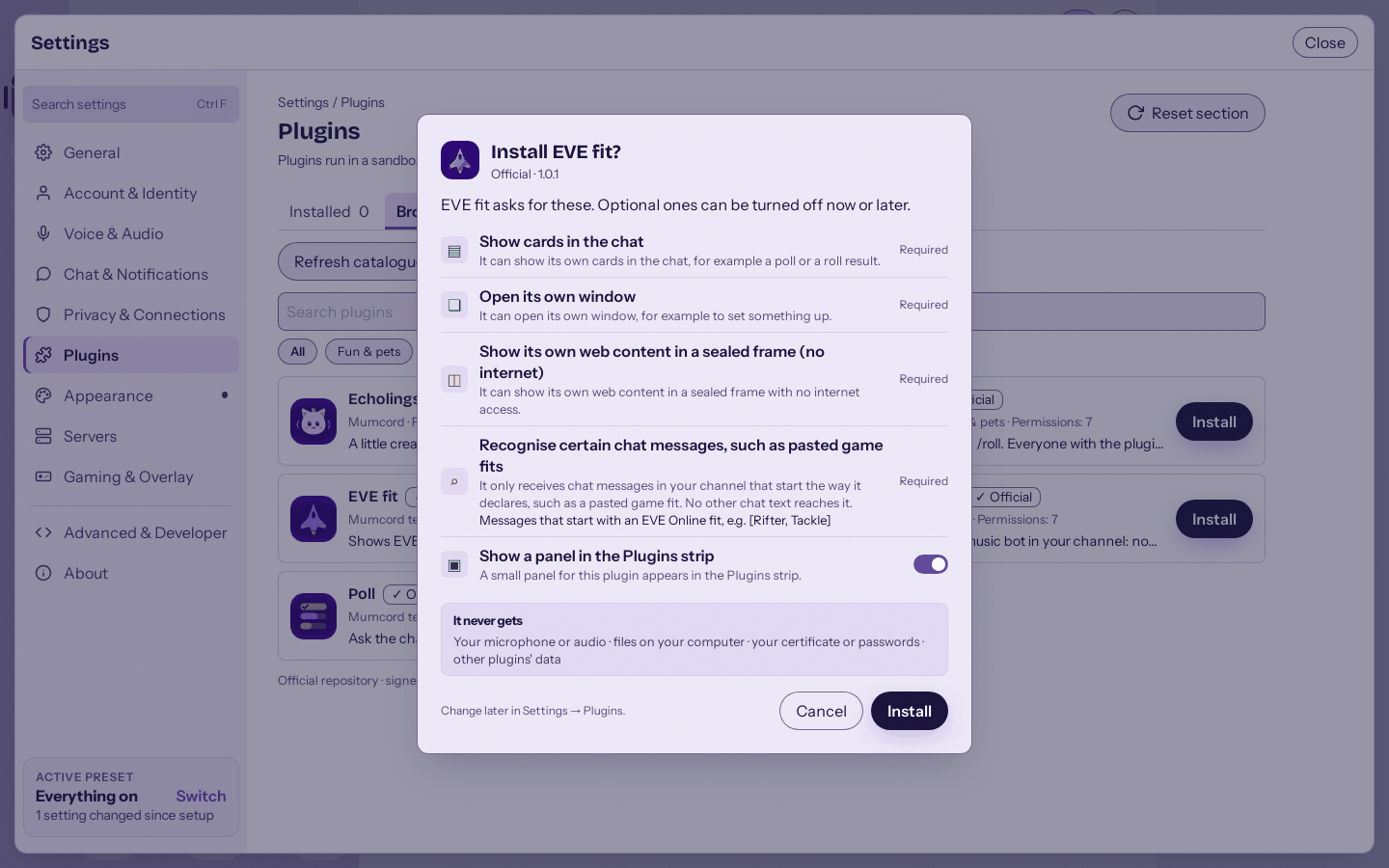
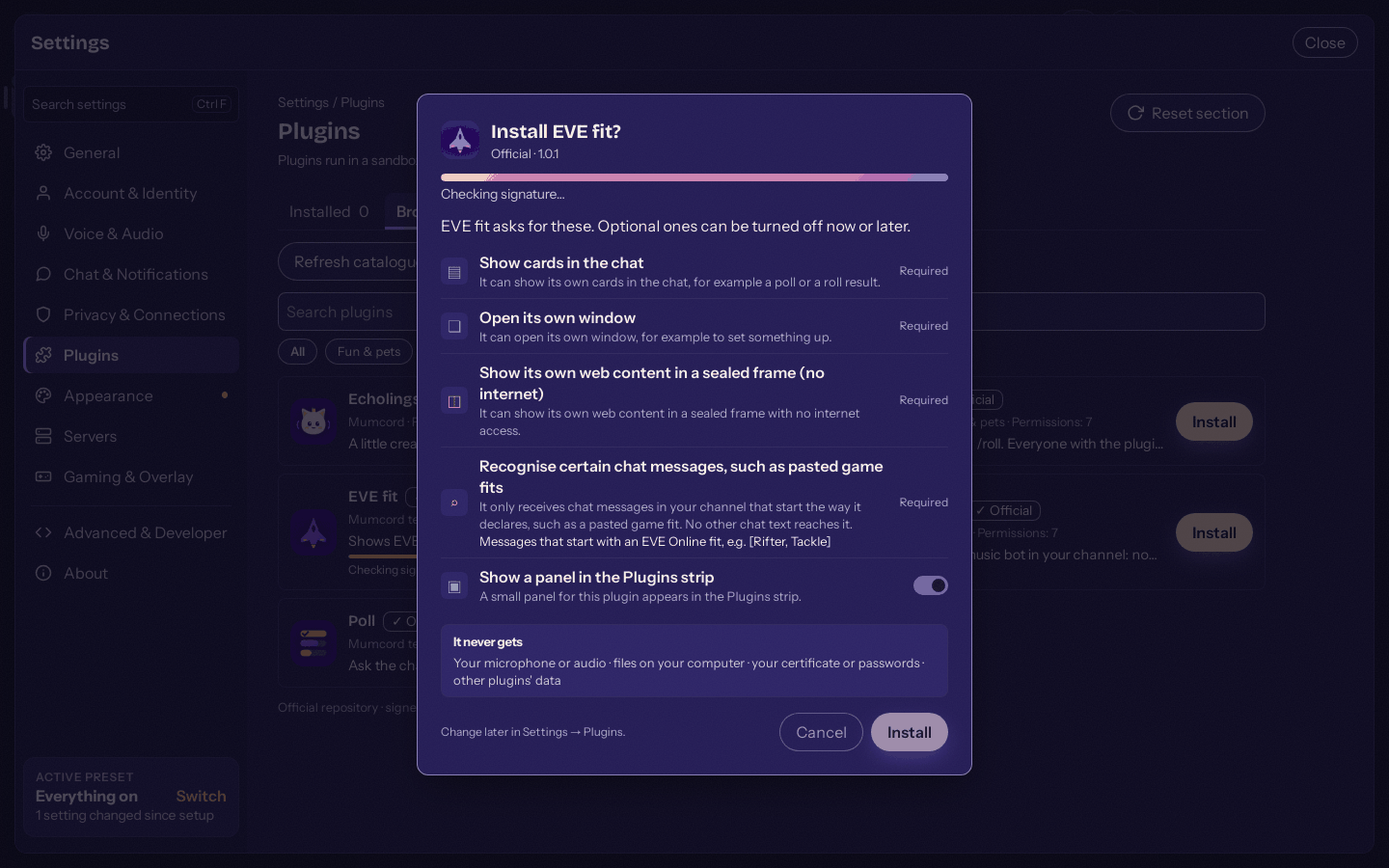
Straight from Mumcord 0.6.0, in the dark and the light theme.
-
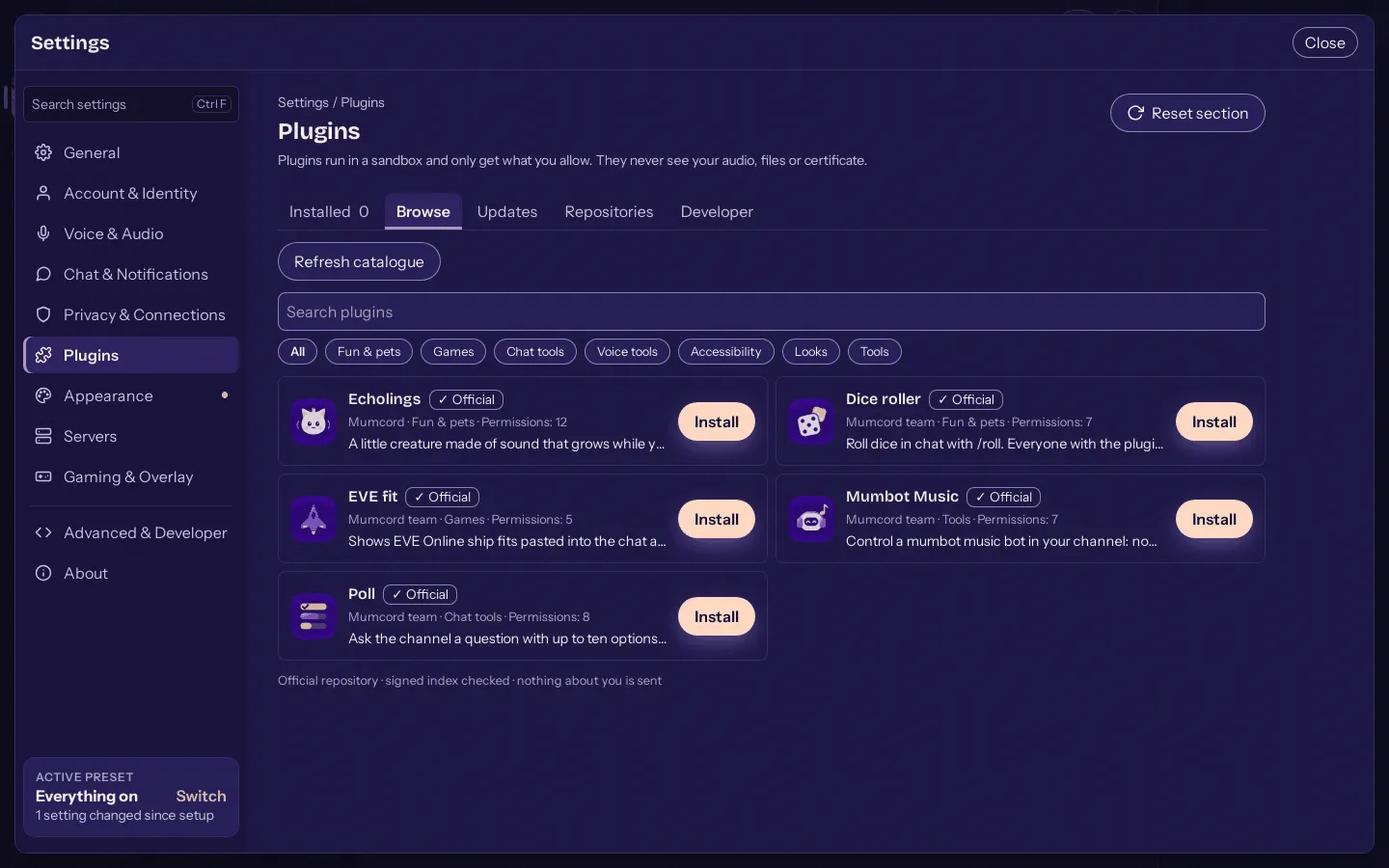
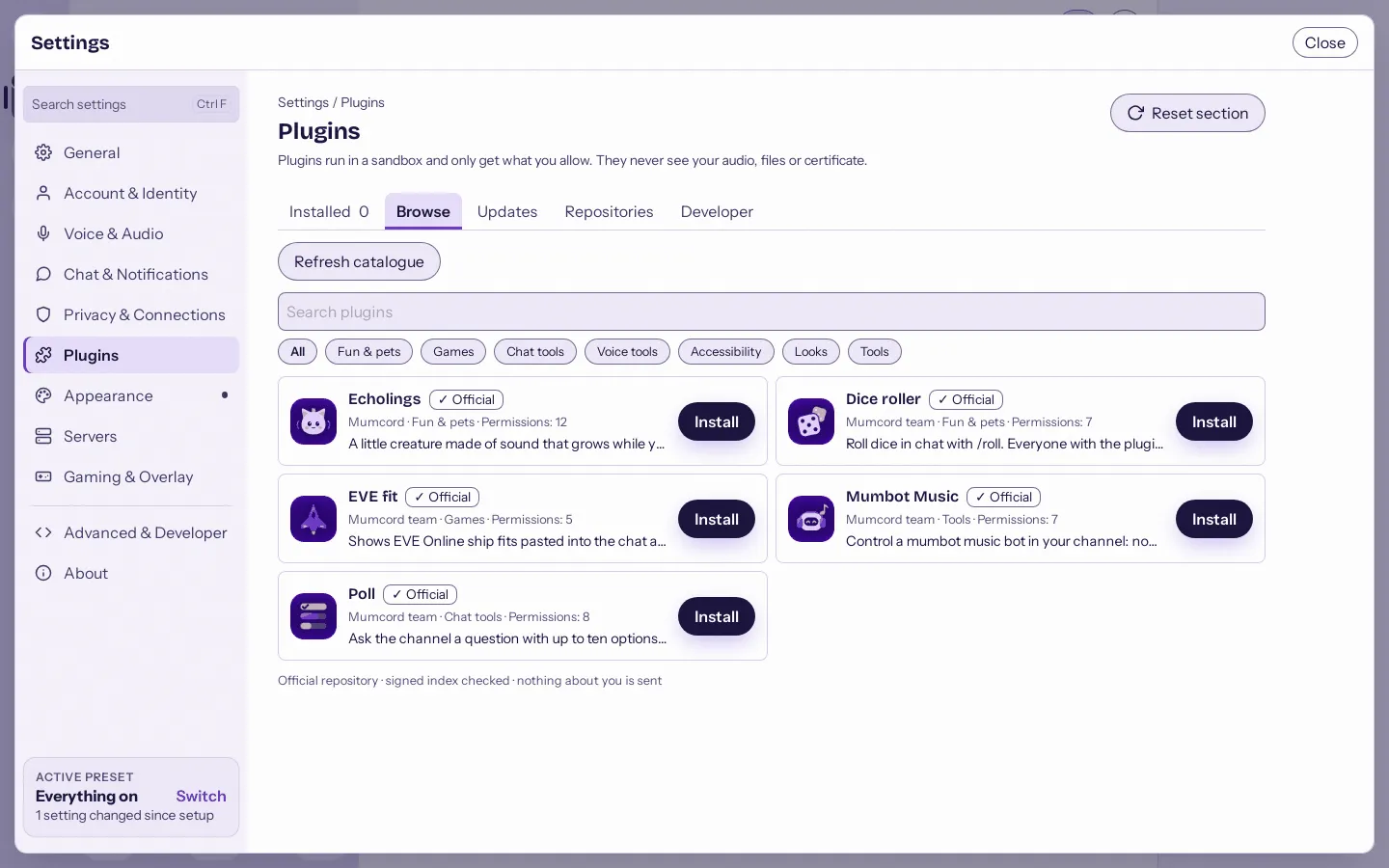
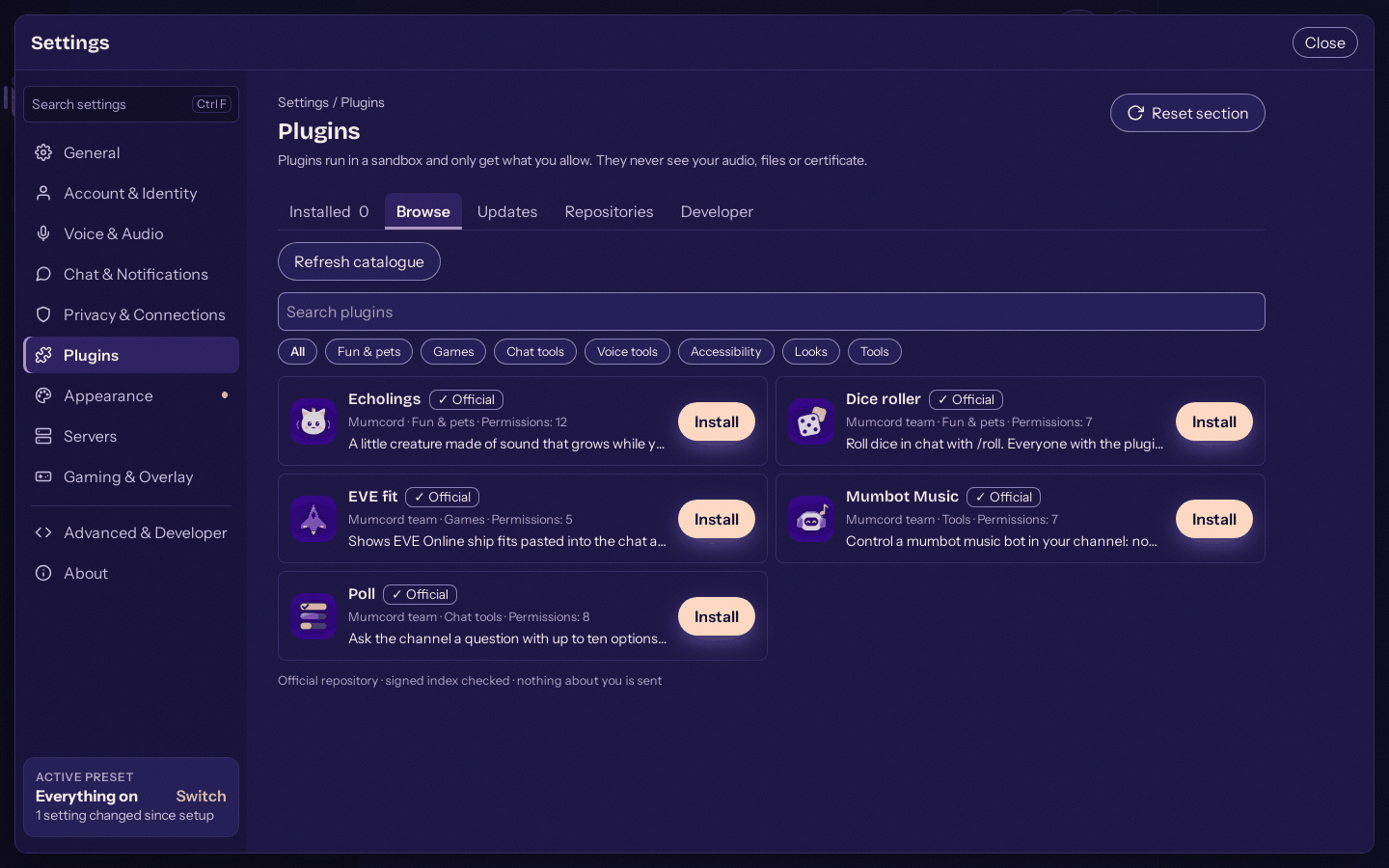
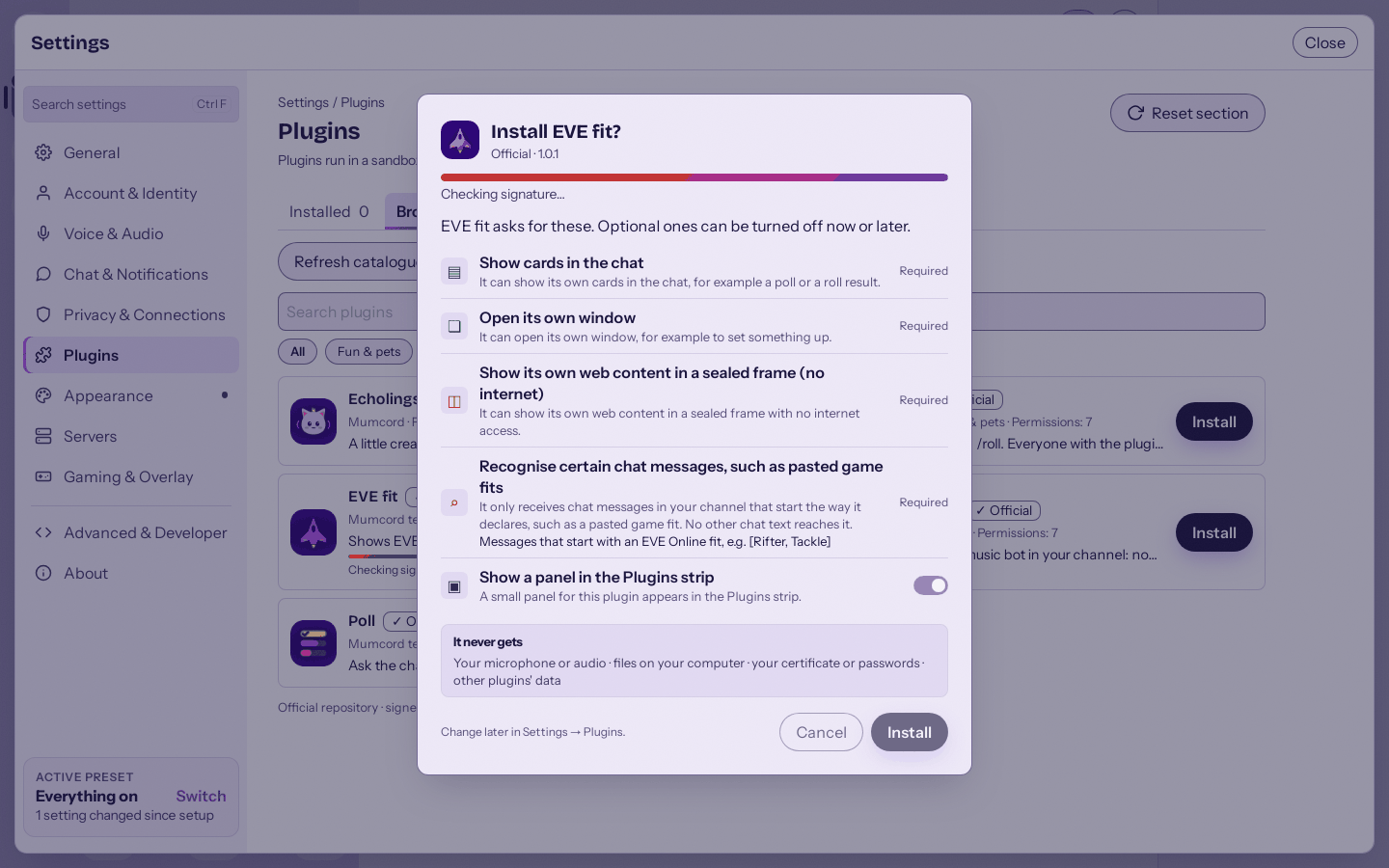
Browse the official plugins right in Settings. -
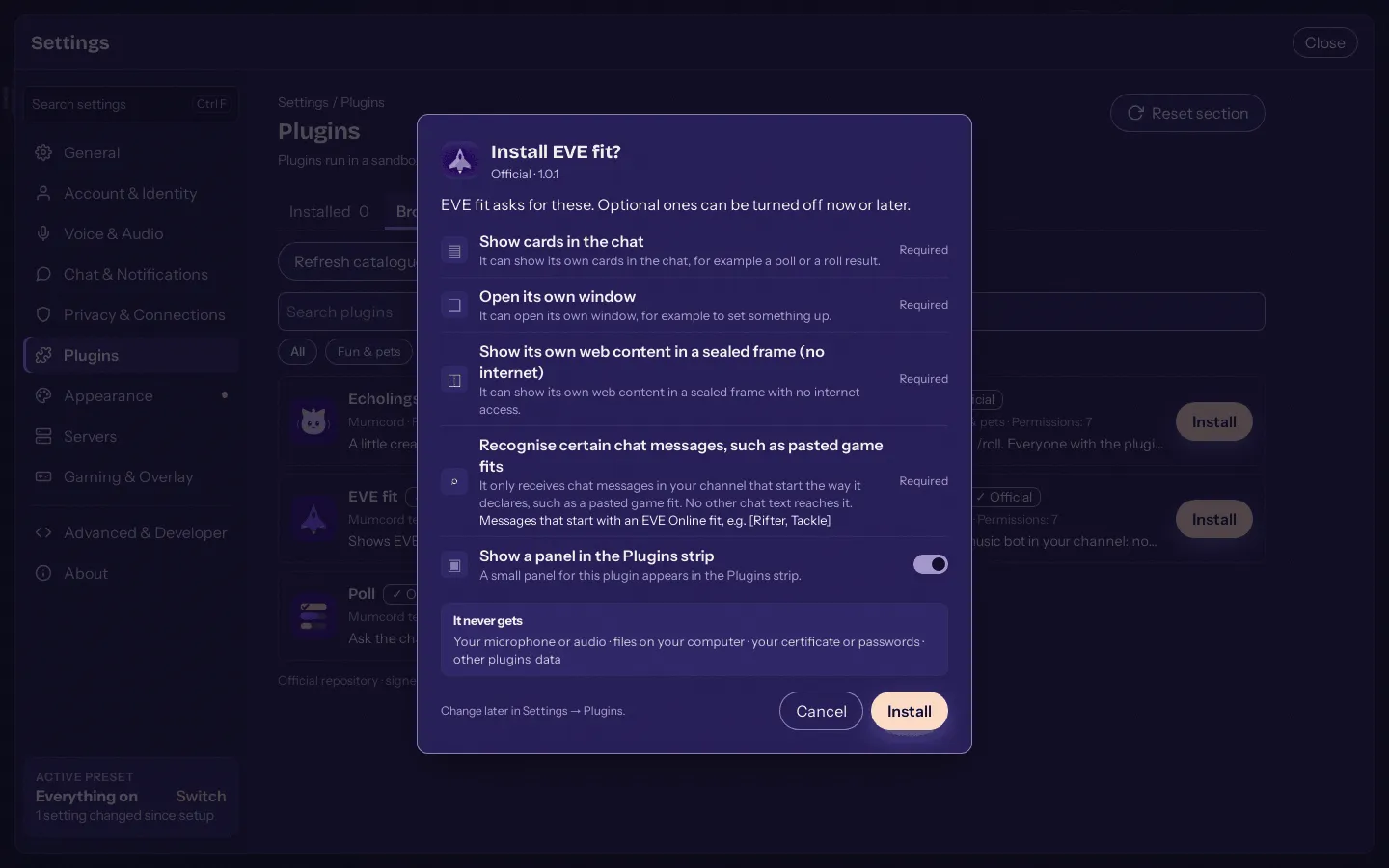
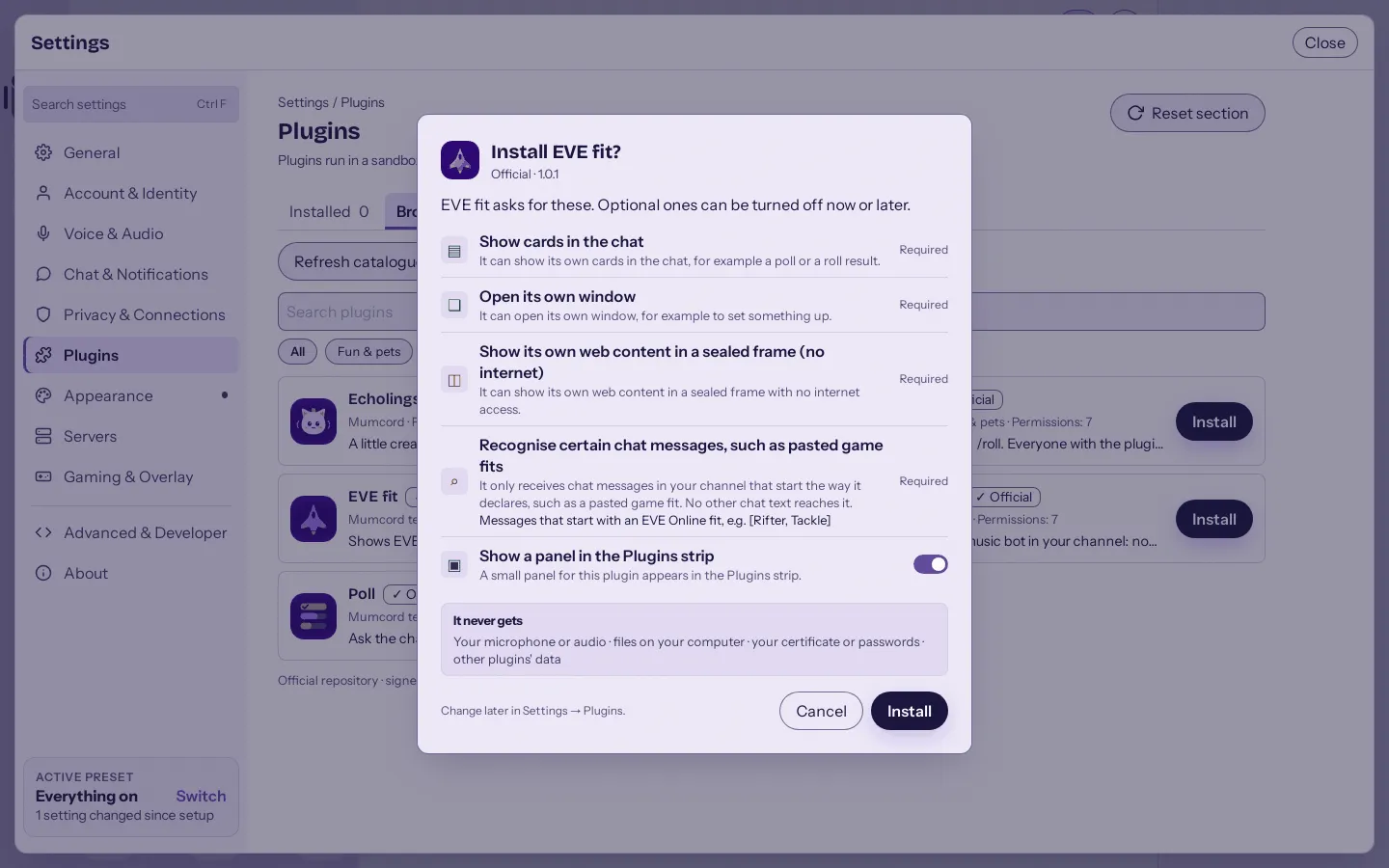
Every plugin says up front what it may do. -
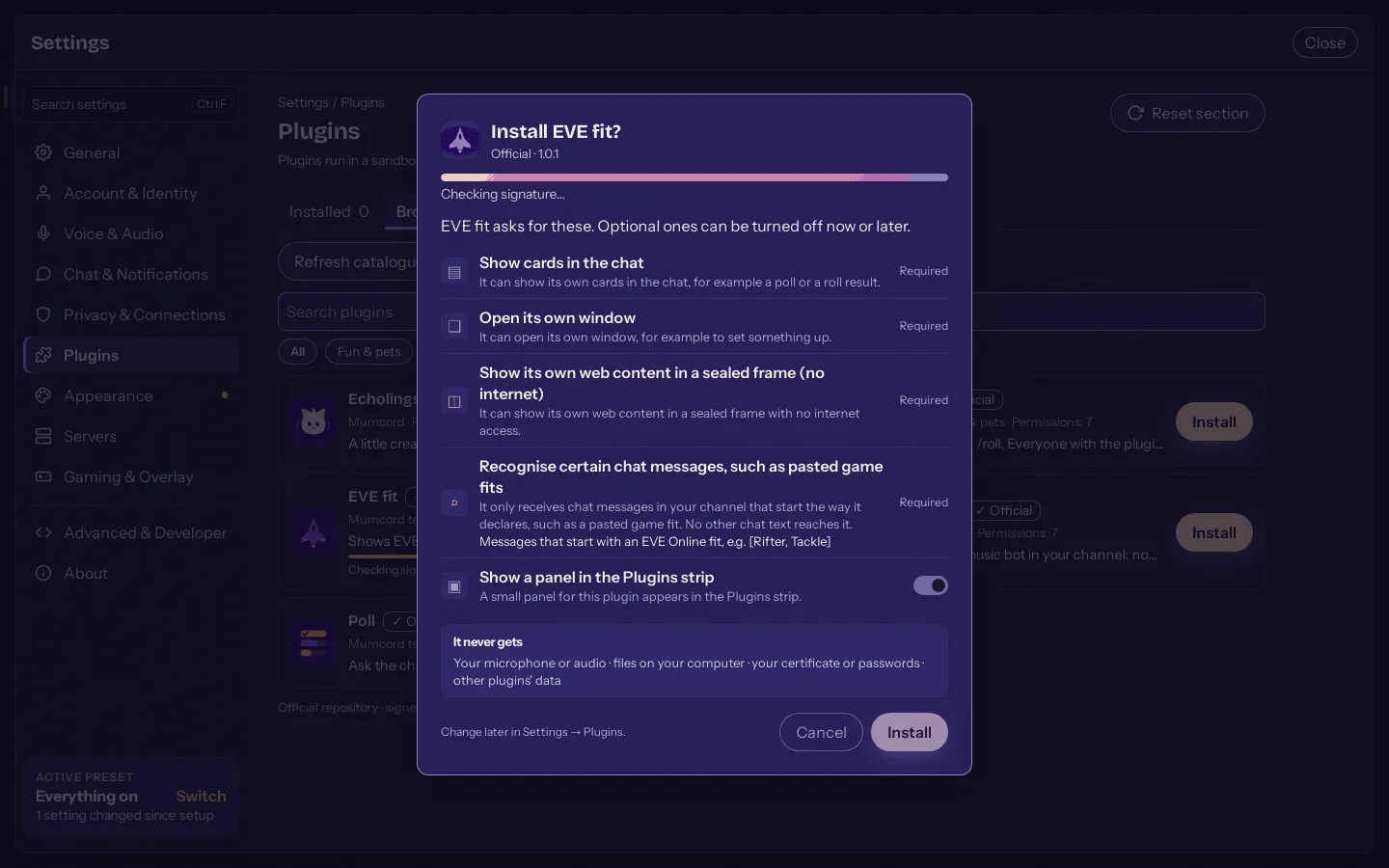
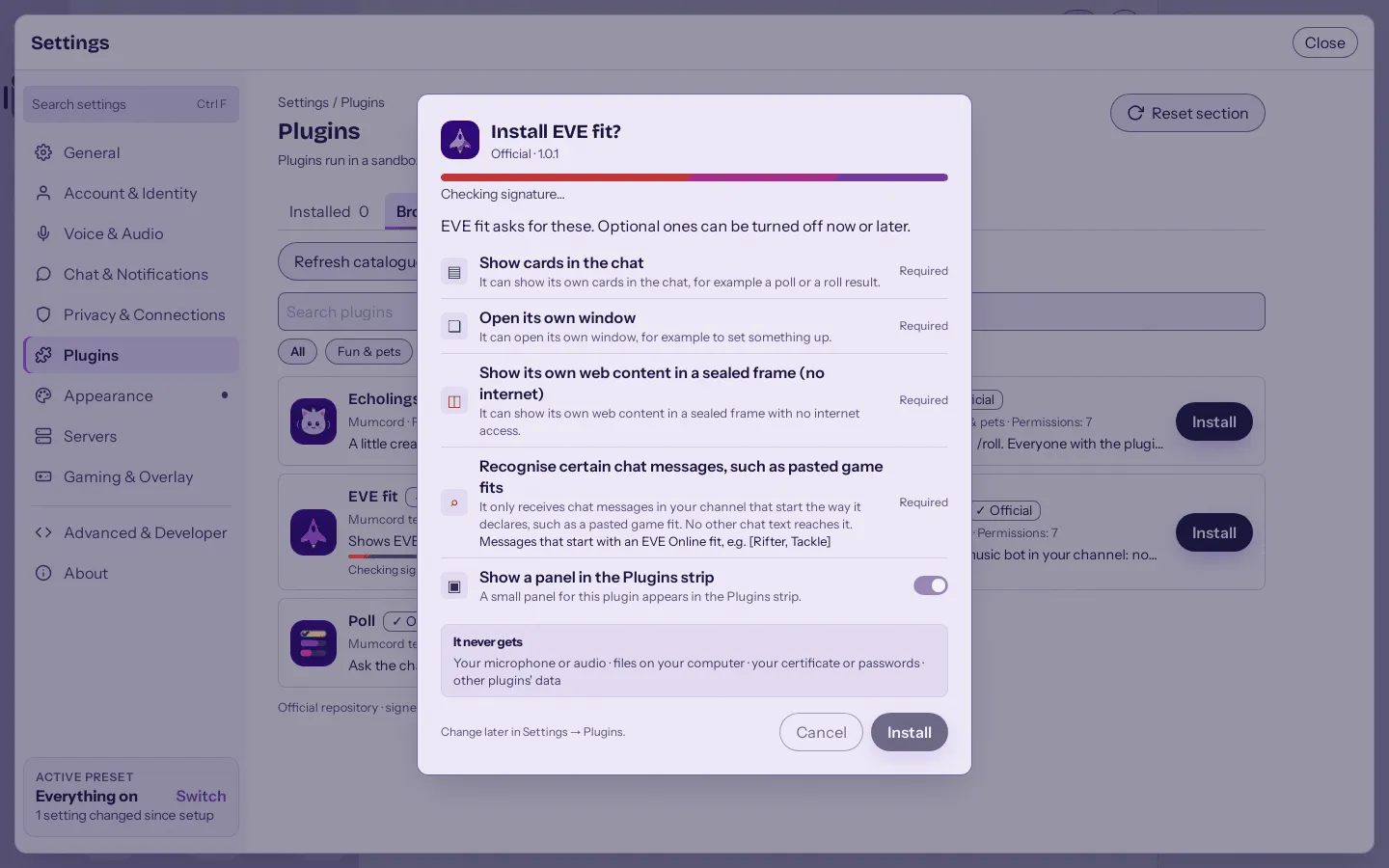
Signed packages are checked before they install. -
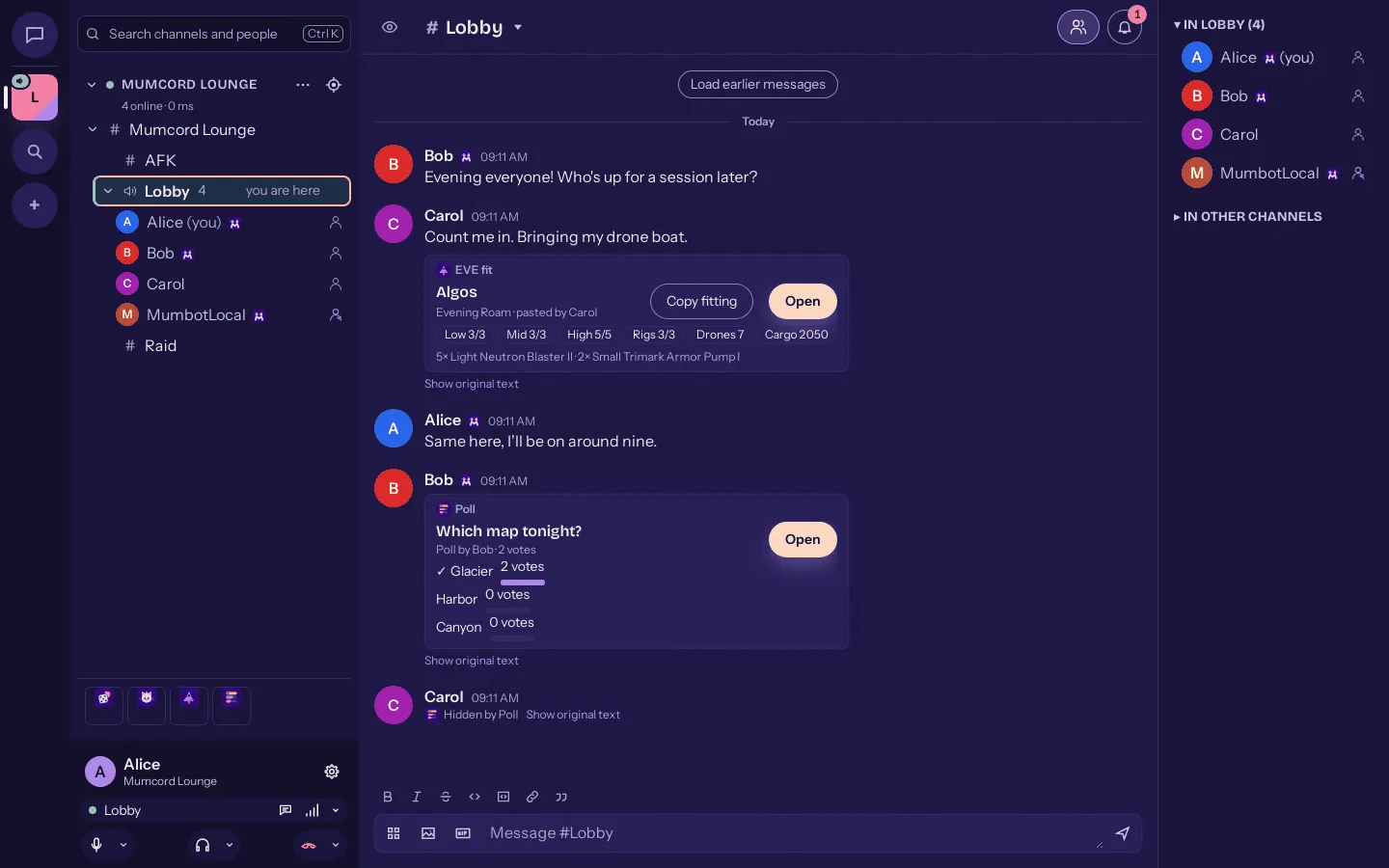
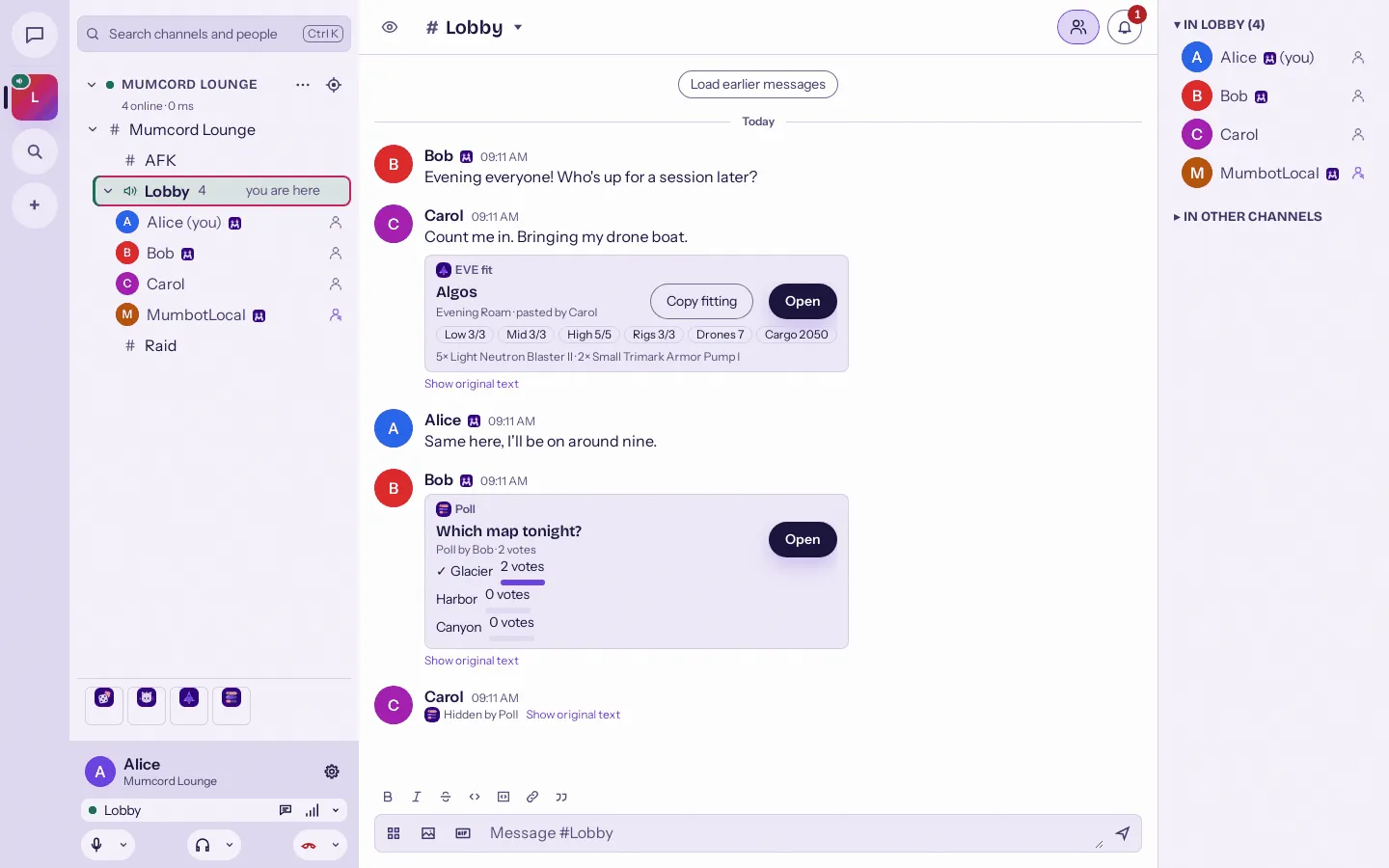
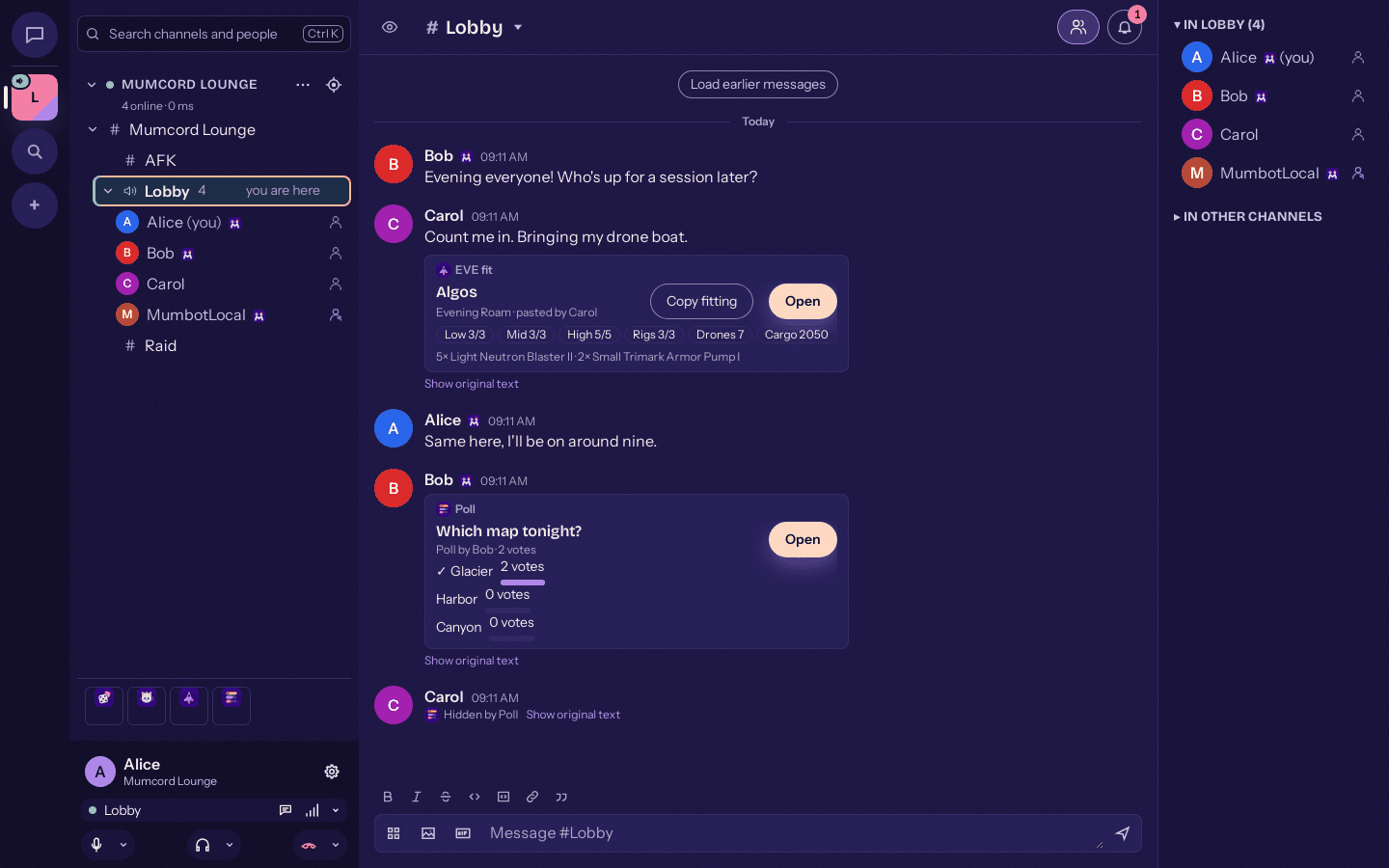
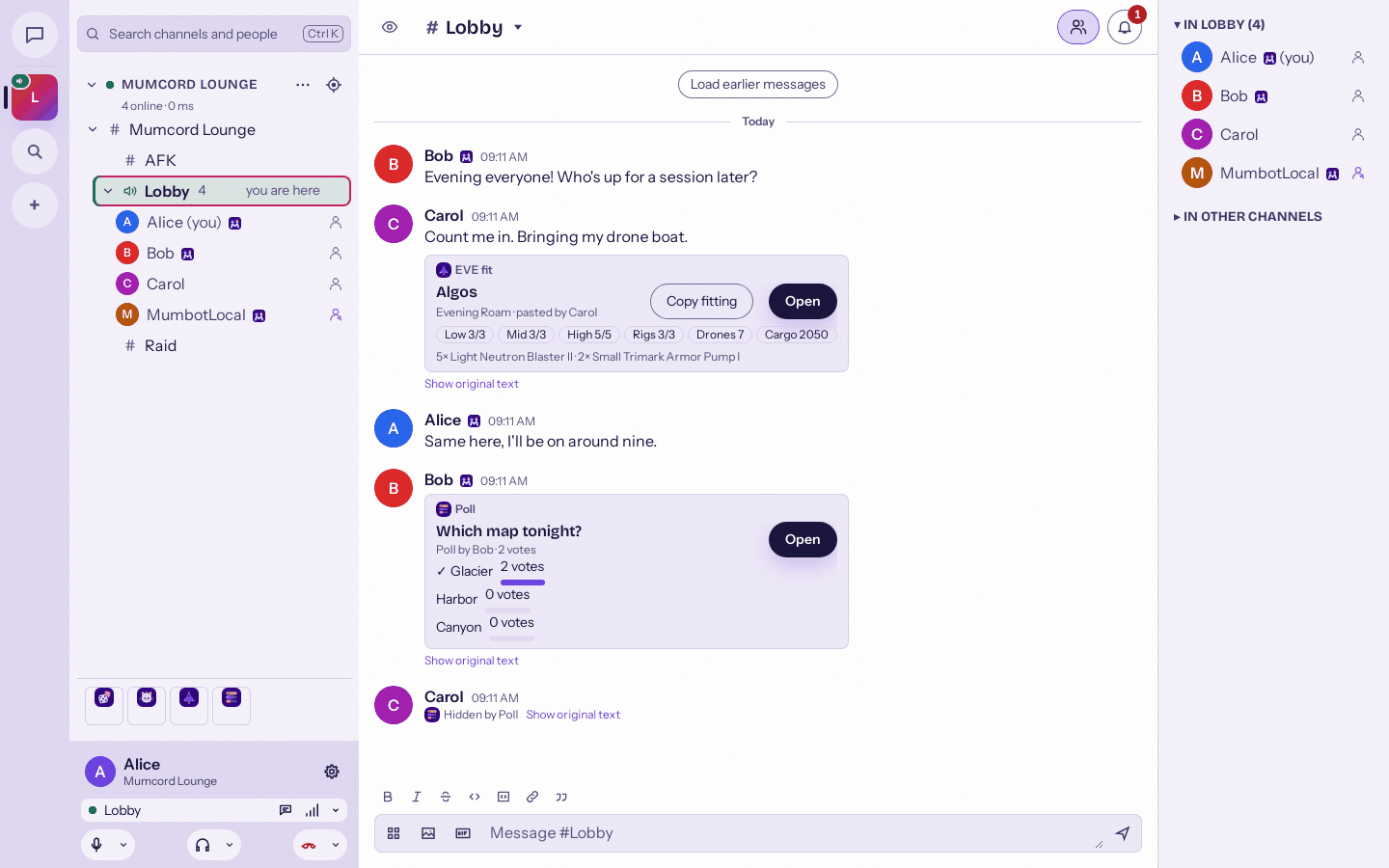
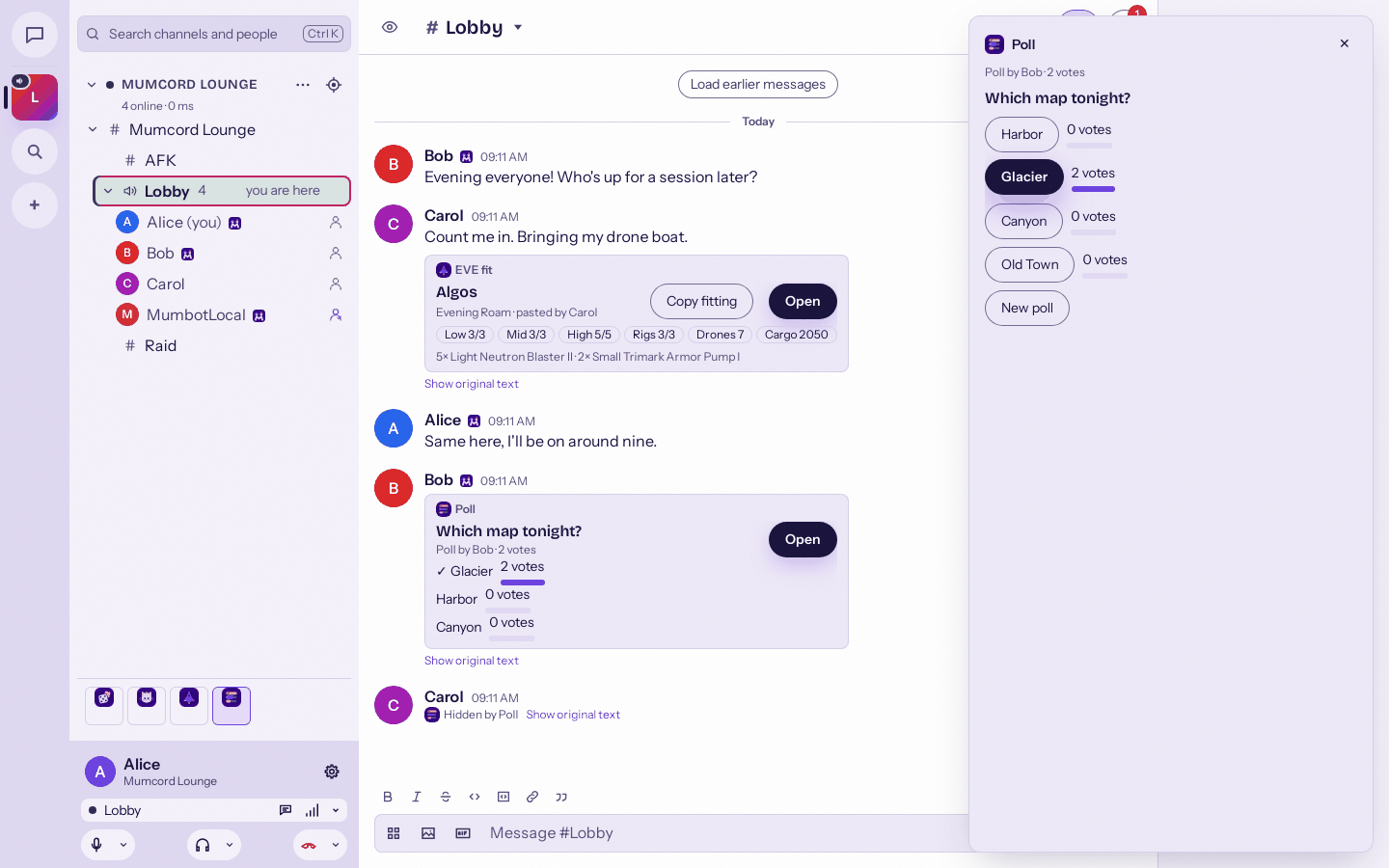
A poll replaces its chat message with a live card. -
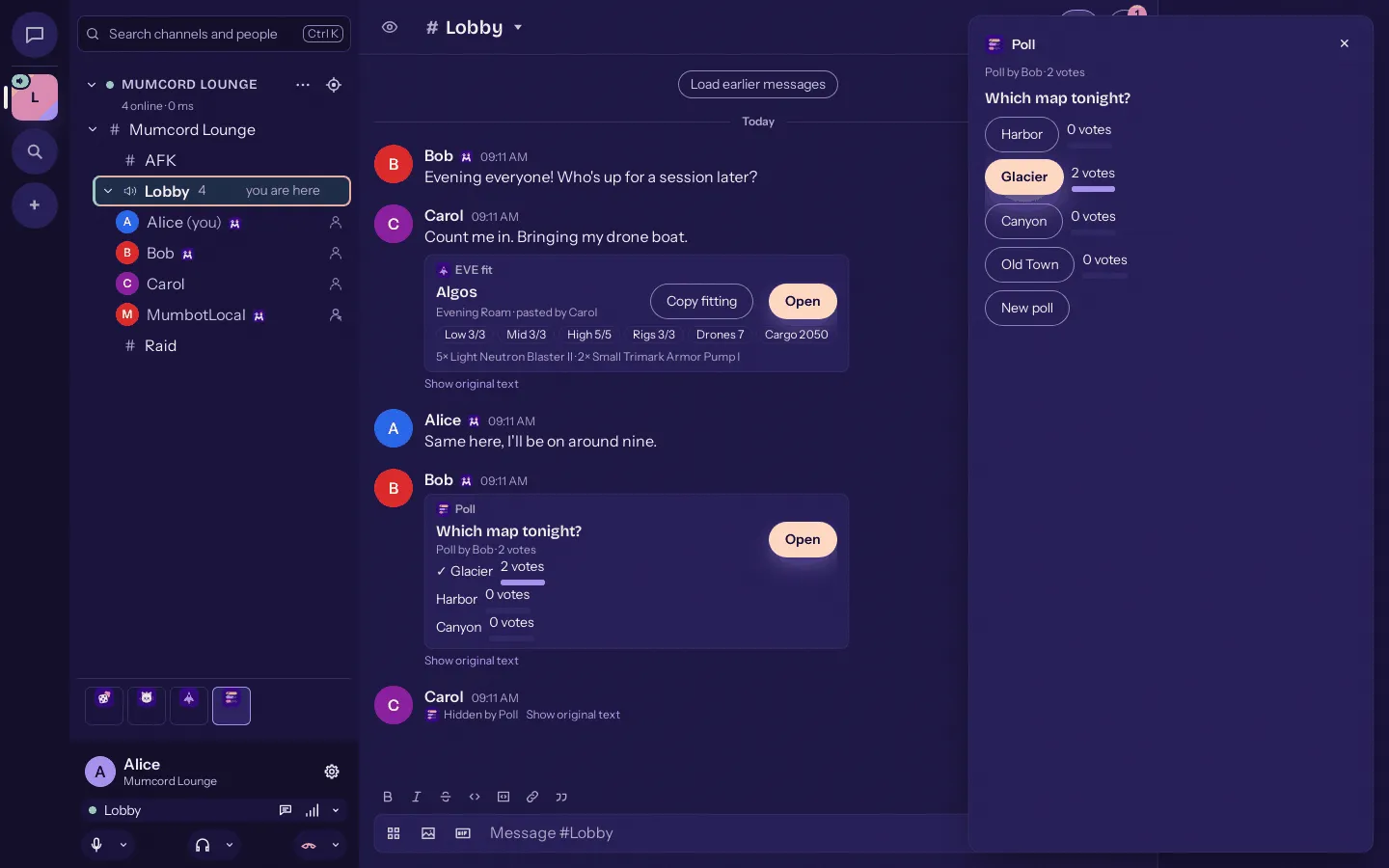
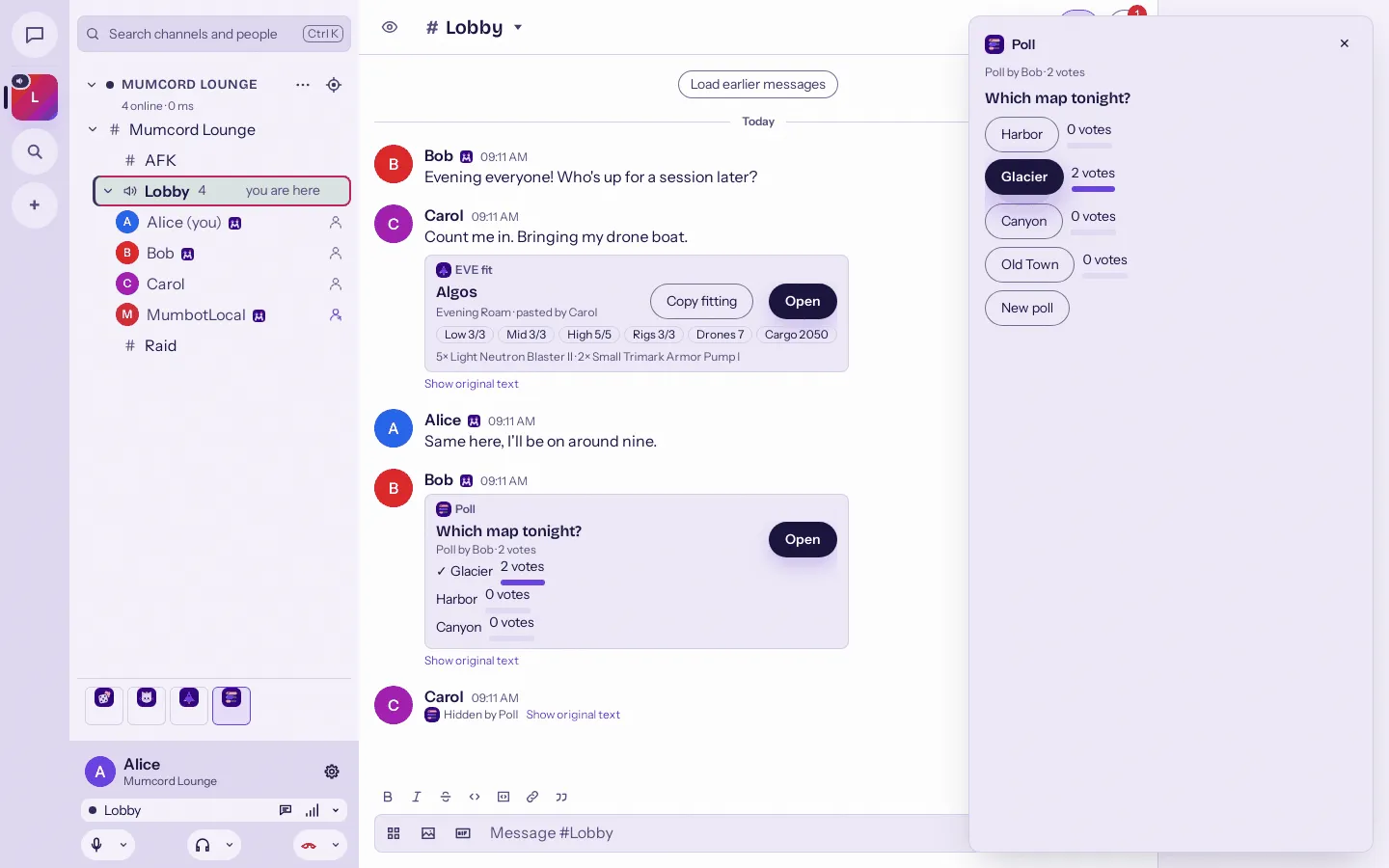
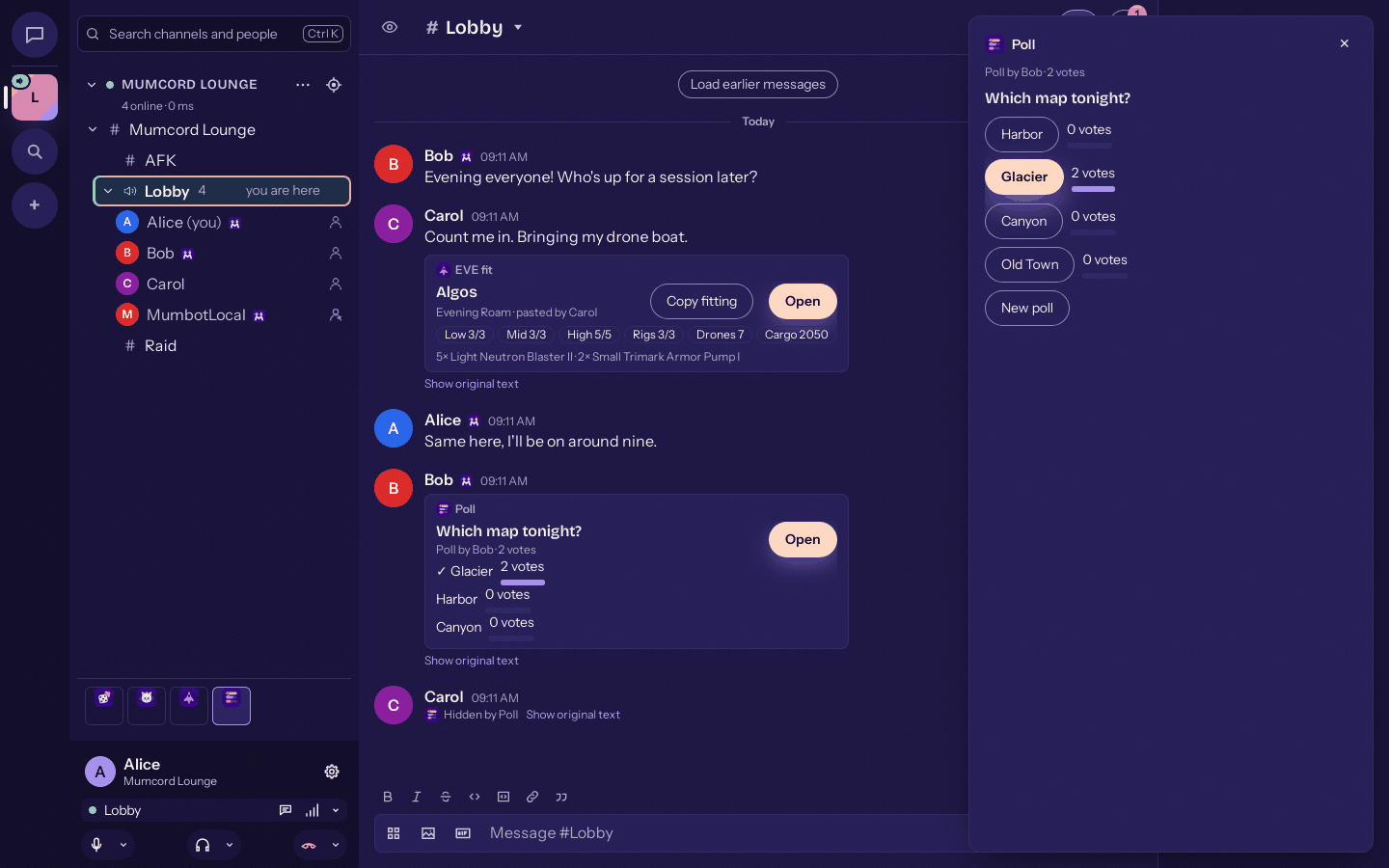
Vote in the side sheet; everyone sees the count update. -
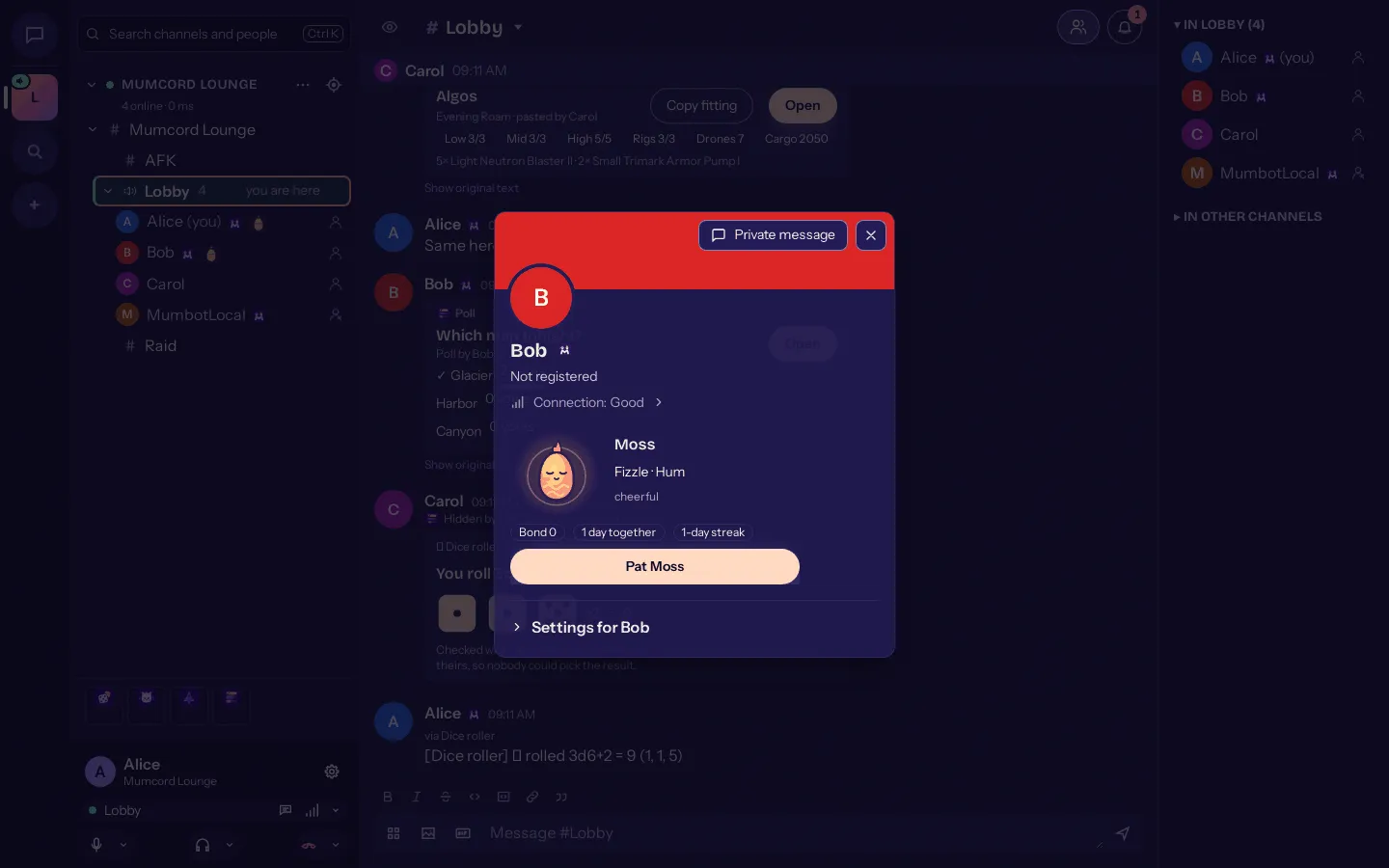
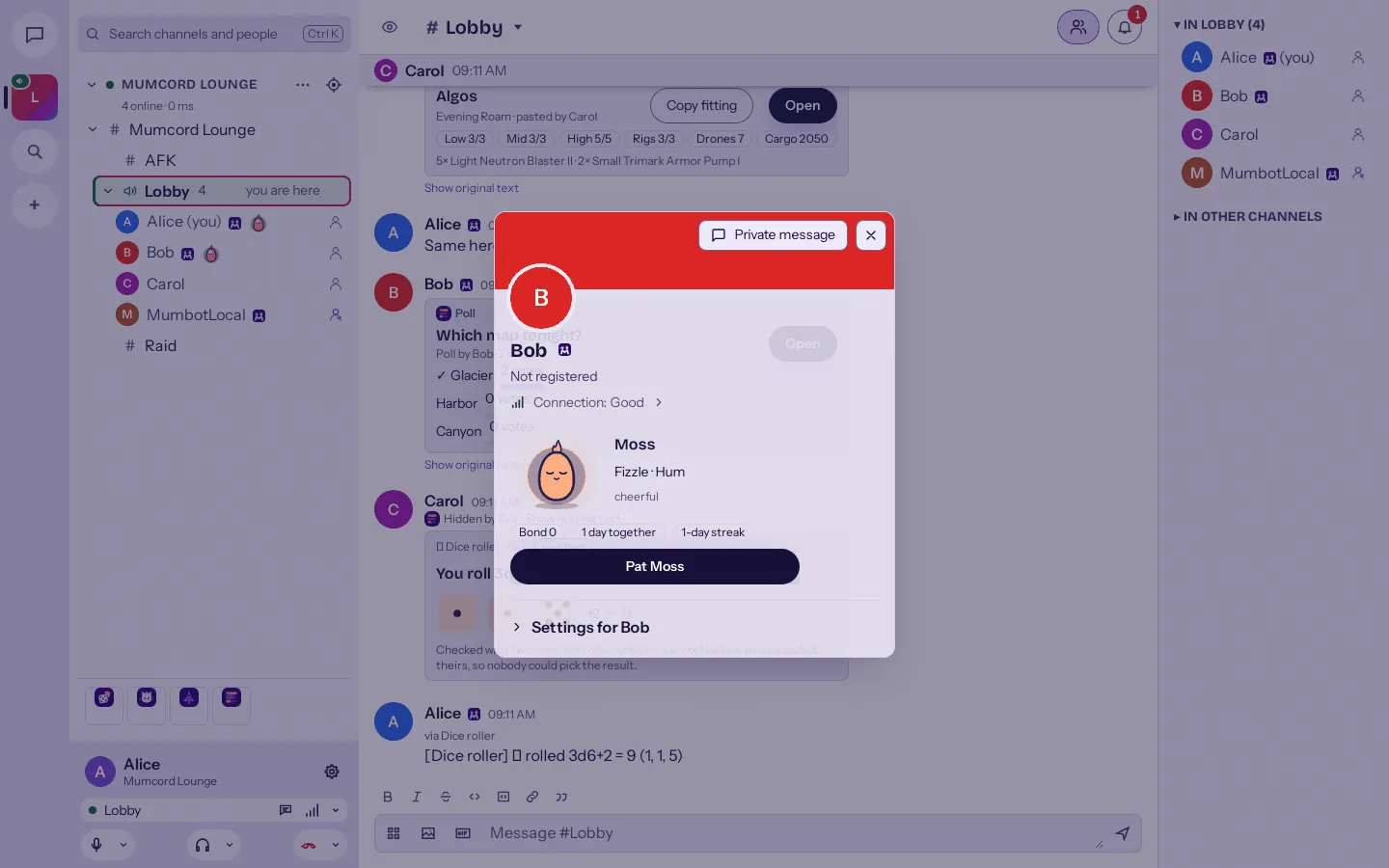
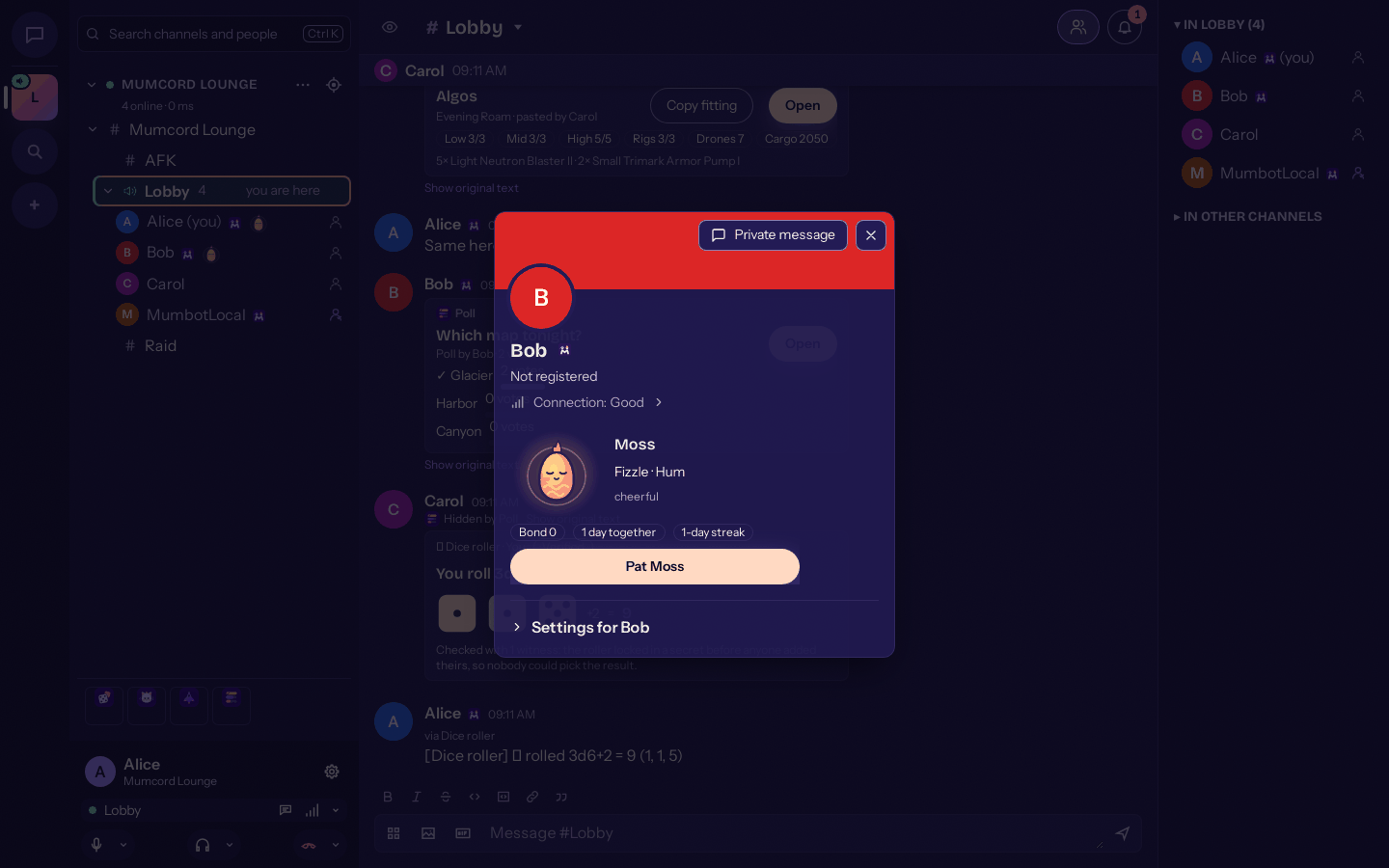
Echolings: a pet that grows while you hang out together. -
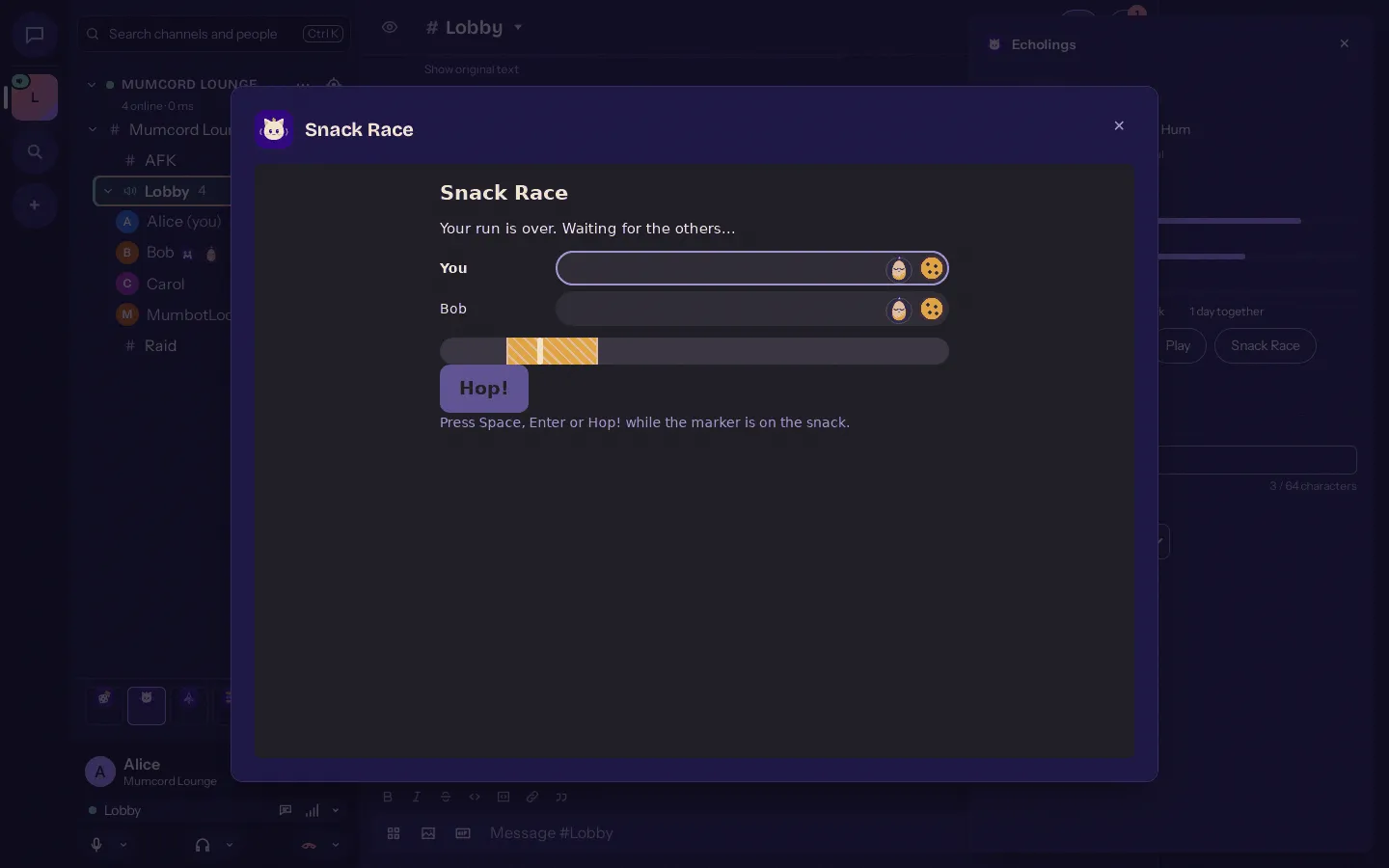
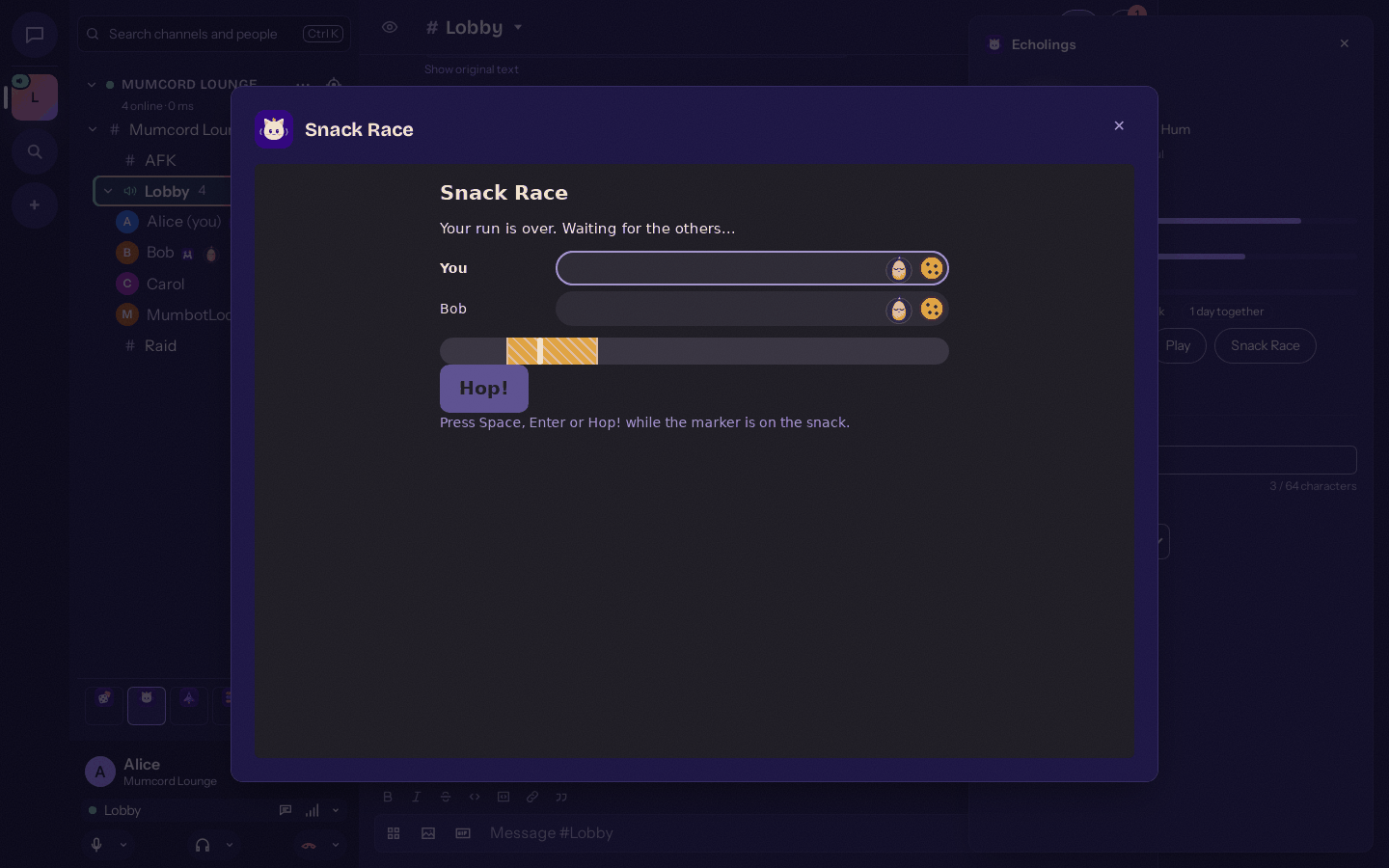
Race your friends’ Echolings to the snack. -
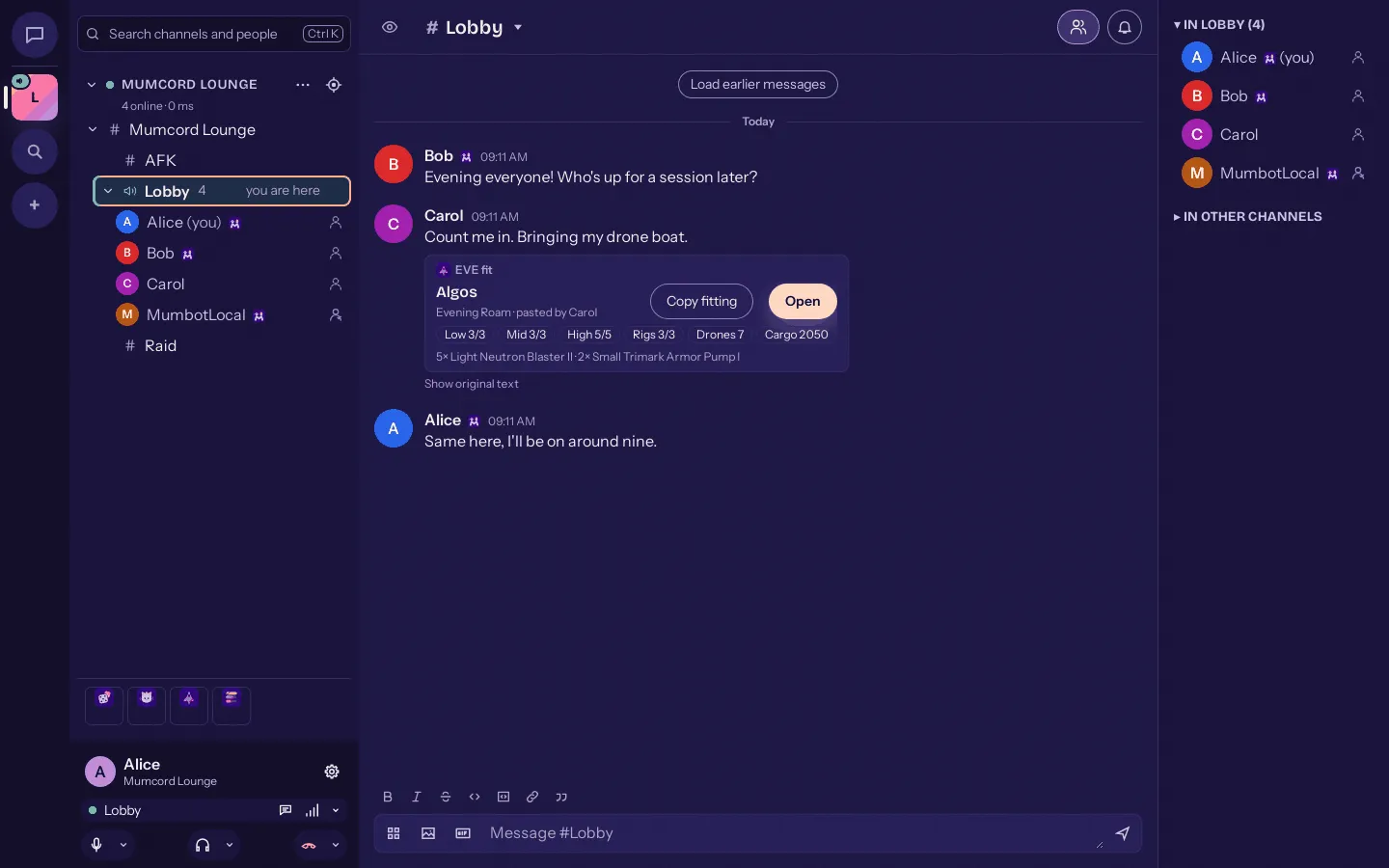
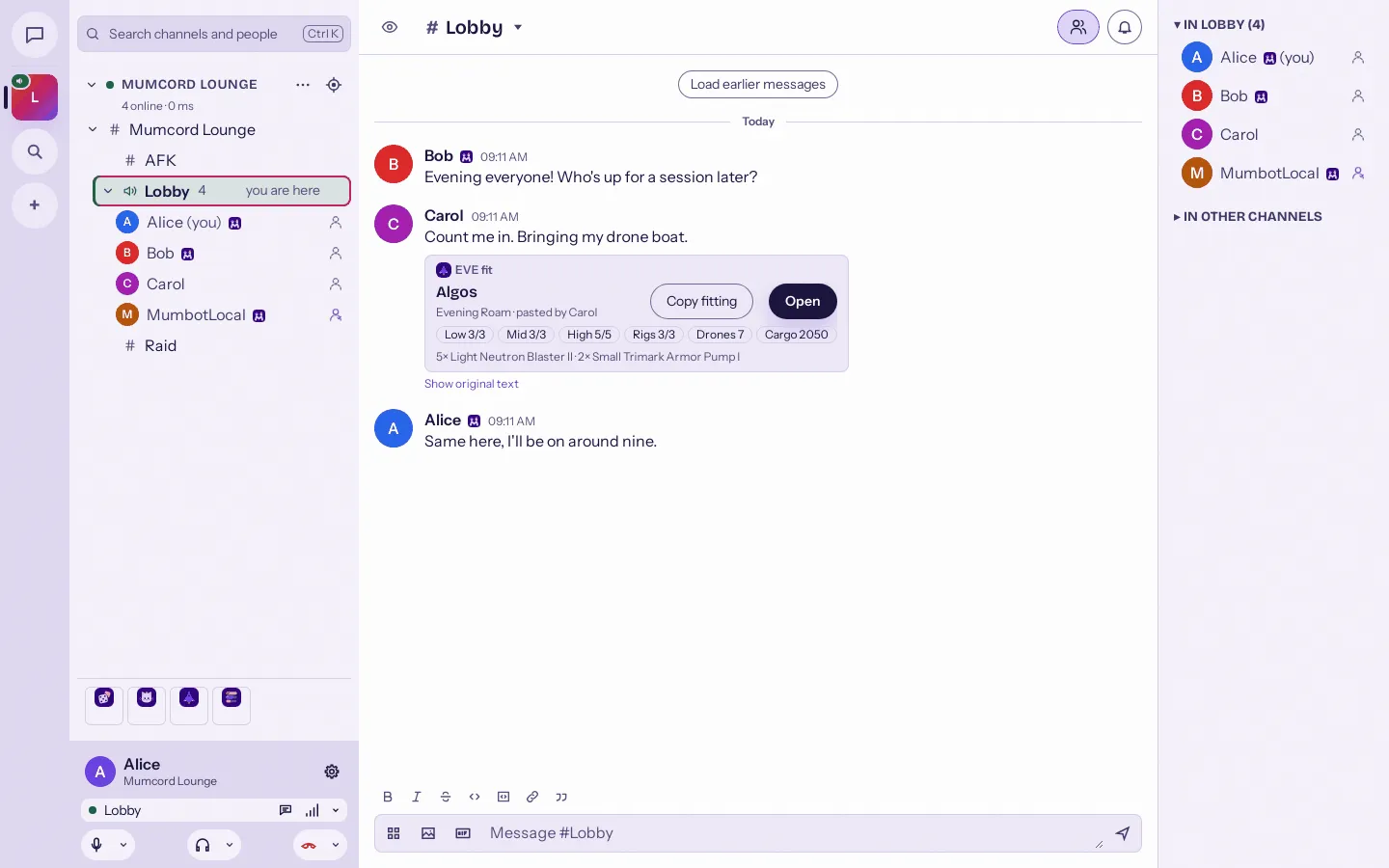
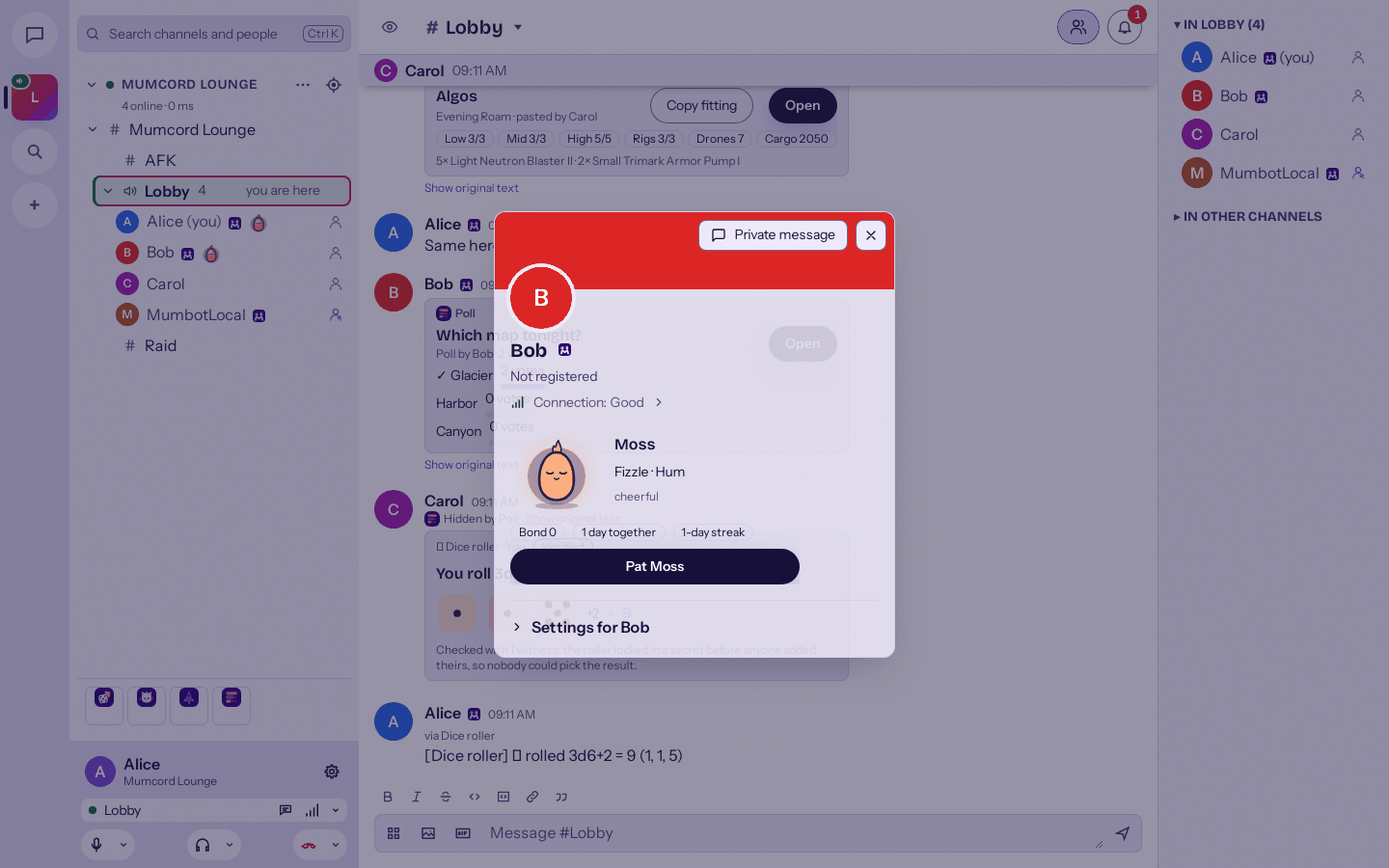
Paste an EVE Online fit and it becomes a neat card. -
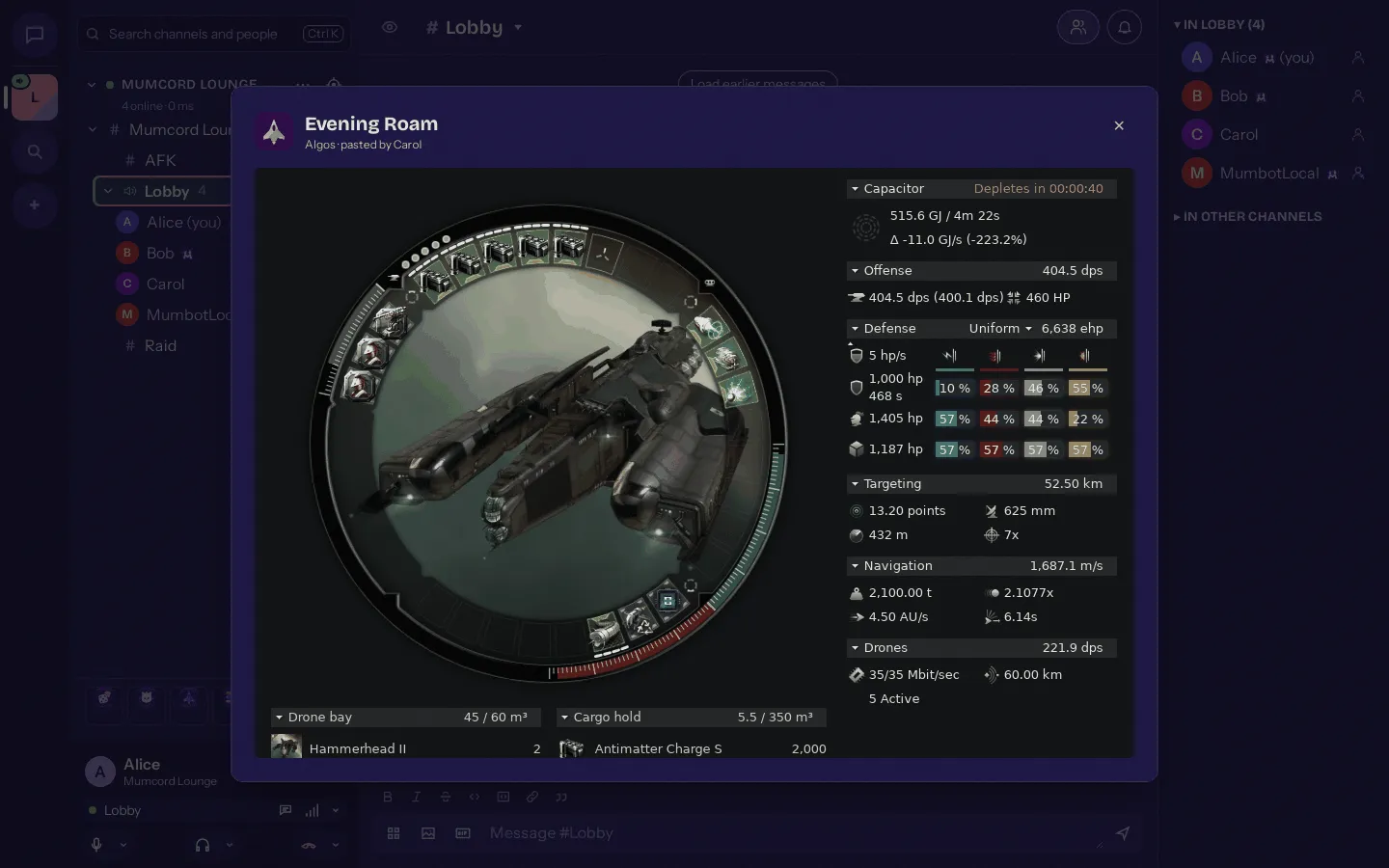
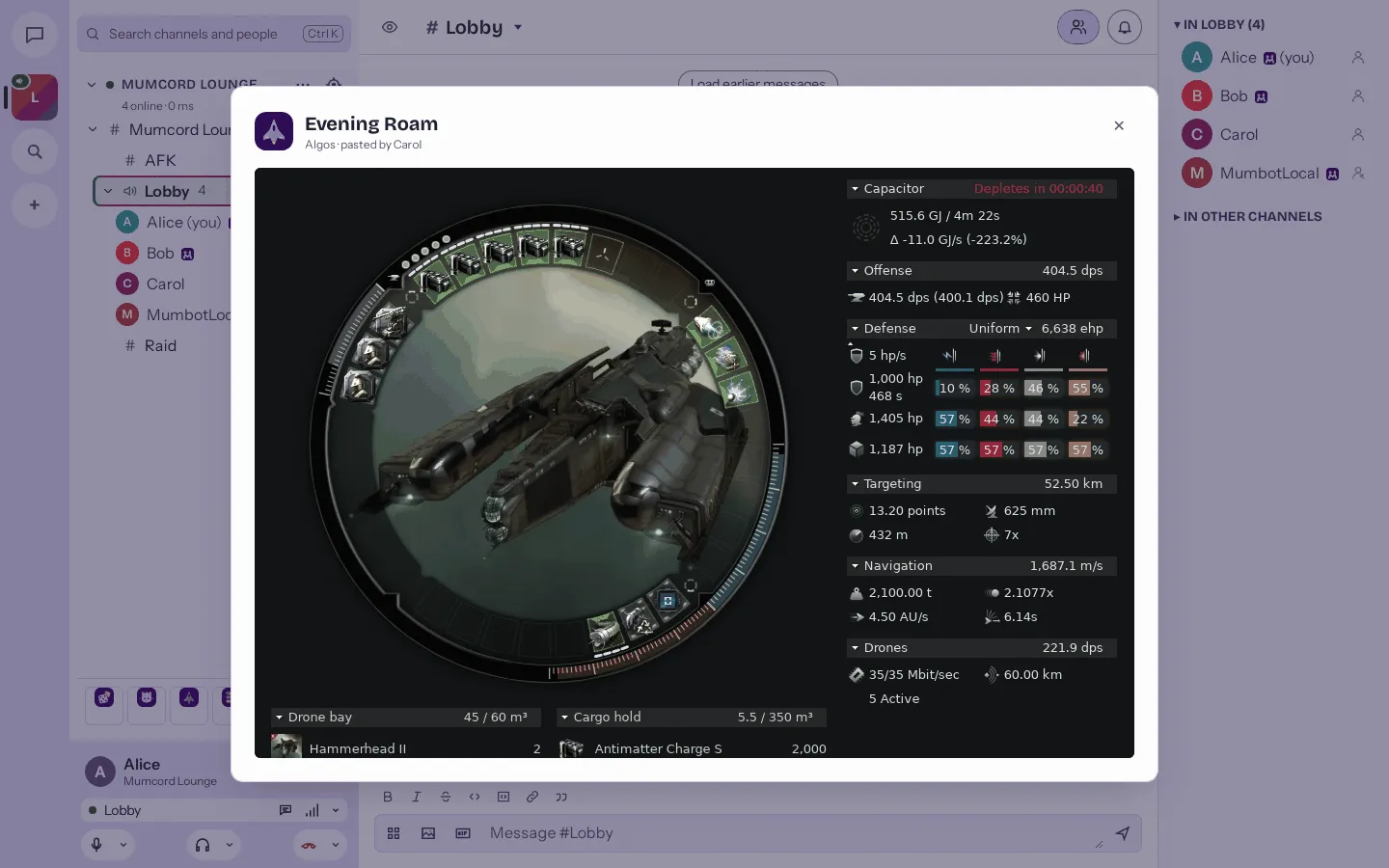
Open shows the full fitting wheel and statistics. -
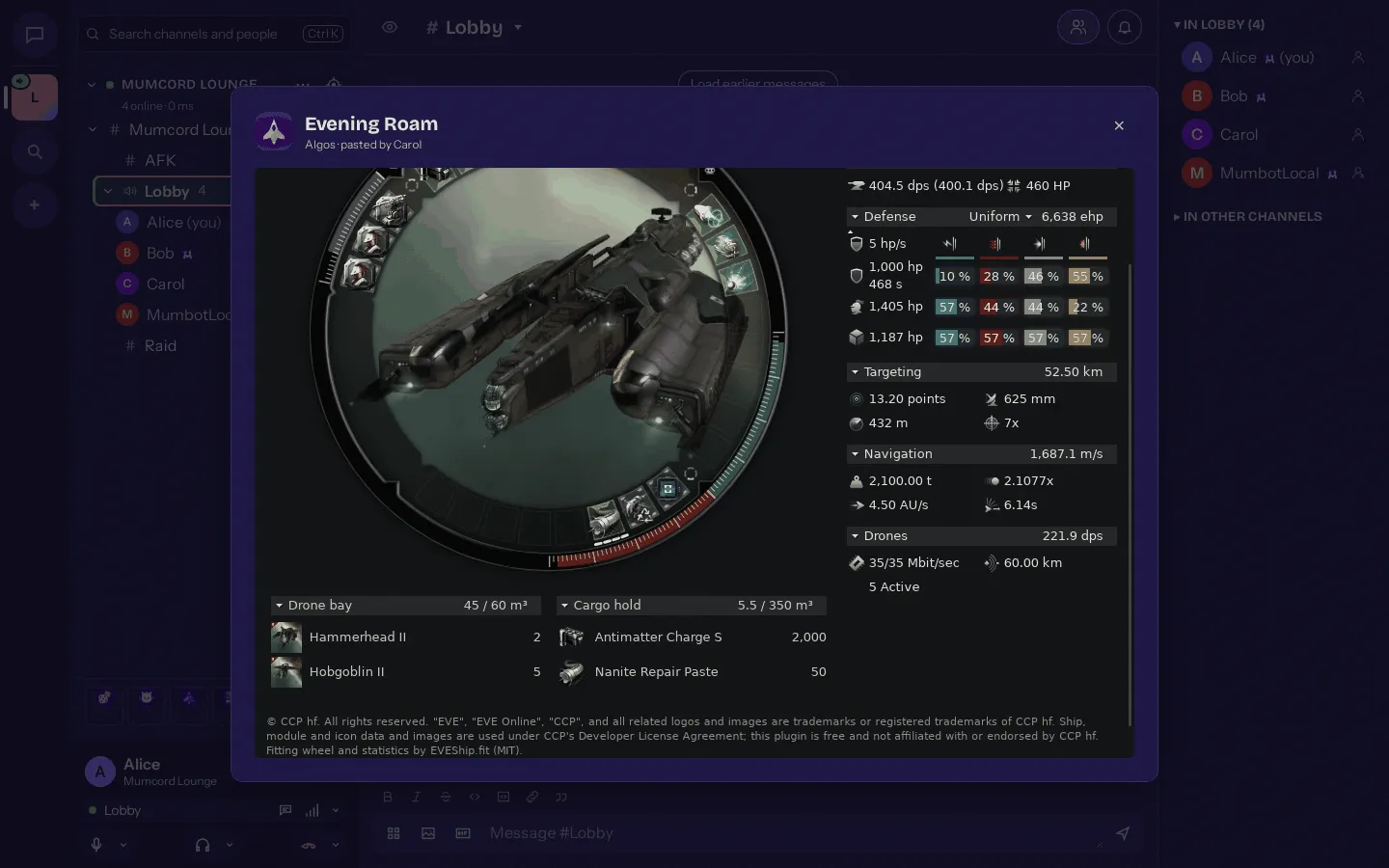
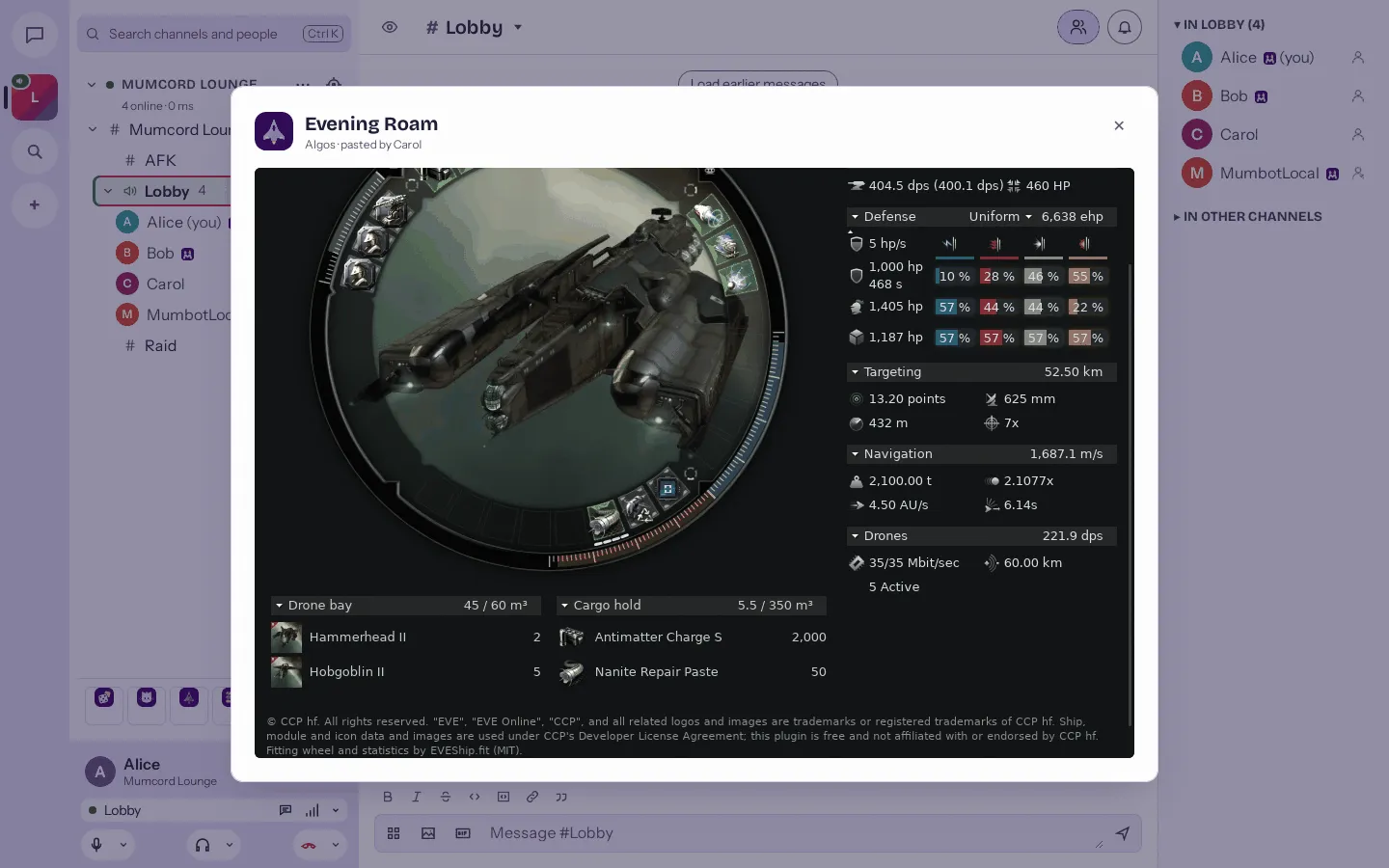
Drone bay, cargo hold and the CCP notice.
Nobody gets left out
Plugins need no server changes and work on any standard Mumble server. Friends on the official Mumble client see a plain text line where it matters, and nothing else.
An illustration: the exact wording comes from each plugin.
Installed in a minute
Plugins live in the settings, and you see what each one may do before it’s on your machine.
- 1 Browse Settings → Plugins → Browse.
- 2 Check Pick a plugin and review its permissions.
- 3 Install Its icon appears in the plugins strip under the channel tree.


Safe by design
A plugin is a guest in your app. These are the house rules.
A strict sandbox
Each plugin is a small WebAssembly program in a strict sandbox. No raw network or file access; Mumcord draws the interface from built-in building blocks.
Signed, end to end
The registry and every package are signed with minisign, and Mumcord checks them before installing. A kill switch can turn off a bad version everywhere.
No server changes
Works against an unmodified Mumble server. Nothing to install for the admin.
One switch to stop them all
Nothing is preinstalled. “Turn off all plugins” in Settings → Plugins or the command palette (Ctrl+Shift+P) stops every plugin at once.
In your language
Available in all 24 Mumcord languages.
For developers
Build your own
Plugins are written in Rust and compiled to WebAssembly (component model, interface mumcord:plugin@1.0.0). The repo holds the template, the docs and the source of every official plugin.
cargo install mumcord-plugin
mumcord-plugin new my-plugin
cd my-plugin
mumcord-plugin build
mumcord-plugin test
The tool and the SDK are on crates.io. In your Cargo.toml: mumcord-plugin-sdk = "0.6"
mumcord-plugin · One tool for the whole way
-
newCreates a plugin from the template. -
buildBuilds it reproducibly. -
checkChecks the package. -
testRuns test scenarios against a mock host. -
serve-registryServes a local registry to try it in Mumcord (Developer mode in Settings → Plugins).
Docs
- Getting started
- API
- Manifest
- Permissions
- Building
- Testing
- Publishing
- Your own repository
- All docs
- Wiki
Into the official registry
Open a pull request in Mumcord/plugins that adds plugins/<id>/. It needs one maintainer approval and a green CI.
What CI checks
- Schema check
- Reproducible rebuild
- Author signature
- Permission diff
- Mock-host load test
- Licence scan
The rules
- An OSI-approved licence
- A reproducible build
- No ads, tracking, payments or loot boxes
Or run your own
Anyone can run their own plugin repository. Users add it in Settings → Plugins.
Your own repository →Licences
Official plugins are AGPL-3.0. The template, the docs and the SDK are Apache-2.0.
Made by

Got an idea for a plugin?
Everything is open: the template, the docs and every official plugin.
Open the plugin repo